


Pay2.House virtual cards are the platform’s core payment tool. They are used to pay for advertising platforms, subscriptions, and online services – and they directly affect payment stability and the number of declined transactions.
Before you start
If you are just getting started with Pay2.House or are not yet familiar with the platform’s basic features, we recommend reviewing the previous guides first:
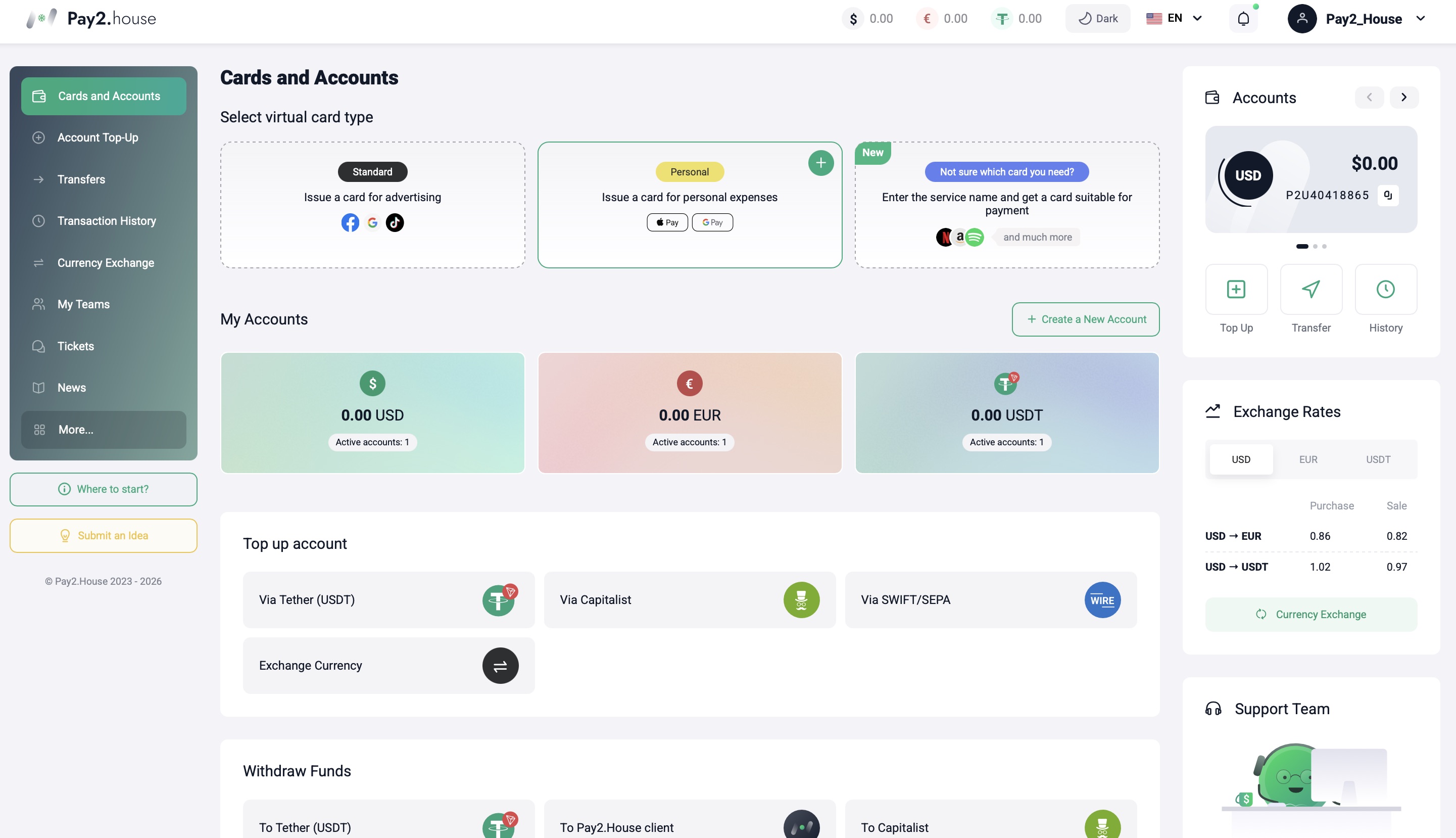
Types of Pay2.House virtual cards
Pay2.House offers two types of virtual cards.
Standard card
The Standard card is used to pay advertising platforms and online services.
Main use cases:
- Facebook Ads
- Google Ads
- TikTok Ads
- subscriptions and SaaS services
- AI services
The Standard card does not require verification and works for most advertising and service platforms. It is used as a payment instrument for online payments.
Personal card
The Personal card is designed for payments via Apple Pay and Google Pay.
It is suitable for:
- everyday spending and POS terminal payments – the card works for daily purchases and while traveling
- online shopping in services where Apple Pay or Google Pay is available
- paying for subscriptions and digital services via mobile wallets
The Personal card is available only after verification.
Your verification status is displayed in your dashboard. To check it, hover over your username in the top-right corner of the interface.
Card issuance conditions
Virtual cards are issued in the “Cards & Accounts” section under the following conditions.
To issue a card, your account balance must be at least 50 USD / USDT or EUR. The card is issued with a zero balance and requires top-up.
The number of active cards depends on your account balance:
- 1 active card per each 50 USD / USDT / EUR
Examples:
- 100 USDT – up to 2 active cards
- 150 USDT – up to 3 active cards
New accounts have additional conditions. Card refunds are temporarily unavailable and processed only via support ticket. After the client is reviewed, self-refunds will be enabled after 14 days.
It is important to consider these conditions when planning card issuance and usage.
Can Pay2.House cards receive incoming payments?
No.
Pay2.House virtual cards are not designed to accept incoming payments from third parties.
Cards are used only for outgoing payments, including:
- advertising spend
- subscriptions
- online and AI services
Funding your Pay2.House account
After logging in, the user lands on the “Cards & Accounts” page where balance top-up is available.
Top-up is available:
- via the “Top up” button on the right in the “My Accounts” section
- via the account icon on the right on the “Cards & Accounts” page
- via a dedicated account top-up section
Available top-up methods:
- USDT (TRC20)
- Capitalist
- Wire transfer (from 5,000 USD)
Funds are first credited to the main account balance. After that, they are transferred to virtual cards.
Issuing a virtual card
After funding your account, you can issue a card directly on the “Cards & Accounts” page.
If you are not sure which BIN to choose
On the “Cards & Accounts” page, next to the virtual card type selector, there is a “Not sure which card you need?” block. It helps you quickly determine which BIN is suitable for paying a specific service.
How it works:
- click “Not sure which card you need?”
- enter the service name in the search bar
- the system will automatically show the best-matching BIN
- you can issue a card immediately directly from the list

Steps:
- Select card type – Standard or Personal
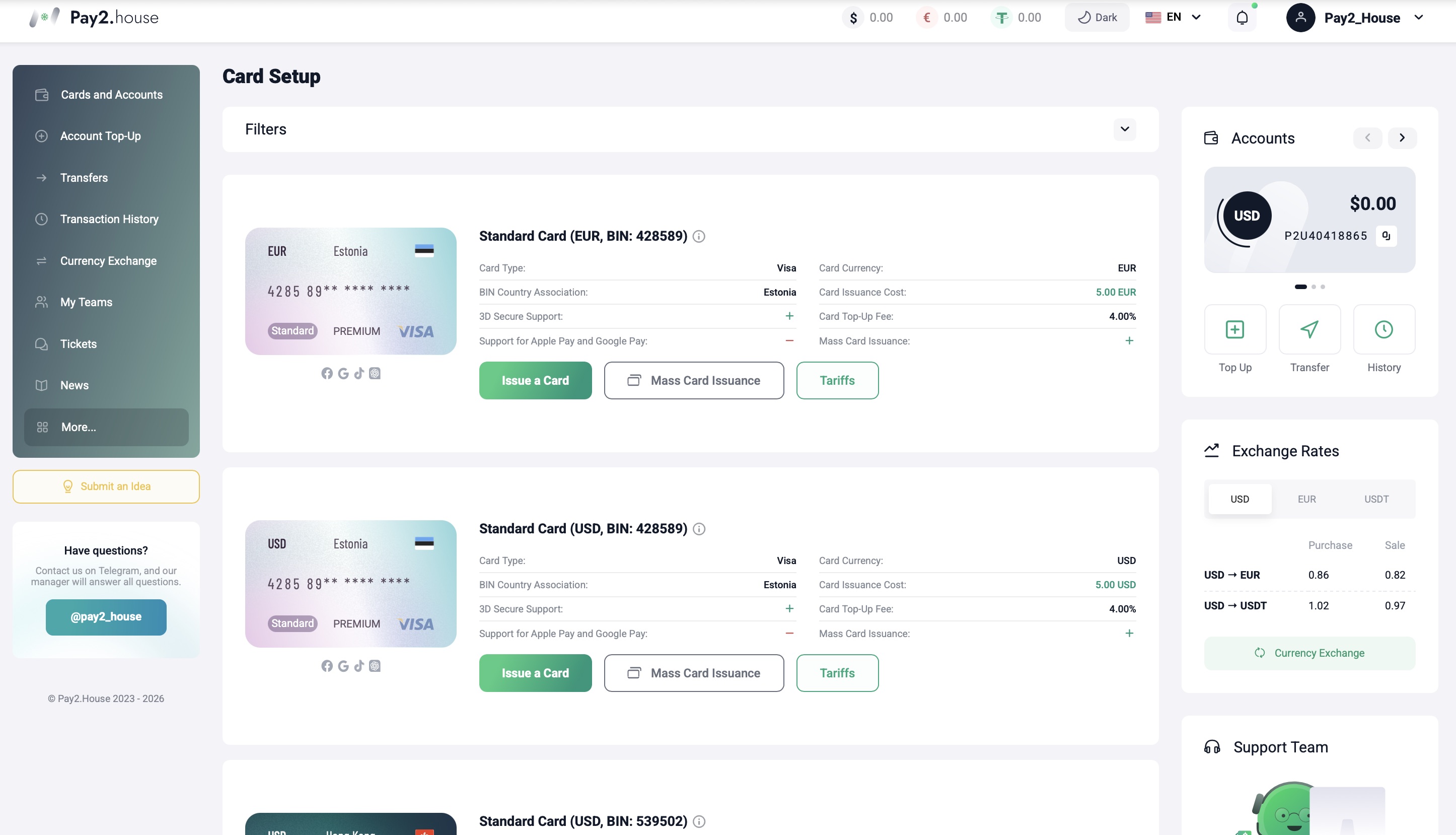
- Select BIN and GEO
- Click “Issue card” or “Bulk card issuance”
Before confirming issuance, you can review the rates for the selected card. All fees are displayed transparently and are available before issuance.
Available GEOs and Card Types
The following options are currently available:
- Estonia (Visa) – USD and EUR, private BIN, stable performance with advertising platforms and online services
- Hong Kong (Mastercard) – USD and EUR, suitable for advertising and service payments
- Singapore (Mastercard) – stable performance with online services and advertising platforms
- USA – BINs available for various online tasks and service payments
Pay2.House cards are suitable for paying for advertising, subscriptions, AI tools, and other online services.
Bulk card issuance and rates
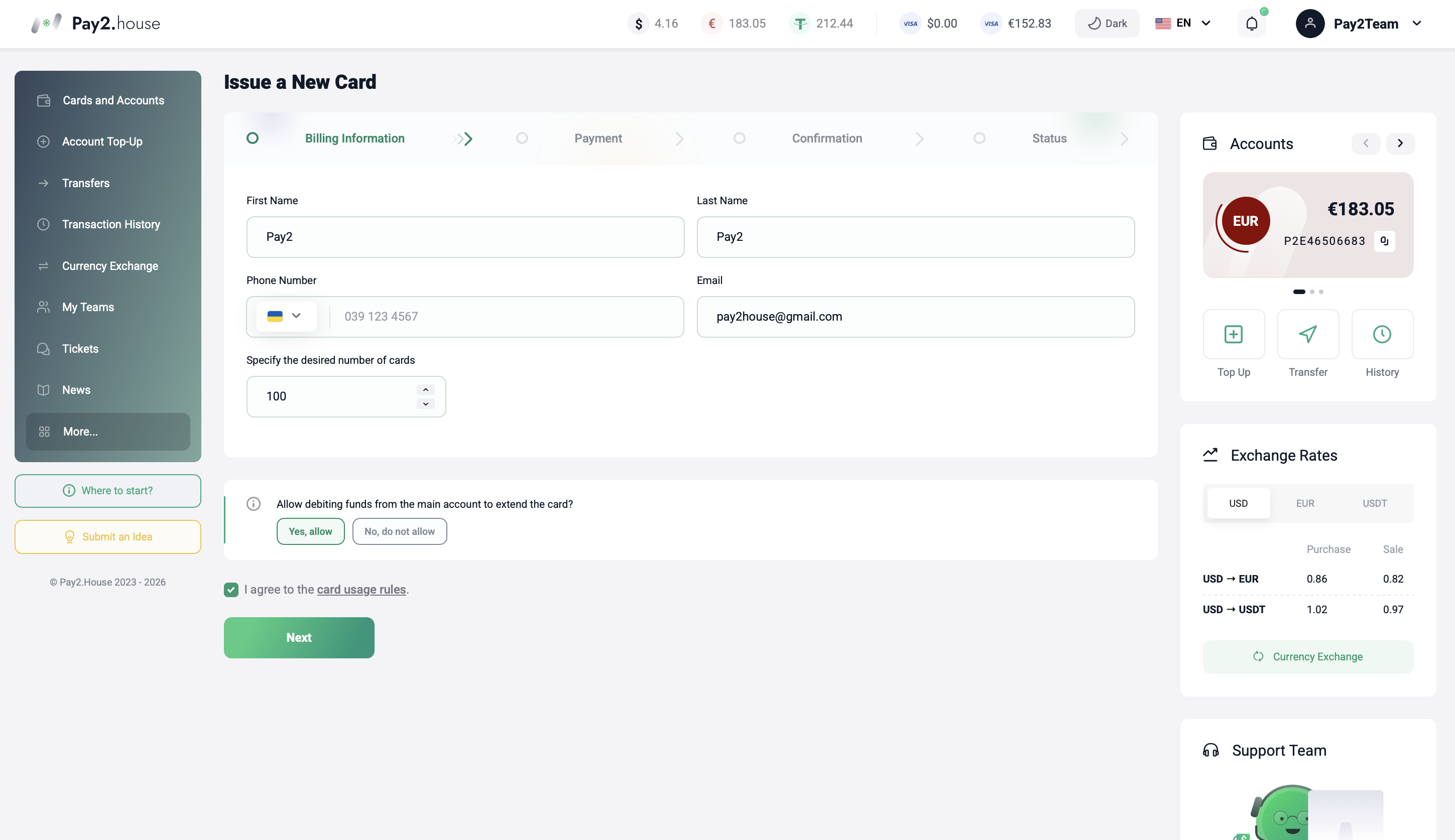
Pay2.House supports bulk card issuance.
During issuance you specify:
- first and last name
- phone number
- number of cards
When issuing 100+ cards, a 20% discount applies to the issuance cost.
The number of cards on the account is not limited and depends only on the balance.
Each card has individual rates. In the card details, you can review all fees and service terms in advance.
Card top-up
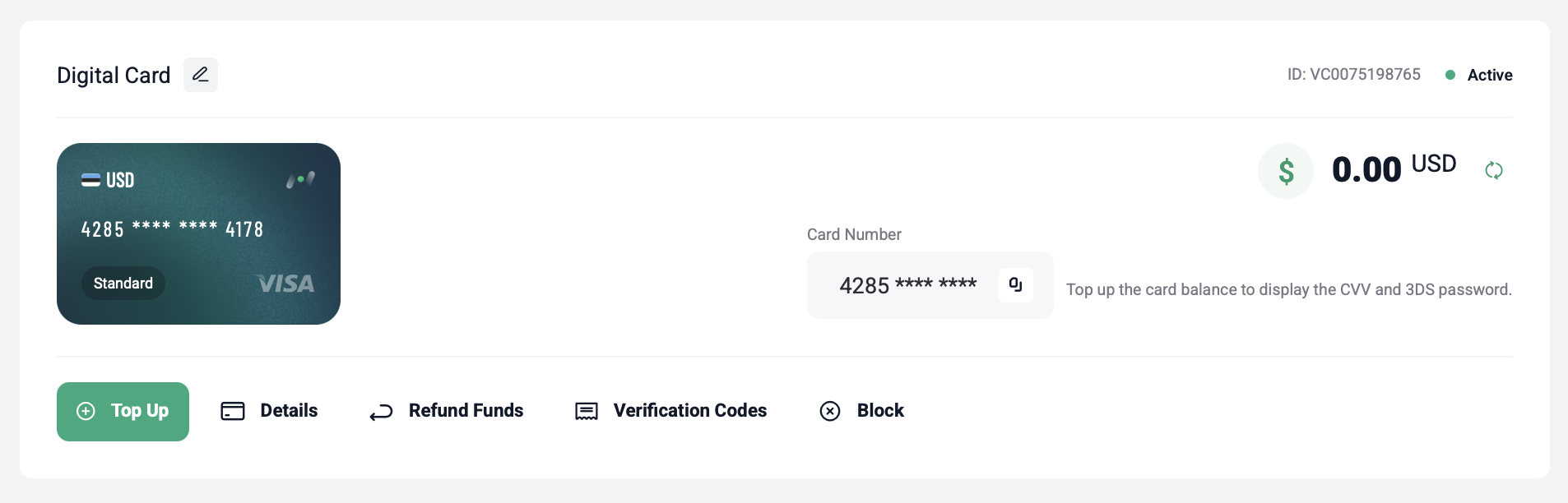
After issuance, the card appears in the “Cards & Accounts” section within 1 minute.
To start using the card, you need to top it up:
- minimum top-up amount – 50 USD / EUR
- top-up is instant
After the first top-up, all card details become available, including the CVV code.
It is recommended to top up the card with a small buffer above the planned budget to avoid declined transactions.
Payments and charges
When making payments, keep in mind:
- charges are deducted directly from the card balance
- if funds are insufficient, the transaction will be declined
- each charge attempt is recorded in the transaction history
For stable performance, we recommend:
- monitoring your remaining balance
- avoiding a zero balance when you have active subscriptions
- topping up the card in advance before increasing spend
Declined transactions
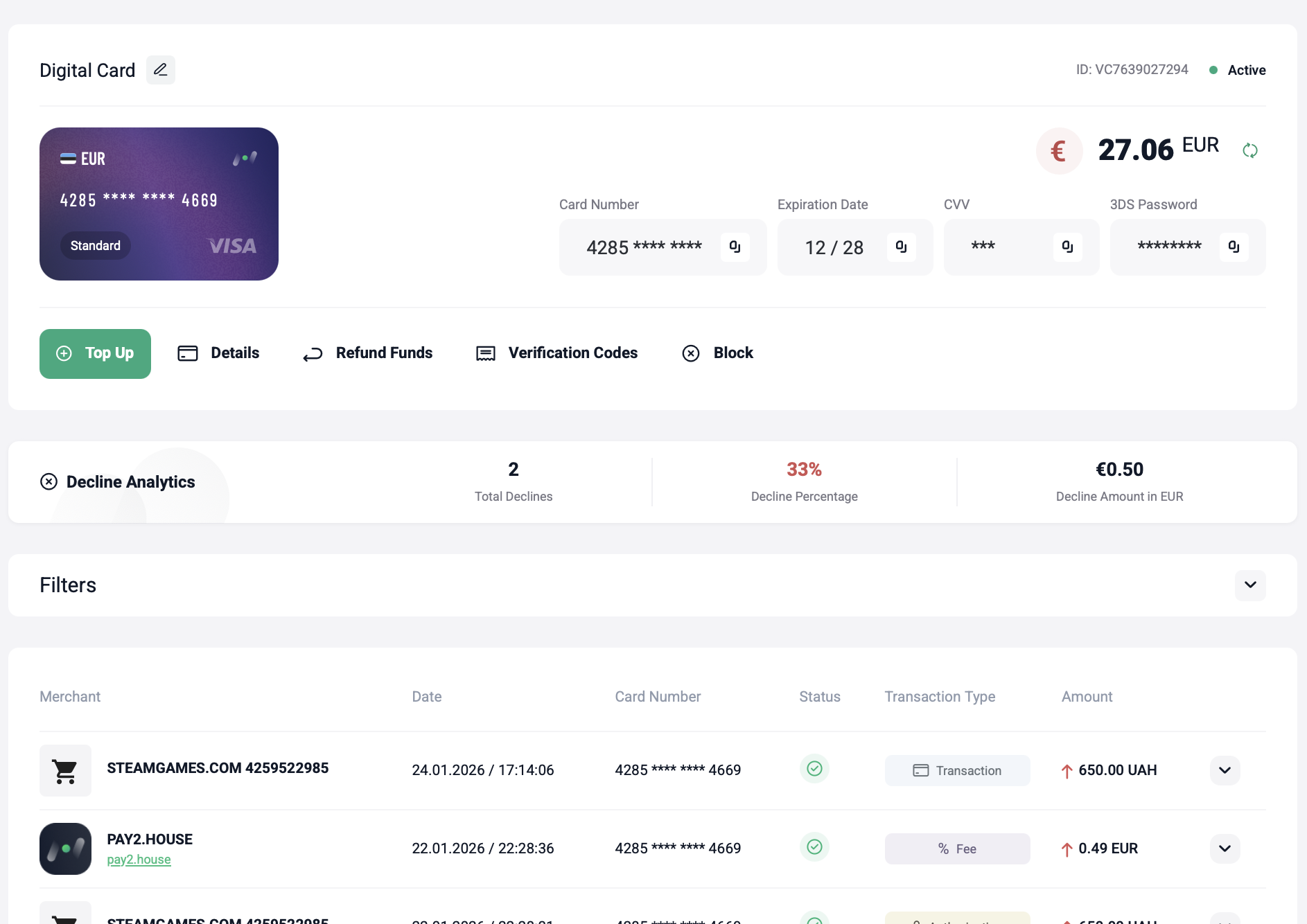
Decline is a rejected payment transaction.
Main reasons:
- insufficient funds on the card
- a sharp spend increase without top-up
- new account restrictions
- platform-specific rules
Maximum allowed decline rate – 35%. It is important to monitor this metric and avoid repeated declines.
If declines repeat, we recommend stopping payment attempts and contacting support via ticket.
Common mistakes when using cards
Based on support requests, the most common mistakes are:
- trying to pay for a service without topping up the card
- topping up the card exactly to the budget with no buffer
- using one card for multiple ad accounts
- ignoring the decline rate metric
- continuing payment attempts after a series of declines
- expecting an instant refund without considering restrictions
We recommend using one card per ad account and planning top-ups in advance.
Helpful materials
For step-by-step instructions, we recommend reviewing these articles:
- how to pay Facebook Ads
- how to pay Google Ads
- how to pay TikTok Ads
- how to pay Telegram Premium
- how to pay OnlyFans
In the next guide, we will cover common questions and mistakes when using Pay2.House and collect typical scenarios in one place.


 Telegram
 Email
Email



Waiyan166453
jc8!7MjgcL#!kPX