



TikTok Ads in 2025 is one of the most profitable directions in arbitrage. The platform is growing faster than its competitors, and in some GEOs it provides a higher ROI than Facebook or Google. But every media buyer has a common pain: ad payments and card stability.
Have you ever had this: the funnel is working, but TikTok declines payments, the deposit hangs for a day, and the spend is already going? The result is a loss of pace, the offer is not fully tested, and scaling is delayed.
To avoid such situations, use Pay2.House virtual cards, created specifically for TikTok, Facebook, and Google. Below is a step-by-step guide to help you launch campaigns smoothly, link cards, and avoid billing issues.
Step 1. Issuing a Pay2.House Card for TikTok Ads
-
Log in to your Pay2.House account.
-
Select the currency (USD or EUR – both work with TikTok).
-
Click “Issue a Card”.
-
Top up the card from your account.
Tip from Pay2.House: top up the card not exactly to the daily budget, but with +20–30% extra. TikTok always makes authorization holds of $1–2. If the balance is too tight, you’ll get a decline and risk stopping the funnel.
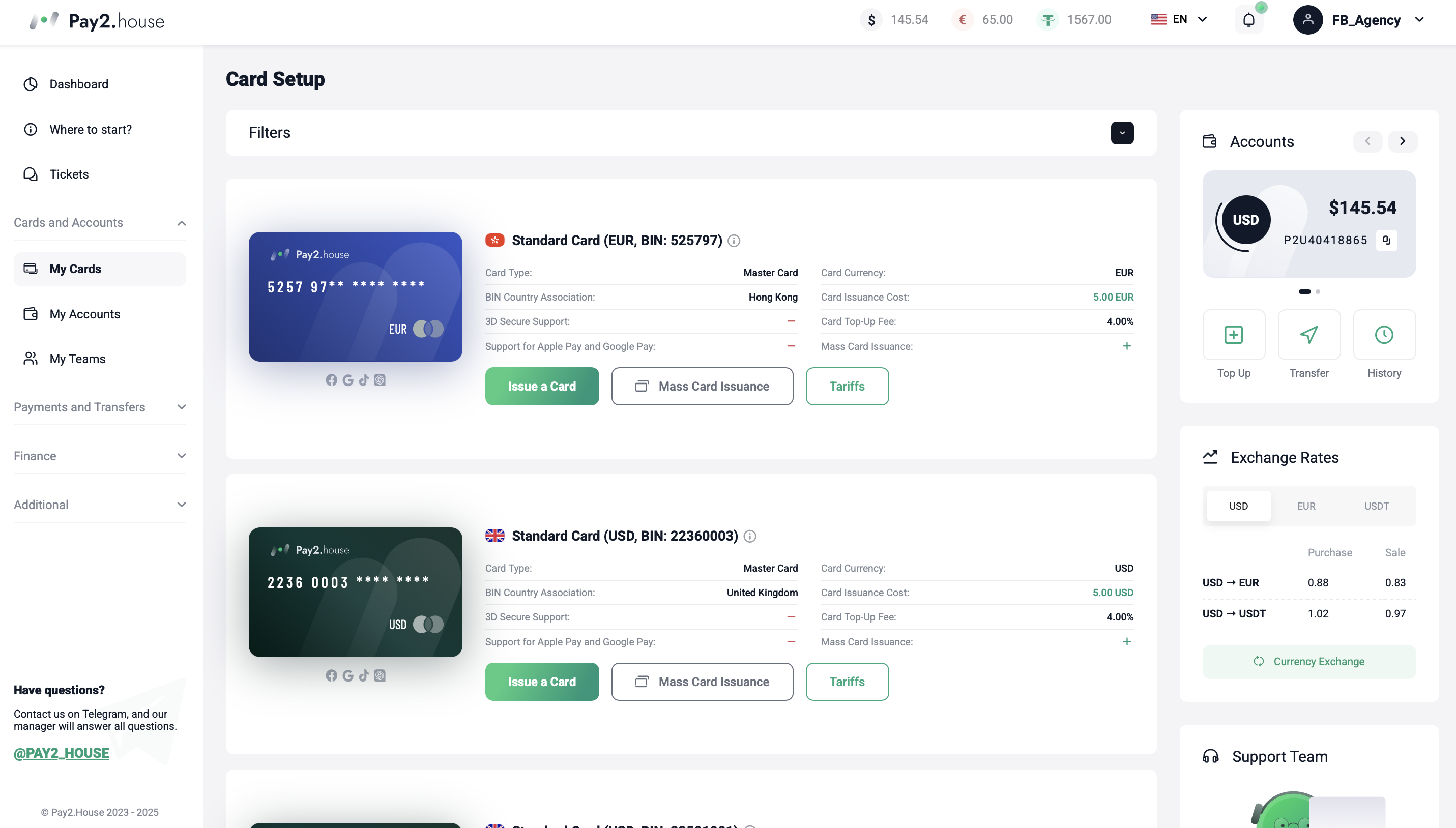
Additional tip: if your ad account is in euros, issue the card in euros as well. This avoids currency conversion and saves on fees.
Step 2. Adding a Card in TikTok Business Ads Manager
Open TikTok Business Ads Manager → Tools → Finance → Payments.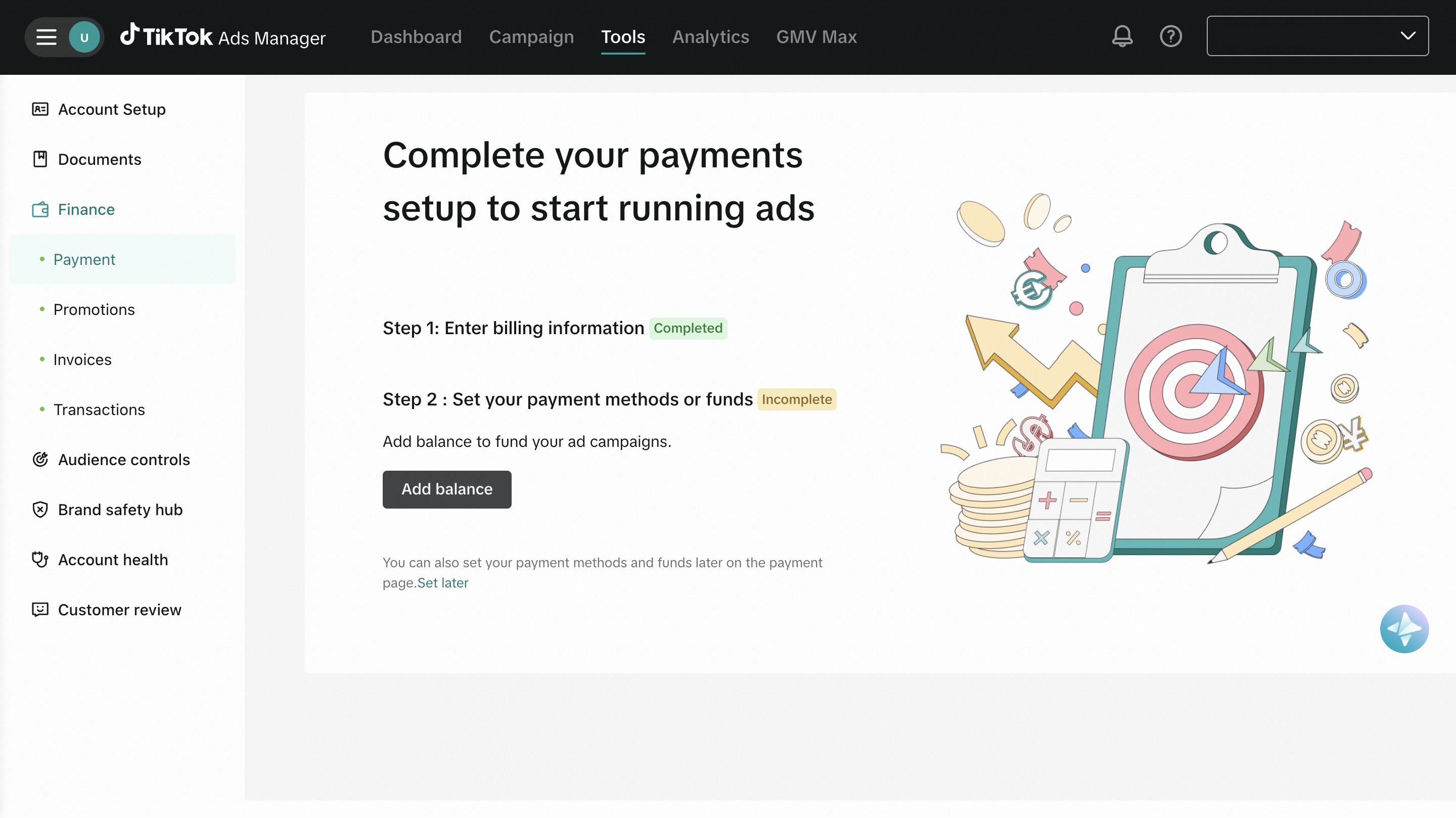
-
Fill in billing information (company or individual data).
-
Select “Credit or Debit Card”.
-
Enter Pay2.House card details.
-
Enter the amount of the first deposit.
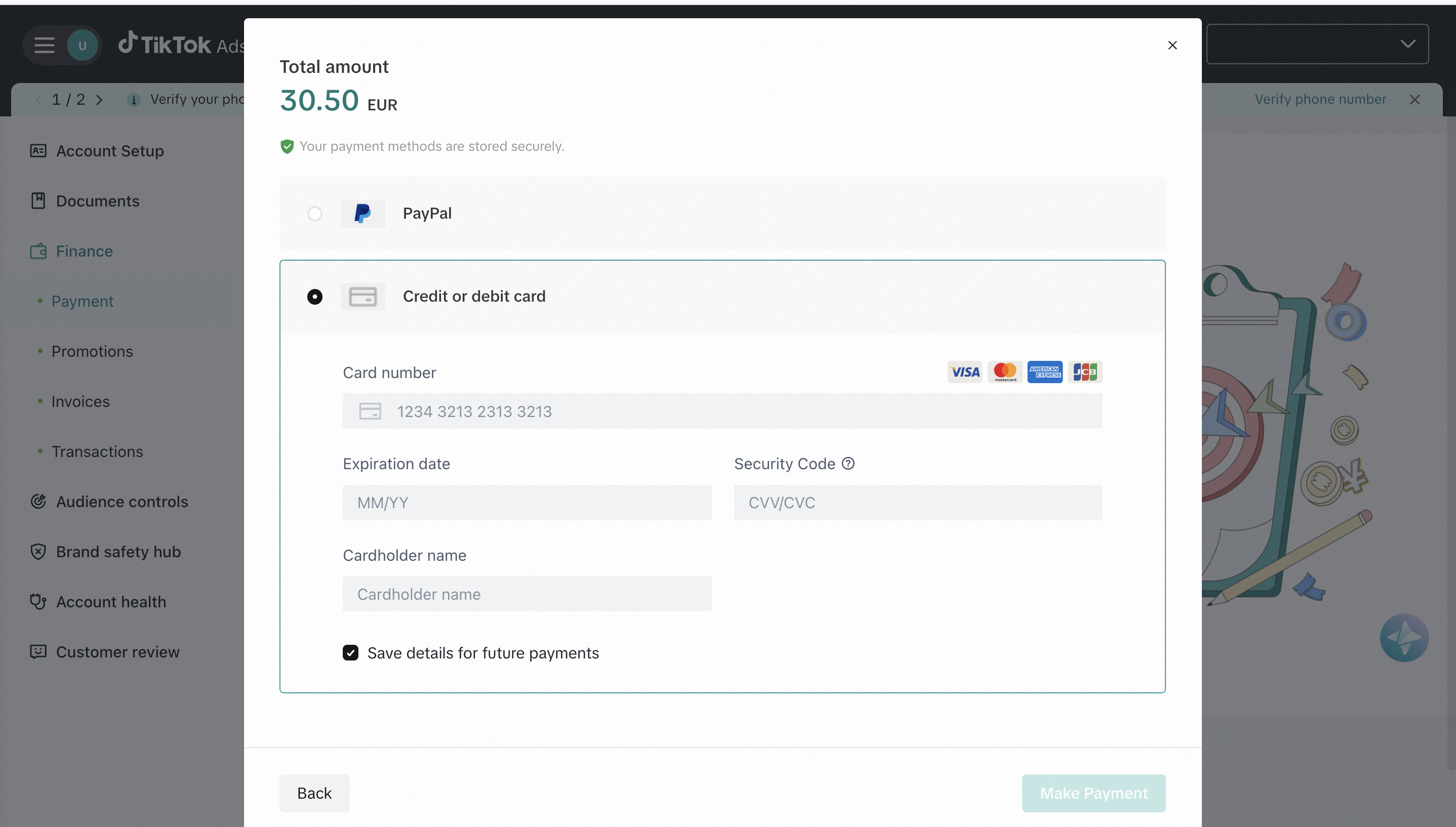
-
TikTok makes a test payment (authorization hold). Funds are credited instantly.
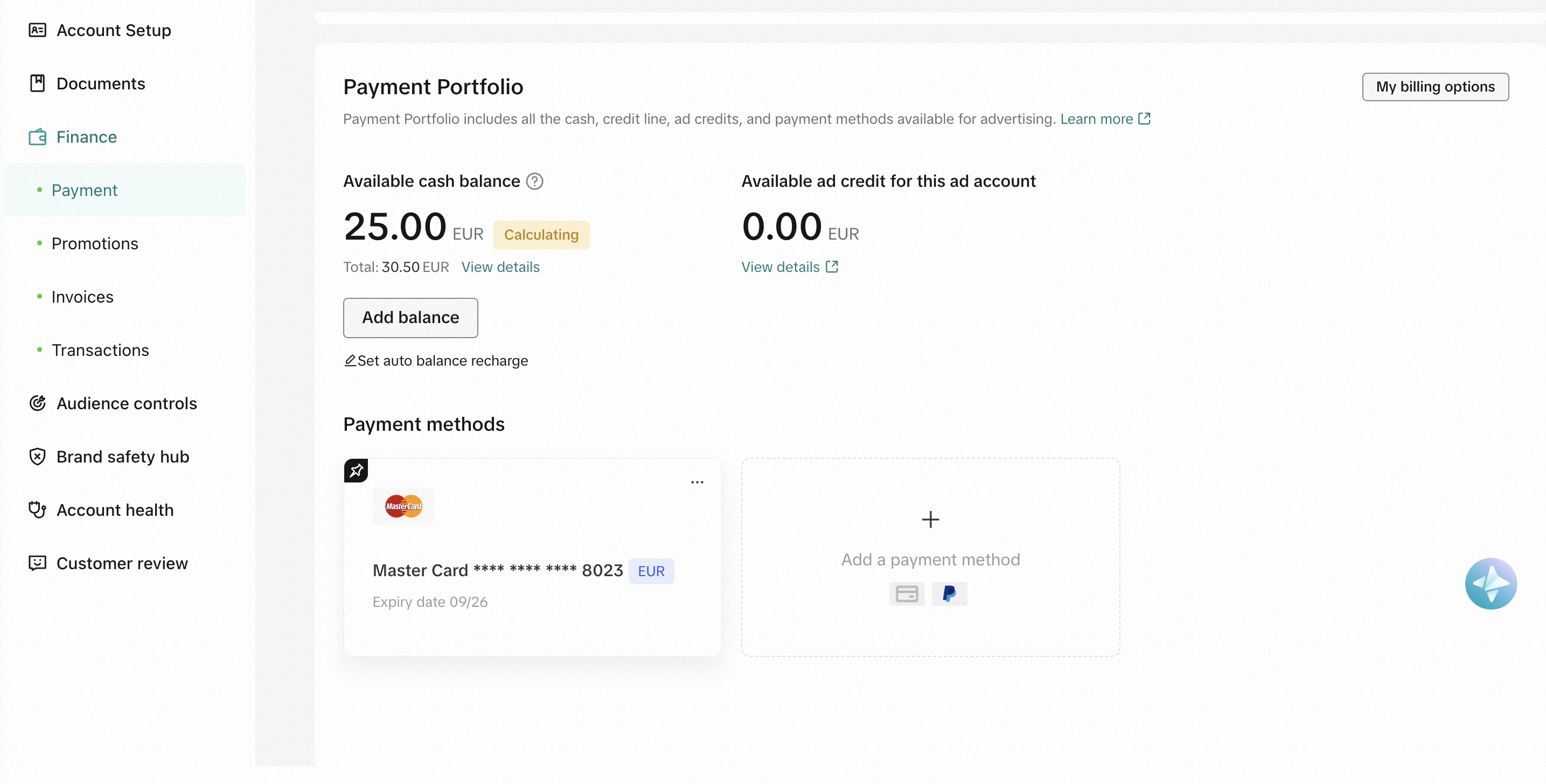
For first launches it’s better to deposit $50–100. Microtransactions of $5–10 are often considered suspicious by TikTok, increasing the risk of limits and restrictions.
Step 3. Launching an Advertising Campaign in TikTok Ads
After confirming the card and deposit, you can launch ads. Now you can set up your campaign according to your goals: choose the audience, set the daily budget, prepare creatives and strategy. TikTok Ads Manager provides the full set of tools for fine-tuning – from GEO and interests to conversion optimization.
Important: the minimum daily budget in TikTok Ads is 20 euros. Plan the card top-up to cover the budget + reserve.
Tip from Pay2.House: use the rule “1 card = 1 account”. This reduces ban risks and helps track ROI for each funnel separately.
Common Mistakes When Paying for TikTok Ads and How to Avoid Them
-
Topping up too tightly. TikTok makes additional authorization holds, so always keep +20–30% extra.
-
One card for multiple accounts. This increases linkage and ban risks. Solution: one card = one account.
-
Too small deposits. Deposits of $5–10 can be flagged as suspicious by TikTok. Optimal from $50.
-
Wrong currency. If your ad account is in EUR, issue the card in EUR.
-
No backup cards. Always keep a reserve, so if the account is blocked you don’t lose time issuing new cards.
-
Unsupported browser use. TikTok Ads works best in Google Chrome. Other browsers often have errors with payments and card linking.
FAQ: Paying for TikTok Ads with Pay2.House Cards
-
Why does TikTok decline a payment if there’s money on the card?
Most often it’s due to authorization holds of $1–2, if the balance is tight, you’ll get a decline. But there can be other reasons: incorrectly entered card number or cardholder name, using an unsupported browser, unstable proxy, or already “burned” account at risk. Solution: keep +20–30% extra, double-check the data, change browser/proxy if needed, or use a fresh account. -
How to properly scale budgets?
Do not increase spend sharply. Optimal is adding no more than 20–30% per day. This way the account lives longer and has less chance of hitting anti-fraud. -
Can one card be used for multiple accounts?
No. This is a common cause of bans. Rule: one card = one account. -
What’s the minimum deposit to make?
From $50. Small transactions of $5–10 are considered suspicious by TikTok. -
Why is it important to match the account currency?
If the account is in EUR, issue the card in EUR. This way you avoid currency conversion and extra costs. -
What to do if the account or card is blocked?
Use backup cards to quickly switch and not lose traffic. Better to have a reserve in advance. -
How much does a Pay2.House card cost and what’s the minimum top-up?
Issuing a card costs $5, with $1 immediately credited to the card balance. Minimum top-up is $50. And if you order from 100 cards, a 20% discount applies, a profitable solution allowing you to always have a working card reserve for launches.
Additionally: What’s Important to Know About TikTok Ads in 2025
TikTok is actively strengthening anti-fraud systems and becoming more demanding on ad account quality. Buyers should keep in mind:
-
sharp budget changes or frequent small top-ups can raise suspicion;
-
TikTok works better with clean proxies and stable IPs;
-
new accounts need to be “warmed up” with small budgets before scaling;
-
correct work with billing and cards directly affects account lifetime.
Using Pay2.House for TikTok Ads, you cover the main risk – payment stability. The rest depends on your strategy and careful account management.
Summary
Paying for TikTok Ads with Pay2.House cards is about stability and speed. You avoid declines, scale funnels smoothly, and keep everything under full control.
Pay2.House is not just card issuing, but a complete tool for arbitrage teams: instant top-ups, 3D Secure support, Apple Pay, and a convenient API for process automation.



 Telegram
 Email
Email









Be the first to share your opinion!
We value your feedback — share your thoughts.