



Steam is one of the largest gaming platforms where users buy games, top up their balance, and make in-game purchases and subscriptions. Despite the fact that the system accepts bank cards, many people face the problem that Steam does not accept the card or declines the payment.
Let’s break down how to properly pay on Steam with a virtual Pay2.House card, which BIN to choose, and what to do if Steam does not accept the card.
Which virtual card to use for Steam
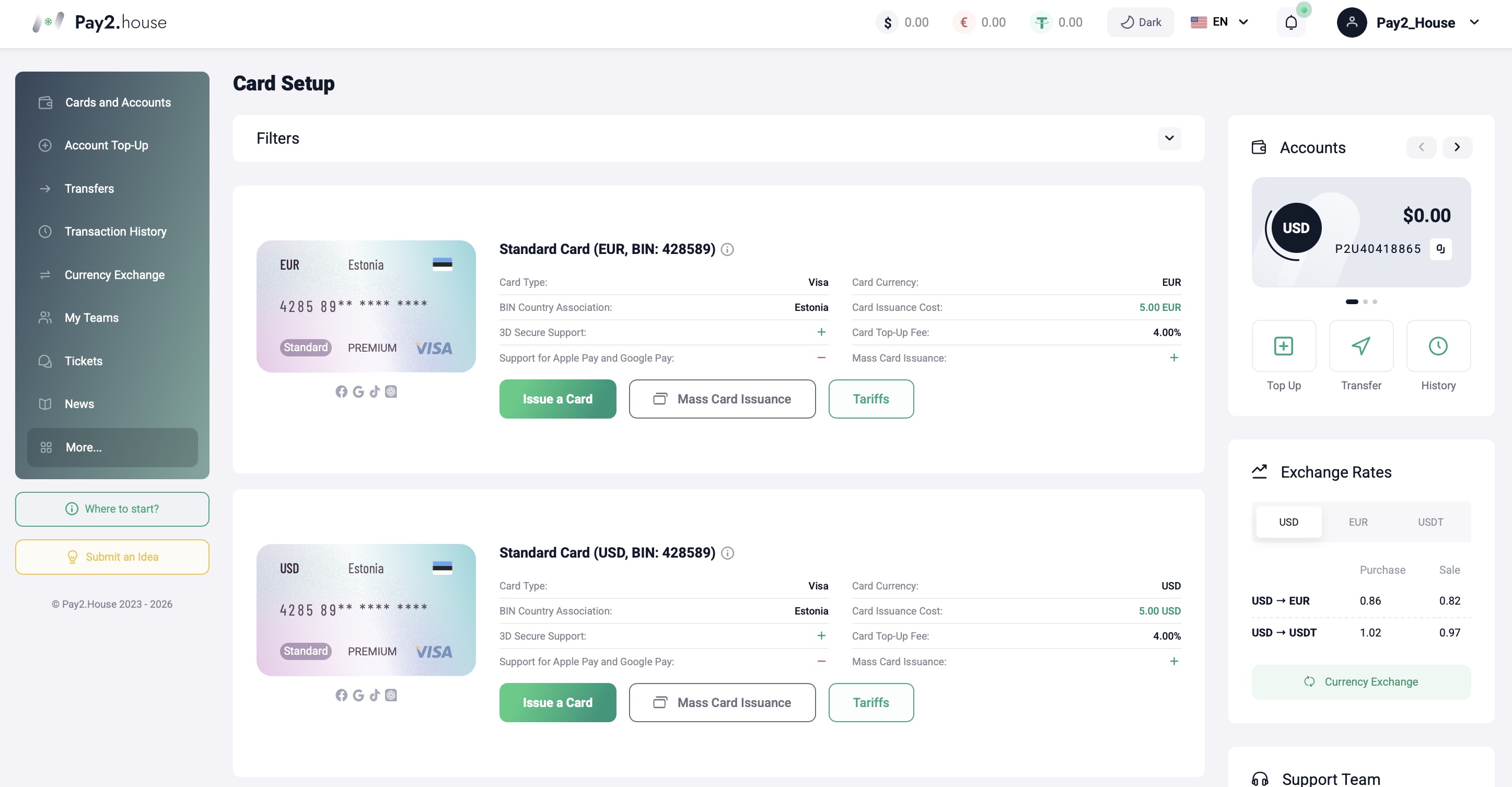
For stable payments, it is recommended to issue a Visa with BIN 428589.
Main card parameters:
- Payment system – Visa
- BIN – 428589
- Currency – EUR or USD
- Support for online payments
- Support for 3D Secure
- Issuance without KYC
You can choose EUR or USD – both currencies are suitable for paying for games and topping up the Steam balance if you have a sufficient balance.
Steam analyzes the card type and the BIN category. Using the correct BIN reduces the likelihood of declines and makes paying on Steam with a virtual card more stable.
Visa BIN 428589 is suitable not only for Steam. This card can be used for most international online services, digital platforms, and subscriptions.
How to pay on Steam with a virtual card
- Sign in to your Steam account.
- Add a game to your cart or choose to top up your balance.
- Proceed to checkout.
- Select the payment method – bank card (Visa).
- Enter the details of the Pay2.House virtual card.
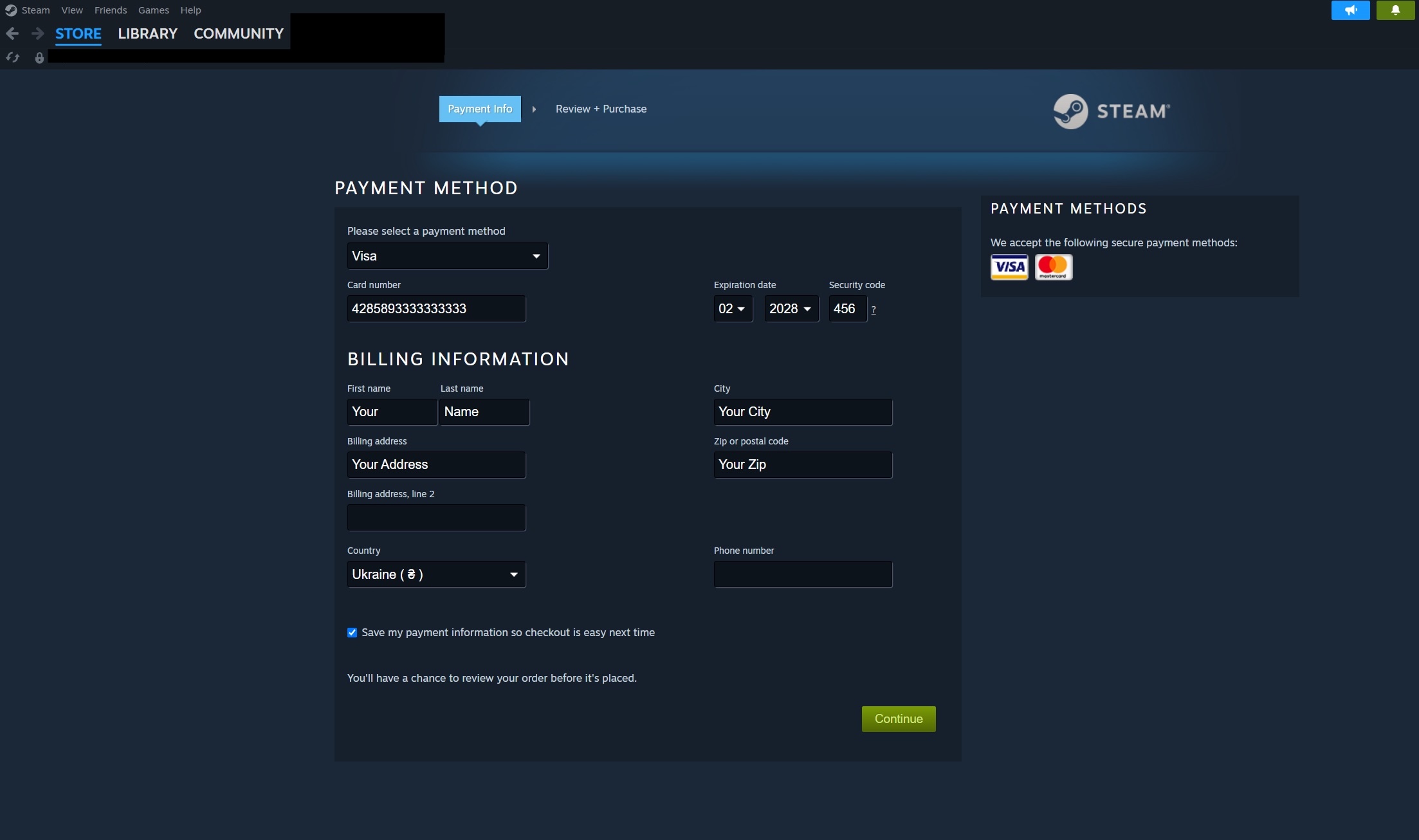
Important: At the bottom of the Steam payment form there is an option “Save payment information so checkout is easy next time”. Be sure to tick this checkbox so the card is saved in your account.
After entering the card details, click “Continue” to proceed to payment confirmation.
The system may request confirmation via 3D Secure. Enter the confirmation code that is displayed in your card interface in the Pay2.House dashboard and is also duplicated to your email. After entering the code, confirm the operation.
If all details are entered correctly and there are sufficient funds on the card, the transaction will be successfully processed, and you will see a confirmation page that the Steam payment was successful.
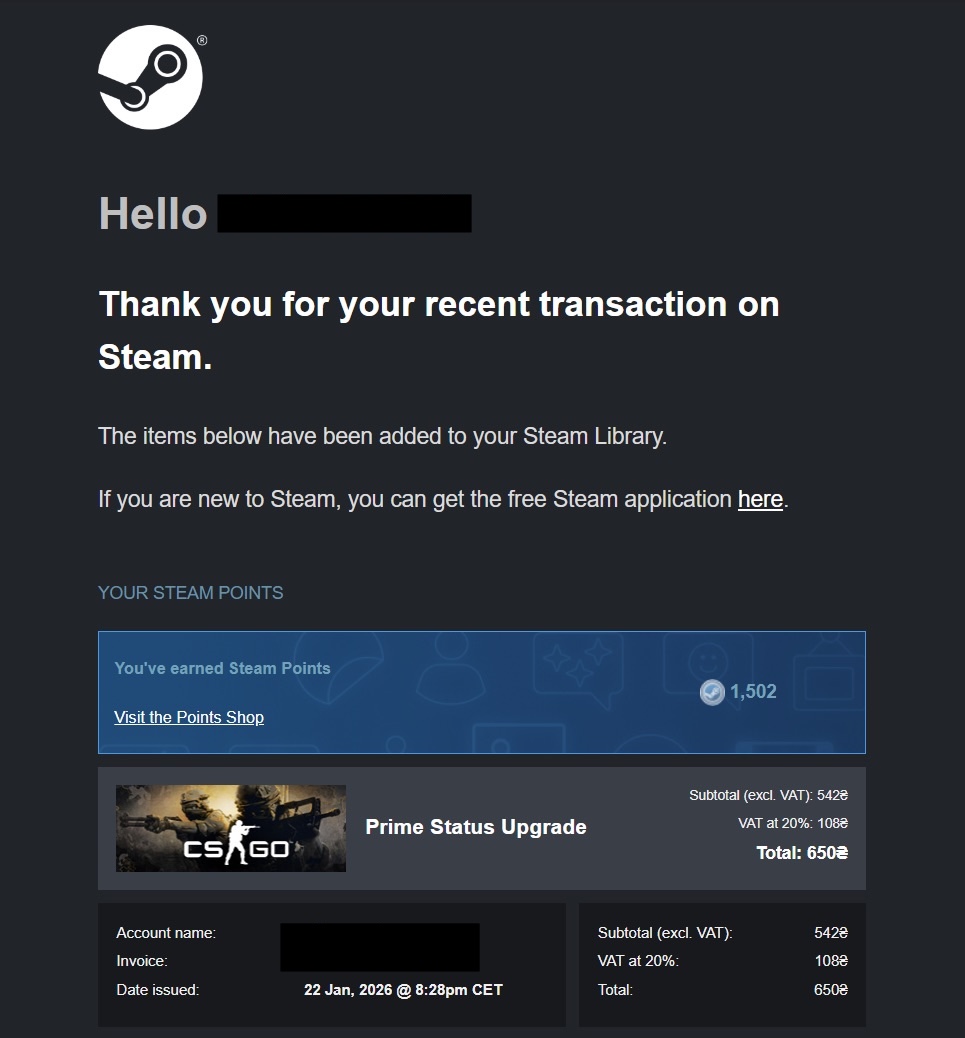
Additionally, you can open your Pay2.House dashboard and make sure that the transaction has been successfully completed.
Why Steam does not accept the card
If Steam declines the payment, most often the reason is one of the following:
- Insufficient funds on the card
- Mistake when entering details
- The card is not activated
- Several quick payment attempts in a row
- Temporary transaction review by the platform
Before trying to pay again:
- check the card balance in the Pay2.House dashboard
- make sure the card is active
- carefully recheck the details
In most cases, the issue is resolved without contacting support.
Is the card suitable for topping up the Steam balance
Yes. Visa BIN 428589 is suitable both for directly purchasing a game and for topping up the Steam wallet. There is no need to add the card in advance – it is enough to pay once and save the details, after which the card will be available for all subsequent transactions.
FAQ – answers to frequently asked questions
- Can I pay on Steam with a virtual card?
Yes, Steam accepts Visa, including virtual cards with support for online payments and 3D Secure. - Which BIN should I use for Steam?
It is recommended to use a Visa with BIN 428589 in EUR or USD. - Why does Steam decline my card?
Most often the reason is insufficient funds, a mistake in the entered details, or a temporary transaction review. - Do I need to pass KYC to issue a card?
No, the card is issued without going through verification. - Can I use this card only for Steam?
No. Visa 428589 is suitable for most international online services and digital platforms. - Where do 3D Secure codes arrive?
The codes are displayed in the card interface in the dashboard and are duplicated to your email.
Summary
If you want to pay on Steam with a virtual card without declines, use a Visa BIN 428589 from Pay2.House. The card is available in EUR and USD, supports online payments and 3D Secure, and is suitable for international digital services.
You can issue a card in your Pay2.House dashboard and use it as a universal tool to pay on Steam and other online platforms.


 Telegram
 Email
Email



Bayo_1525-
I love to do business with the company as a partner