


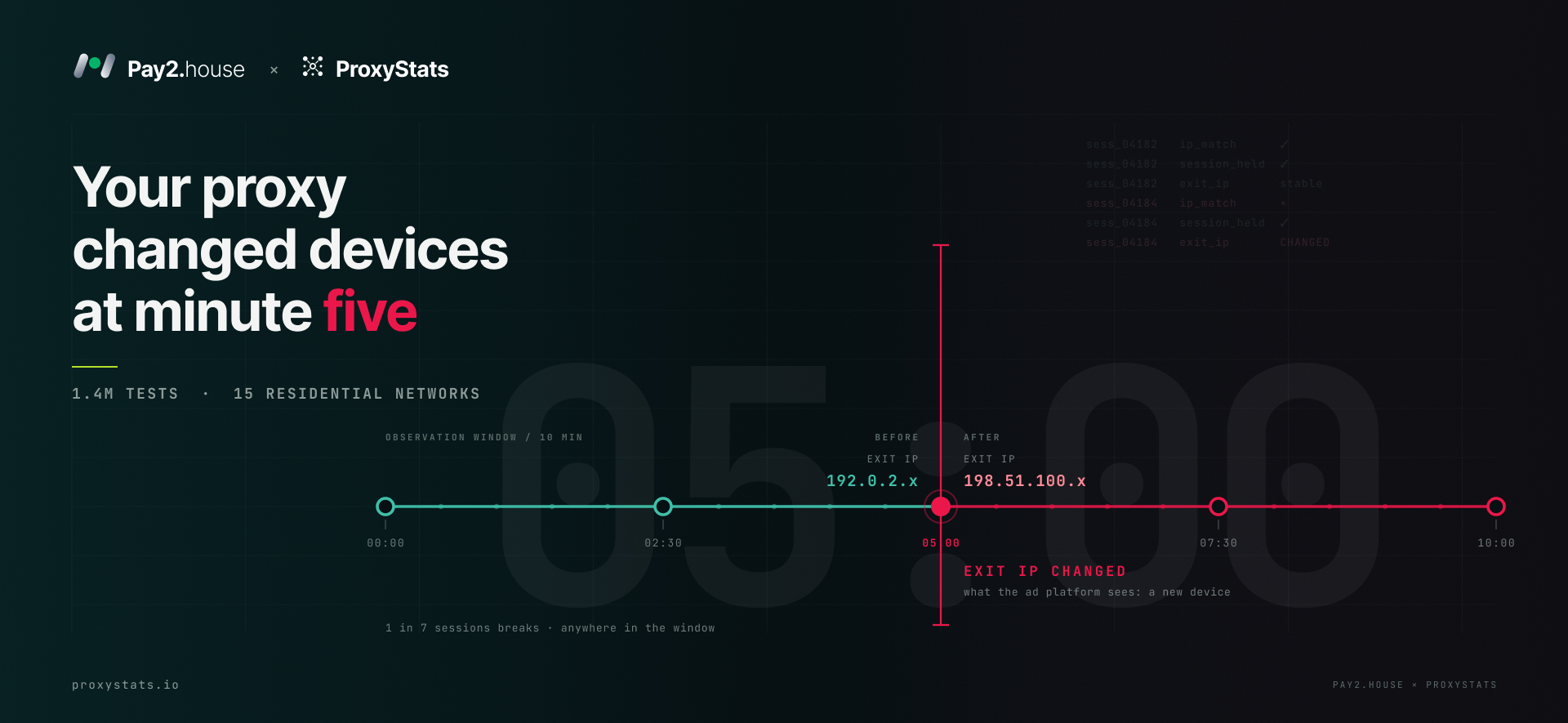
A media buyer is warming up ten ad accounts: residential proxies with 30 minute sticky sessions, a separate antidetect browser profile for each account, and a structured warm up checklist. On day three, half of the accounts go under review. The provider dashboard shows 99.9% uptime, while support says the network is working normally.
The network may indeed be working normally. Something else may have affected the accounts: the IP changed in the middle of a session, and the platform saw the account move to a different device between two actions.
At ProxyStats, residential proxy networks are tested around the clock in conditions that reflect how customers actually use them. Over the last 30 days, the platform performed 1.39 million tests across 15 networks. This article looks at where residential proxies can fail ad accounts and how to evaluate a provider before paying.
The session that “never dropped”
A sticky session promises one thing: one exit IP throughout the selected session window. The only reliable way to verify that promise is to keep the session active and monitor the address. The ProxyStats long session test opens a session using the provider’s own format, reconnects with the same session ID every two and a half minutes, and records the exit IP. Between checks, the connection remains idle, similar to a media buyer who has uploaded a creative and is waiting for moderation.
Over 30 days, more than 13,000 ten minute sessions were tested using exits in Germany and the United States. Of the 12,855 sessions with enough checks for a verdict, 1,838 lost their IP. That is 14%, or approximately one in seven sessions. The changes were detected at the following points:
| Check | Share of broken sessions |
|---|---|
| 2.5 minutes | 30% |
| 5 minutes | 26% |
| 7.5 minutes | 25% |
| 10 minutes | 20% |
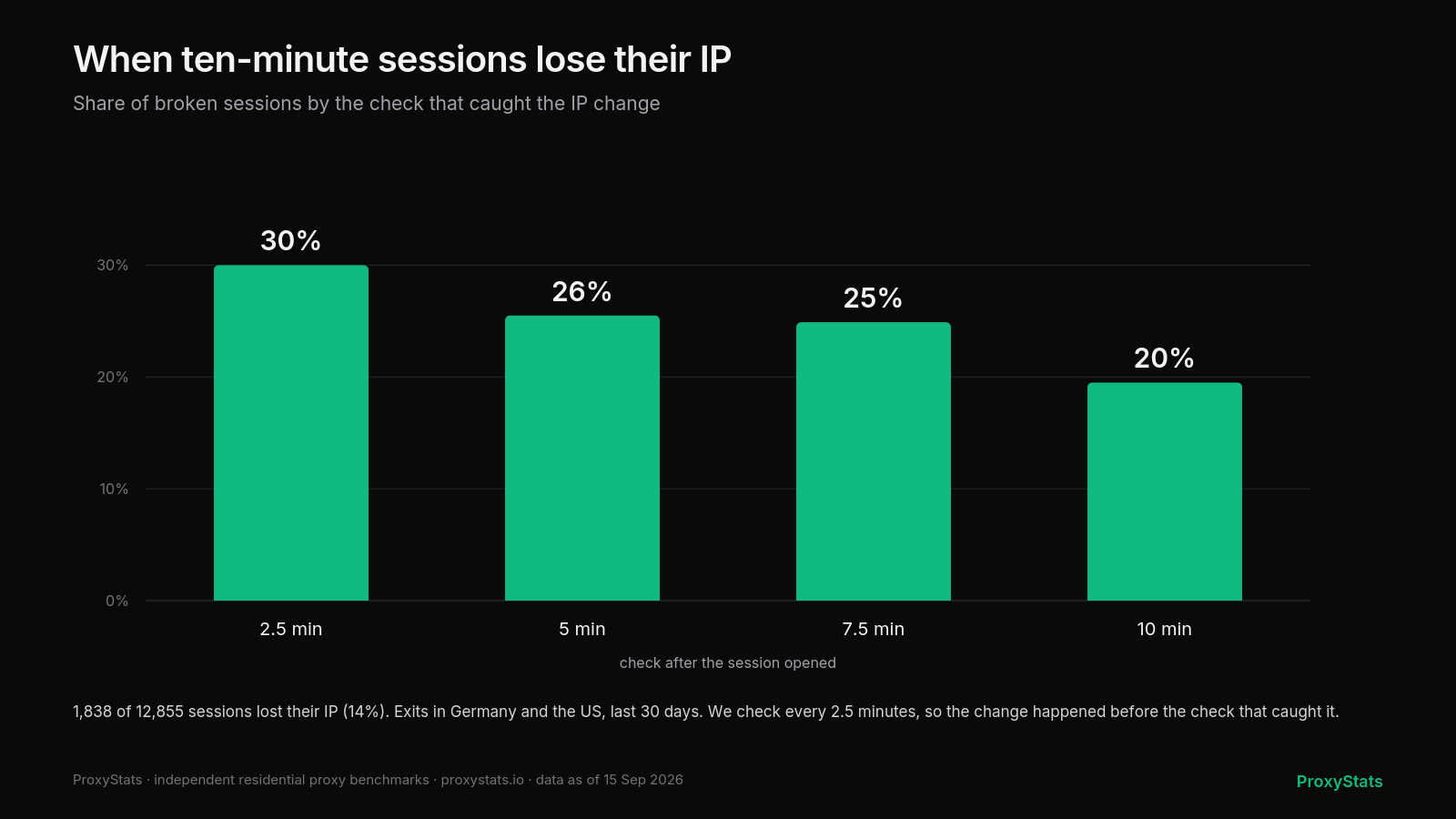 When 10 minute sessions lose their IP: share of broken sessions by the check that detected the change.
There is no single dangerous minute for a sticky session. Around one third of broken sessions lose their IP by the first check, while the rest fail throughout the remaining session window. A session may survive account login and still change IP during a later action.
In 28% of broken sessions, the IP changed two or more times. Within ten minutes, the same account could therefore appear to move through several different devices.
ProxyStats treats one situation separately. Sometimes the exit IP changes on the first repeat connection and then remains stable until the end of the session. In this case, the provider immediately pinned the session to another device. This happened in 1.4% of sessions. These cases are separated because the account sees one change at the beginning rather than repeated changes during active work.
The difference ordinary reviews may miss
The median network holds a 10 minute session in 90% of cases. The strongest results are around 95% to 97%, while approximately one quarter of networks score 84% or lower. At 30 minutes, the median drops to 76%, although some products are designed to end sessions earlier.
The same networks differ by only a few percentage points in request success rate, ranging from 92.2% to 99.6%. Median latency is approximately 0.7 seconds. If residential proxies are compared only by speed and request success, many networks look similar. On the same 10 minute sticky session test, however, the gap between networks exceeds 30 percentage points.
Where the connection breaks
A request from an antidetect browser profile through a residential proxy passes through four stages:
- Connection to the provider gateway. This is a regular connection to the proxy provider’s server. If the gateway is unavailable, the problem is usually immediately visible.
- Session assignment. The profile asks the gateway to connect to a website using a particular session ID. The gateway selects a device, such as a home router or smartphone, and opens a tunnel. If no suitable device is available or the gateway is overloaded, the request may be refused or time out.
- Encryption through the tunnel. The profile establishes a TLS connection with the destination website through the selected device. If that device goes offline during the connection process, the request may fail with a TLS error.
- The request itself. The website responds and the response travels back through the same chain.
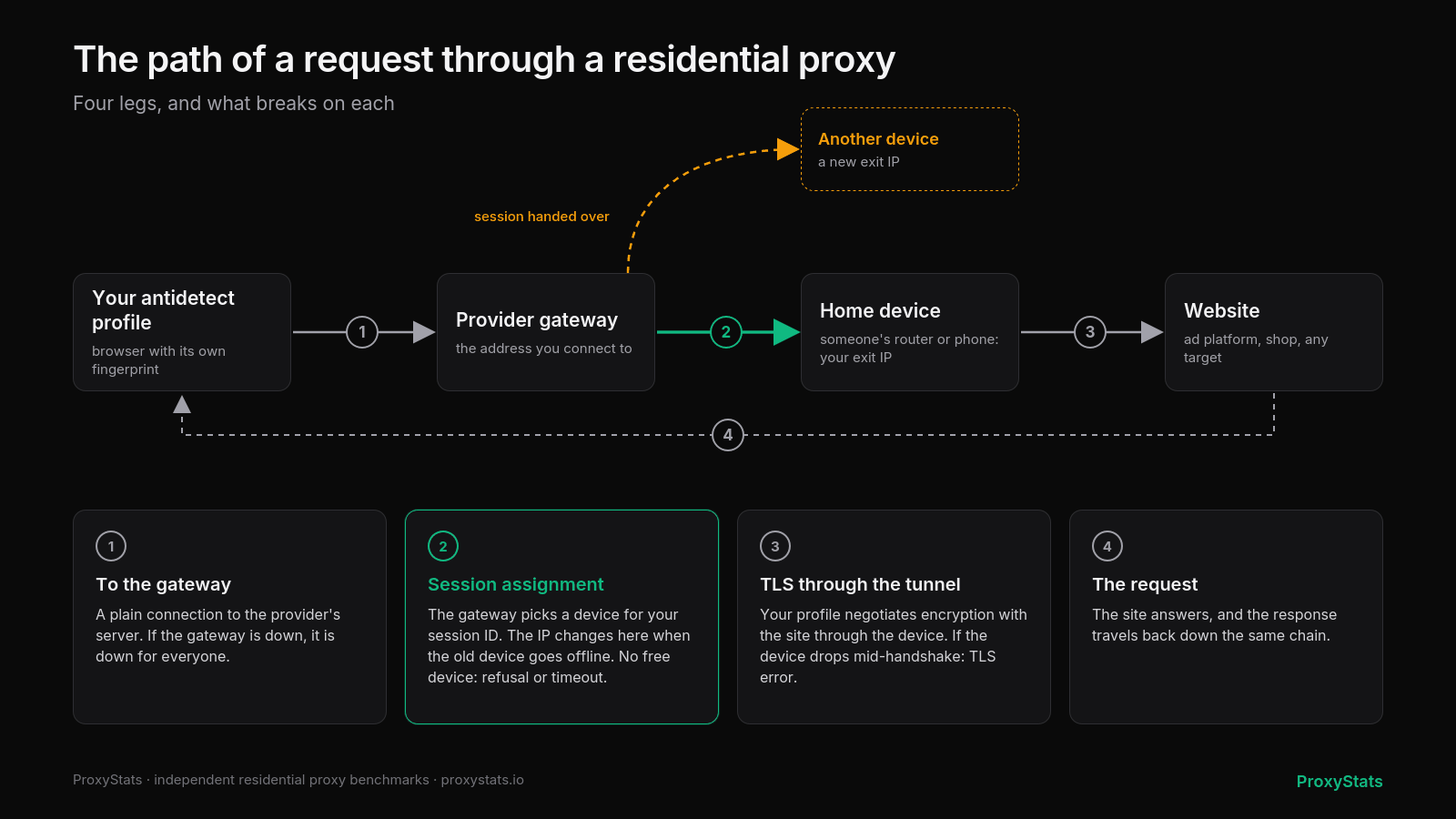 The path of a request through a residential proxy. The IP can change during session assignment when the gateway moves the session to another device.
An IP change happens during the second stage, when the gateway assigns the session ID to another device. The previous device may have gone offline because its owner rebooted a router, the phone lost connectivity, or the traffic sharing application was closed. A stable network keeps the binding until the device becomes available again or returns an error so the customer can decide what to do. A less stable network may silently assign a new device, with the IP change becoming visible only during active account work.
ProxyStats also records which stage caused each failed connection test. This helps distinguish an overloaded gateway from individual devices unexpectedly leaving the network.
Someone else’s history on your IP
When evaluating a residential proxy pool for ad accounts, pool size and advertised geography are not the only important factors. Buyers should also consider IP reputation and whether the same addresses are distributed through other proxy services.
Has the IP been associated with abuse? ProxyStats checks a sample of each network’s exit addresses against the AbuseIPDB database. At the median network, 1.2% of checked addresses have reports. At the network with the highest observed rate, that figure reaches 13%, meaning approximately one in eight addresses already carries external history.
Does another brand provide the same IP? Many proxy brands source traffic from the same upstream suppliers. ProxyStats compares exits across all tested networks. At the median network, around one quarter of addresses also appear in another service. This means the reputation history of an IP may be influenced by customers outside your own proxy provider.
Country targeting is more consistent. The median network provides an exit in the requested country in 100% of tests, while the lowest observed result among the tested networks is 97.4%.
Why 99.9% uptime does not guarantee session stability
Uptime shown in a proxy provider dashboard generally measures the availability of the provider gateway. Customers experience the full request path. A gateway may remain available almost continuously while individual sticky sessions still change IP addresses during active use.
For this reason, ProxyStats tests follow a regular customer path: a standard account, the provider’s own session format, and requests from servers in Frankfurt, New York, and Singapore every 15 minutes. Every network goes through the same testing process, while the methodology and its change history are published openly.
How to check a proxy provider in 20 minutes
- Open the ProxyStats dashboard, select several networks, and compare session reliability, clean IP rate, and 30 day stability. Pay attention to the test location closest to your target market.
- Open a sticky session through your antidetect browser profile and record the exit IP.
- Wait a few minutes without generating traffic, reload the page, and compare the IP. Repeat the check at approximately 5, 10, and 20 minutes.
- Check the IP in an abuse database and confirm that its country matches the selected location.
- Ask the provider whether the pool is owned or resold and what happens to a sticky session when the assigned device goes offline.
What ProxyStats does not test
ProxyStats does not test Facebook, Google, TikTok, or other specific platforms. A protected website reacts not only to the proxy but also to the client configuration, browser fingerprint, and other signals. Pool size and customer support are also outside the scope of the benchmark. Exit IPs are currently tested in Germany, the United States, and Singapore.
Free and independent
Listing on ProxyStats is free, and providers cannot buy a ranking position. Providers may purchase deeper analytics about their own networks, but this does not affect public results. The policy is published on the ProxyStats independence page.
Before a review is published, a provider may see the figures related to its own network and correct factual errors, but it cannot change the editorial text.
ProxyStats: independent residential proxy benchmarks. Current performance data is available on the ProxyStats dashboard. Detailed information about the testing process is available in the methodology. Main website: proxystats.io.



 Telegram
 Email
Email









Be the first to share your opinion!
We value your feedback — share your thoughts.