


Launching online sales from scratch is possible without a team of developers, a large warehouse, or significant investments in website creation. At the start, it is more important to validate product demand, calculate its profitability, find a reliable supplier, and understand where the first customers will come from.
Even a small advertising budget can be spent inefficiently if you do not account for product cost, logistics, payment fees, and customer acquisition cost.
In this article, we will break down how to start selling online, how much money is needed for a launch, how to build an online store on the Selio platform on your own, and how to organize advertising payments using Pay2.House.
Online sales from scratch: where to start
An online store is only part of a sales system. Before building a website and launching advertising campaigns, answer three questions:
- What are you selling? Choose a specific product or a narrow category where demand can be tested without major investments.
- Who is your buyer? Define their needs, geography, purchasing power, and usual way of buying.
- Why should they buy from you? This could be price, fast delivery, a unique assortment, product quality, or service level.
If you plan to operate in the international market, additionally evaluate the purchasing power of the audience, local payment methods, shipping costs, and return conditions in the selected GEO.
This approach will help you avoid spending your entire starting budget on creating a store for a product whose demand has not yet been tested.

You can read more about preparing for a launch in the article "How to Create a Successful Online Store from Scratch" on the Selio blog.
Which sales model to choose for the start
The choice of business model depends on your available budget, time, and readiness to handle products and logistics independently.
| Model | How it works | Advantages | Main risks |
|---|---|---|---|
| Dropshipping | The supplier ships the product directly to the buyer after an order is placed | No need to purchase a large batch of goods or rent a warehouse | Dependence on the supplier, stock levels, and shipping speed |
| Small test batch | Purchasing a small quantity of goods, for example 10-20 units | Control over quality, packaging, and delivery times | Requires a purchasing budget, risk of unsold inventory |
| In-house production | Manufacturing products independently | More control over the product, quality, and cost price | Costs for materials, production, and time |
For entrepreneurs with a limited budget, dropshipping or a small test batch can be a convenient way to test demand before scaling.
It is important to consider that the absence of costs for purchasing a large batch does not mean the absence of other expenses. Advertising, payment fees, returns, and operational processes require a financial reserve regardless of the chosen model.
How to choose a niche and a supplier
When choosing a product for online sales, focus not only on your own preferences, but also on the unit economics of the future business.
- Demand. Analyze search queries in Google Trends, offers on marketplaces, and competitors' advertising activity.
- Competition. Check prices, ad creatives, and sales terms for similar products. To analyze ads, you can use Meta Ads Library and TikTok Creative Center.
- Profit margin. The difference between purchase and retail prices must cover advertising costs, packaging, shipping, returns, fees, and taxes.
- Logistics. Compact and non-fragile goods are usually easier to store, package, and ship.
- Seasonality. Determine whether the product has stable demand throughout the year or sells mainly during specific periods.
- Supplier. Order a sample, clarify product availability, shipping times, return conditions, and the ability to use photos and descriptions.
For the first launch, it is not necessary to create a large catalog. A few products with clear unit economics will allow you to test demand faster and avoid spreading your advertising budget too thin.
How much does it cost to launch an online store
The starting budget depends on the sales model, chosen GEO, product category, and traffic source.
If you work with the dropshipping model, build the store yourself, and prepare ad materials on your own, you can consider the following budget allocation scenario.
| Expense item | Estimated budget |
|---|---|
| Creating a store on the free Selio plan | $0 |
| Domain registration | $15 |
| Ordering a product sample | $25 |
| Self-preparation of ad creatives | $0 |
| Test advertising campaign | $150 |
| Reserve for payment and operational costs | $60 |
| Total budget | $250 |
This is an approximate example of fund allocation, not a universal launch cost. Actual expenses depend on the market, traffic cost, terms of working with a supplier, and other business specifics. Purchasing a batch of goods, business registration, and mandatory payments may require an additional budget.
Also, a $150 advertising budget does not guarantee a sufficient number of sales for a full product evaluation. In competitive markets, testing may require significantly more funds.
At the first stage, it is more practical to invest in demand validation and working ad creatives rather than complex design or functionality whose necessity has not yet been confirmed by sales.
How to calculate the allowable customer acquisition cost
Before launching ads, it is important to determine how much money you can spend to get one sale.
For example, an online store sells a product for $50.
| Metric | Amount |
|---|---|
| Selling price | $50 |
| Purchase cost | $20 |
| Packaging and shipping | $5 |
| Payment fees | $2 |
| Return reserve | $3 |
| Remainder before ad spend | $20 |
In this example, $20 is the maximum advertising cost per completed sale before taxes and other expenses.
If acquiring a customer costs $15, $5 remains after the listed expenses. If the acquisition cost rises to $25, the sale becomes unprofitable even before taxes.
To evaluate the effectiveness of advertising campaigns, you should use the following metrics:
- CPA (Cost Per Action) - the cost of a target action, such as a placed or paid order.
- CAC (Customer Acquisition Cost) - the cost of acquiring a new buyer.
- ROAS (Return on Ad Spend) - the ratio of revenue from advertising to the spend on it.
- CR (Conversion Rate) - the share of visitors who completed a target action.
It is important to analyze not only the number of orders in the ad manager, but also the actual goods paid for and received by buyers.
For example, if you spent $120 on ads and received 10 orders, the cost per order is $12. However, if only 8 of them were successfully paid for and picked up by buyers, the actual advertising cost per completed sale will be $15.
This specific metric helps evaluate the economics of an advertising campaign more accurately.
Why Selio is suitable for launching an online store
Selio is an online store builder that allows you to create your own website without programming skills or a separate team of developers.
The platform provides basic technical infrastructure, including hosting, an SSL certificate, and mobile adaptation of the store.
In the dashboard, you can:
- create categories and add products;
- customize the store's appearance;
- connect your own domain;
- configure SEO and analytics;
- integrate LP-CRM;
- connect available payment services;
- manage orders.
On the free plan, you can add up to 50 products. For a first launch, this may be enough to test a niche without a separate platform fee.
As your catalog, order volume, and team grow, you can upgrade to a plan with expanded features.

Example of an online store storefront created in Selio.
How to create an online store yourself: step-by-step instructions
- Create an account
Register in Selio and open the control panel.
At the first stage, it is enough to fill in the store name, contact details, language, and basic company information.
If you plan to sell products on the international market, consider the language of your target audience and the currency in which buyers are accustomed to making purchases. - Customize the store's appearance
Add a logo, choose a primary color, prepare a banner, and check the mobile version.
The design should help the buyer find the right product and quickly place an order, rather than distract from the purchase.
Pay special attention to the mobile version if you plan to drive traffic from Instagram, Facebook, or TikTok. - Create categories and add products
For each item, prepare:- product name;
- current price;
- high-quality photos;
- key specifications;
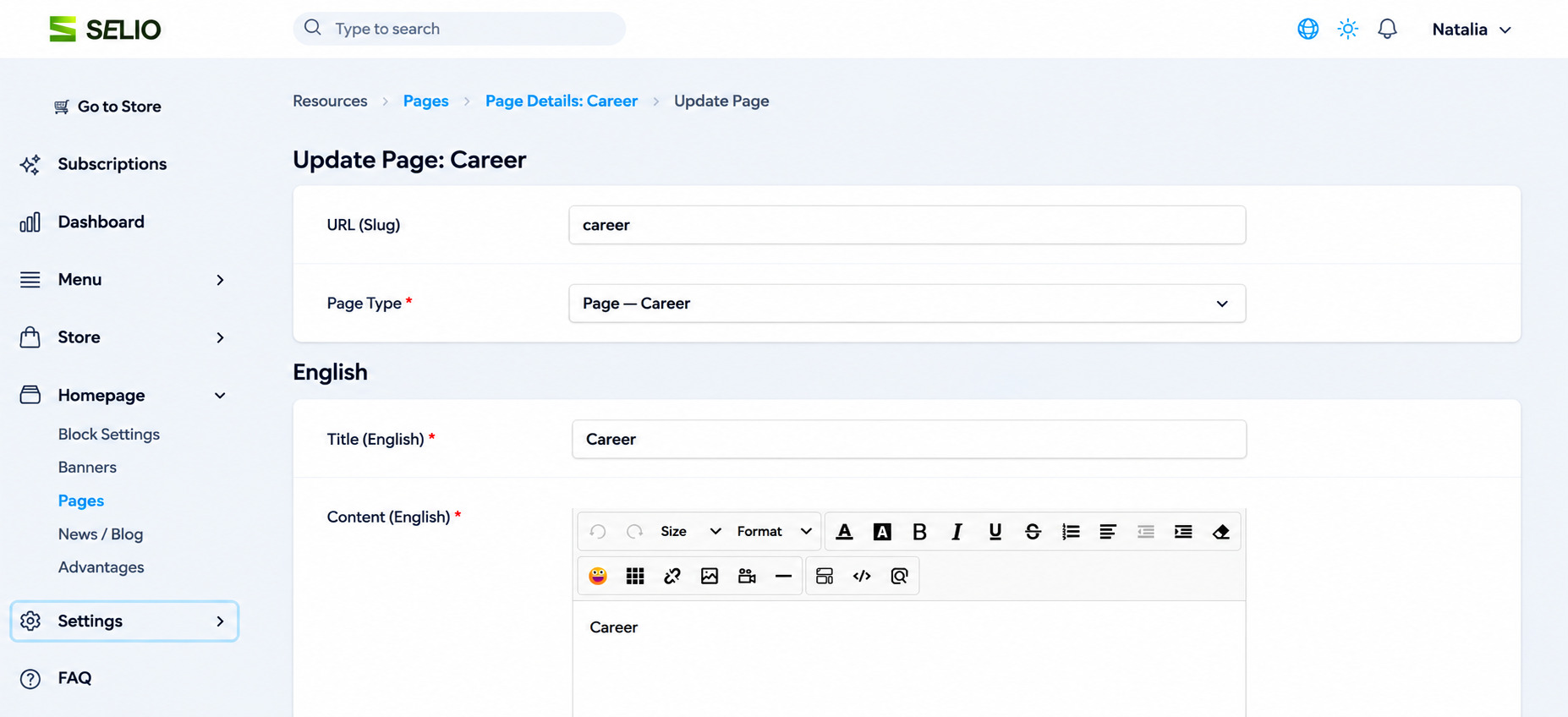
- description of benefits and usage features.
- Connect payment and delivery
Add available payment methods and clearly explain delivery terms.
Selio supports connecting WayForPay to accept payments by bank cards, Apple Pay, and Google Pay.
Before connecting a payment service, check whether it supports your business registration country, required currencies, and the product category you sell.
Cash on delivery should be added if it fits your sales model and buyer habits in the selected GEO. For a new store, it can lower the barrier to the first order. Online payment, on the other hand, can reduce the risk of uncollected parcels.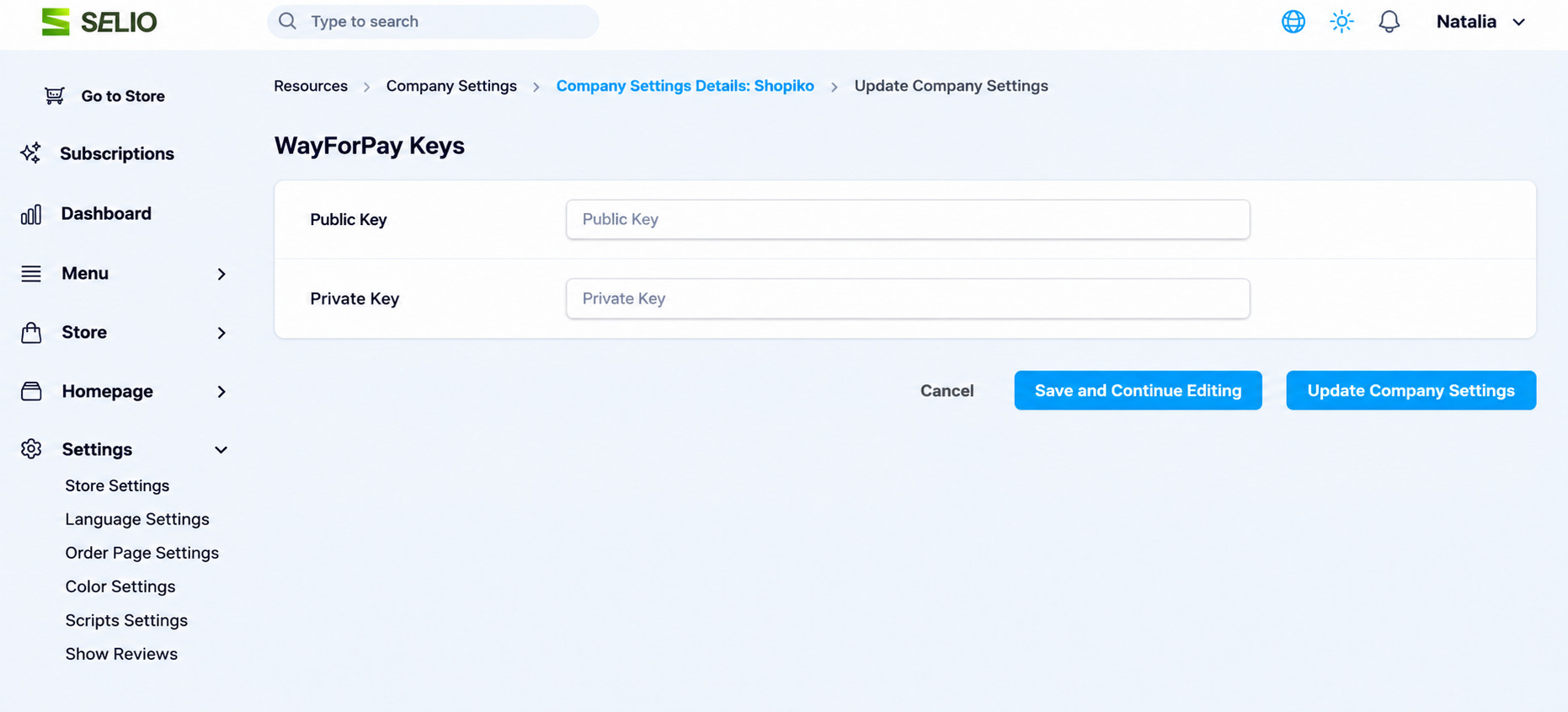
- Add necessary pages
The buyer should quickly find information about:- payment methods;
- shipping costs and delivery times;
- return and exchange conditions;
- contact details;
- privacy policy.
Transparent purchase terms help reduce the number of questions and increase trust in a new store. - Place a test order
Before launching ads, go through the buyer's journey from a smartphone: find a product, add it to the cart, fill out the form, and check if the order appears in the dashboard.
Also check the operation of available payment methods, the accuracy of shipping cost calculations, and order confirmation notifications.
This will help identify technical errors before the advertising campaign starts spending budget.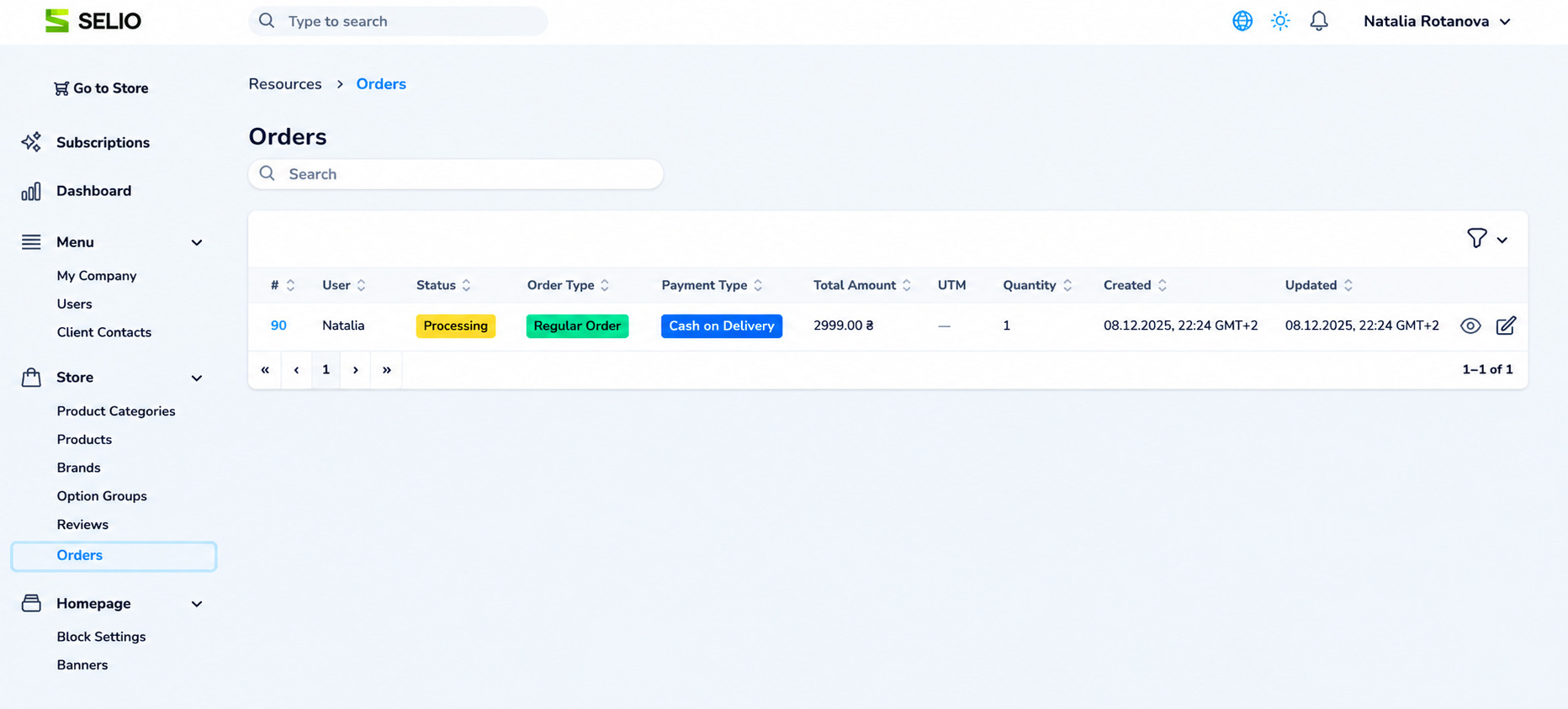
- Connect analytics and SEO
Fill in Title and Meta description for important pages, use clear URLs, connect Google Analytics, and add a sitemap to Google Search Console.
If you plan to run paid ads, set up conversion tracking separately for the chosen ad platform.
Depending on available integrations, this can be Meta Pixel, Google Ads conversion tracking, or TikTok Pixel.
Before launch, verify that key user actions are recorded properly: product view, add to cart, checkout initiation, and purchase.
Use UTM tags to identify which campaigns and ad materials bring in buyers.
How to get your first buyers
Creating an online store does not guarantee sales. The next task is to attract targeted traffic and determine which channels work for your product.
Advertising in Meta Ads, Google Ads, and TikTok Ads
The choice of advertising platform depends on the product category and the behavior of your target audience.
| Platform | When to consider |
|---|---|
| Meta Ads | For products whose benefits can be shown through photos, videos, and usage demonstrations |
| Google Ads | When users are already actively searching for the relevant product or its alternatives |
| TikTok Ads | For products that can be presented through short videos, reviews, and UGC content |
If your advertising budget is limited, do not launch campaigns on all platforms simultaneously. Start with one traffic source, prepare several creatives with different approaches to presenting the product, and define acceptable testing costs.
For example, for one product you can test:
- demonstrating the product in real-life conditions;
- a creative built around the buyer's problem;
- a video review explaining the product's benefits.
Do not change campaign settings after just a few clicks. At the same time, do not continue spending money uncontrollably: define the financial boundaries of the test in advance taking into account your target CPA.
You can read more about preparing an ad account in our material about ad accounts, Ads Manager, and preparing for an ad launch.
How to control ad payments with Pay2.House
At the product testing stage, it is important to monitor not only metrics in the ad manager, but also actual financial expenses.
When an entrepreneur uses a single card for personal purchases, ad campaigns, domains, and work services, it becomes harder to determine the real launch cost.
Pay2.House allows you to issue virtual cards to pay for advertising platforms, online services, and other operational expenses.
With the service, you can:
- separate advertising payments from personal expenses;
- use separate cards for different ad platforms or projects;
- view transaction history and actual charges;
- monitor available fund balances;
- distribute access among team members.
For example, an entrepreneur testing a product via Meta Ads can use a separate virtual card for ad payments. As other platforms are connected and the project scales, expenses can be divided by advertising directions.
For small projects, it is not necessary to issue a separate card for every campaign. It is important to consider the minimum top-up amount, fees, and card maintenance costs.
Separating payments simplifies financial accounting, while setting budgets directly in ad accounts helps control campaign spending.
Organic content
Paid advertising is not the only way to get your first sales.
Publish product reviews, demonstrations of their use, answers to buyer questions, comparisons, and real reviews.
Such content can be used both for organic promotion on social media and for preparing future ad creatives.
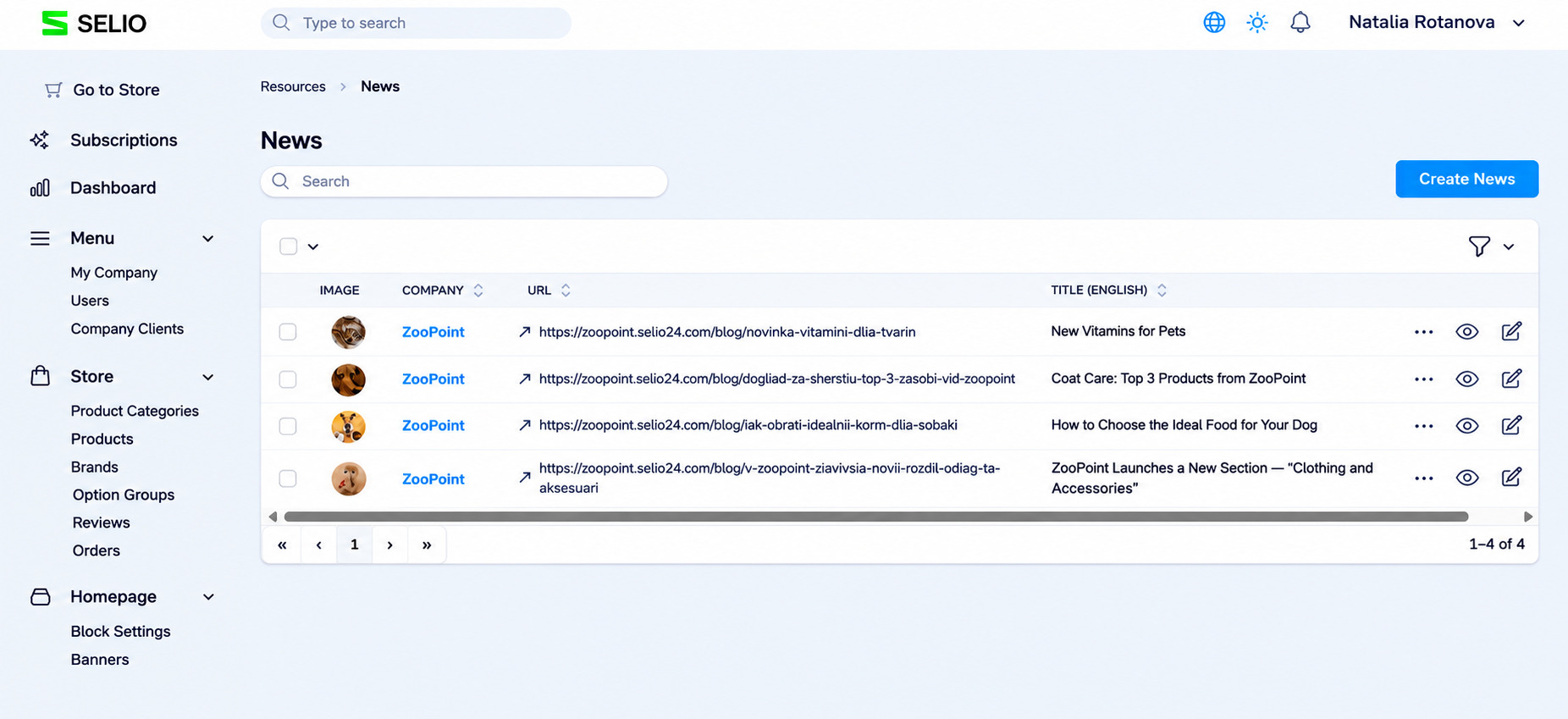
In Selio, you can create blog pages and publish materials without needing to launch a separate website.
Search traffic
SEO does not provide instant results, but gradually it can become an additional source of buyers.
To promote an online store:
- fill in page meta tags;
- create relevant category pages;
- add unique product descriptions;
- publish articles that answer potential buyers' search queries;
- use internal linking between products, categories, and informational materials.
For a business with a limited advertising budget, organic traffic can help gradually reduce dependence on paid ads.
Personal contacts and niche communities
Your first buyers can come from your existing audience, niche communities, local groups, or recommendations.
After a successful order, ask the buyer to leave a review. With their permission, photos and videos can be used to populate the website and prepare advertising materials.
What to analyze after launching an online store
The number of website visits does not always reflect business efficiency. It is important to understand what happens at each stage of the sales funnel.
Analyze:
- number of website visits;
- cost per click (CPC);
- number of add-to-cart actions;
- website conversion rate (CR);
- number of placed, paid, and collected orders;
- customer acquisition cost;
- return on ad spend (ROAS);
- financial result after accounting for advertising and operational expenses.
Depending on the obtained metrics, you can determine at which stage the store is losing potential buyers.
| Situation | What to check |
|---|---|
| Ads get few clicks | Creatives, ad offer, audience |
| There are clicks, but products are not added to the cart | Alignment between ad and landing page, price, product photos and description |
| Products are added to the cart, but not purchased | Checkout form, shipping cost, payment methods |
| Orders are placed, but not picked up | Communication, processing speed, logistics, and traffic quality |
| There are sales, but the business operates at a loss | CPA, cost price, fees, and other operational expenses |
If customer acquisition cost increases, you do not always need to change ad creatives immediately. The reason may lie in website conversion, purchase terms, or other stages of the funnel.
We cover this in more detail in the article "CPA Increased, While CTR Stayed the Same: Where to Look for the Cause and Which Metrics to Compare".
Mistakes that quickly drain the starting budget
- Purchasing a large batch of goods before validating demand.
- Expensive custom development of an online store at the start.
- Launching ads simultaneously on multiple platforms with a limited budget.
- Failure to calculate the allowable customer acquisition cost.
- Launching ads without configured conversion tracking.
- Mixing personal and advertising payments.
- Ignoring payment fees, returns, and logistics costs.
- Slow order processing.
- Scaling advertising campaigns without verifying actual profitability.
- Launching ads without prior testing of the checkout process.
Most of these mistakes can be identified before launch or during the first tests. This allows you to save part of the budget for further optimization.
Conclusion
Starting online sales does not require a perfect online store or a large advertising budget. It is much more important to choose a product with sufficient profit margin, validate demand, and build a clear sales system.
At the initial stage, focus on creating a working version of the store, testing advertising hypotheses, and tracking actual expenses.
Scaling the business is reasonable when you understand how much customer acquisition costs, which products generate profit, and which advertising channels deliver the best financial result.

 Telegram
 Email




Be the first to share your opinion!
We value your feedback — share your thoughts.