


Why Your Accounts Get Linked, and the Signals Most Setups Miss
Most account links start with a small technical match rather than an obvious mistake. Two profiles share a browser detail, an anti-fraud system correlates them, and several accounts may be reviewed or restricted together. The operator may already be using different credentials and a separate proxy for each account. But the overlap can come from another signal.
This article focuses on those blind spots: the signals that can correlate profiles, the limits of a standard browser and the way an antidetect browser such as Afina separates profile data and configurations.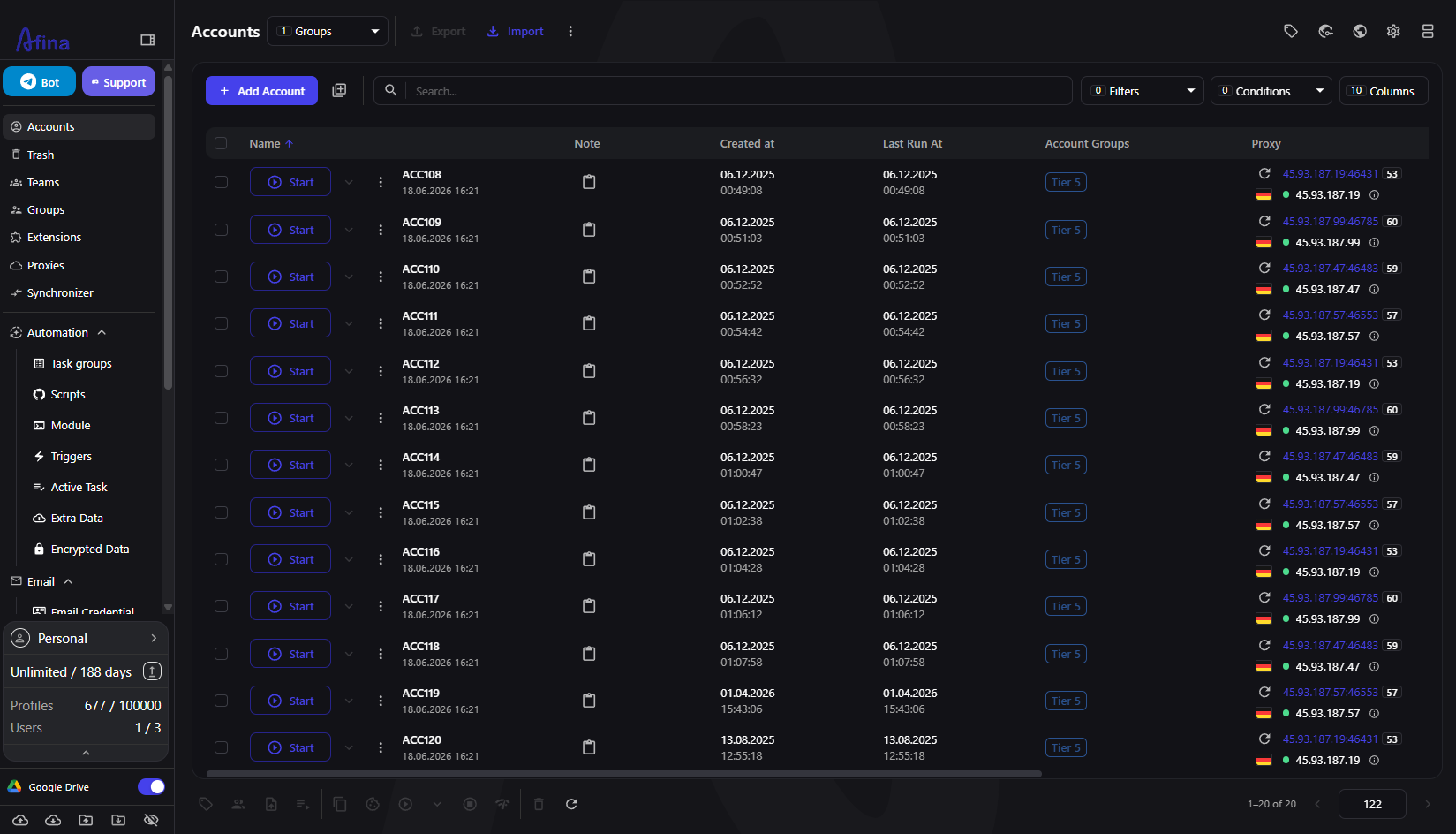
The illusion of separate accounts
A clean login and a unique IP may seem sufficient. They are not. A browser exposes many parameters to every site it visits, and several of them remain unchanged after a logout, cleared cookies or a proxy change.
The User-Agent reports the operating system and browser build. Canvas, WebGL and audio tests measure how the device renders content. Screen size, installed fonts, CPU core count, device memory, timezone and language headers add further detail. Together, these values form a fingerprint that may remain stable enough to correlate activity from the same device.
When ten accounts run through one standard browser environment, they may share the same fingerprint even if their proxies and passwords differ. Anti-fraud systems can use that repeated device signature as a correlation signal. For a broader view of how current tools handle fingerprinting and automation, see Afina's 2026 antidetect browser comparison.
The signals operators underestimate
A few recurring signals create much of the avoidable overlap. Each one can be managed separately.
-
the fingerprint itself, when every profile renders Canvas and WebGL in the same way because it uses the same physical device
-
WebRTC, which can expose the real IP behind a proxy through a separate network path
-
timezone and language headers that remain on the host machine's settings while the proxy points to another region
-
shared cookies and cache, where session data carries over between profiles that should remain separate
-
repeated device values, such as identical screen size and hardware parameters across unrelated profiles
The problem is consistency in the wrong place. Legitimate devices vary between users but remain reasonably stable across sessions. A weak multi-account setup can do the opposite: profiles look too similar to one another while individual configurations change unexpectedly.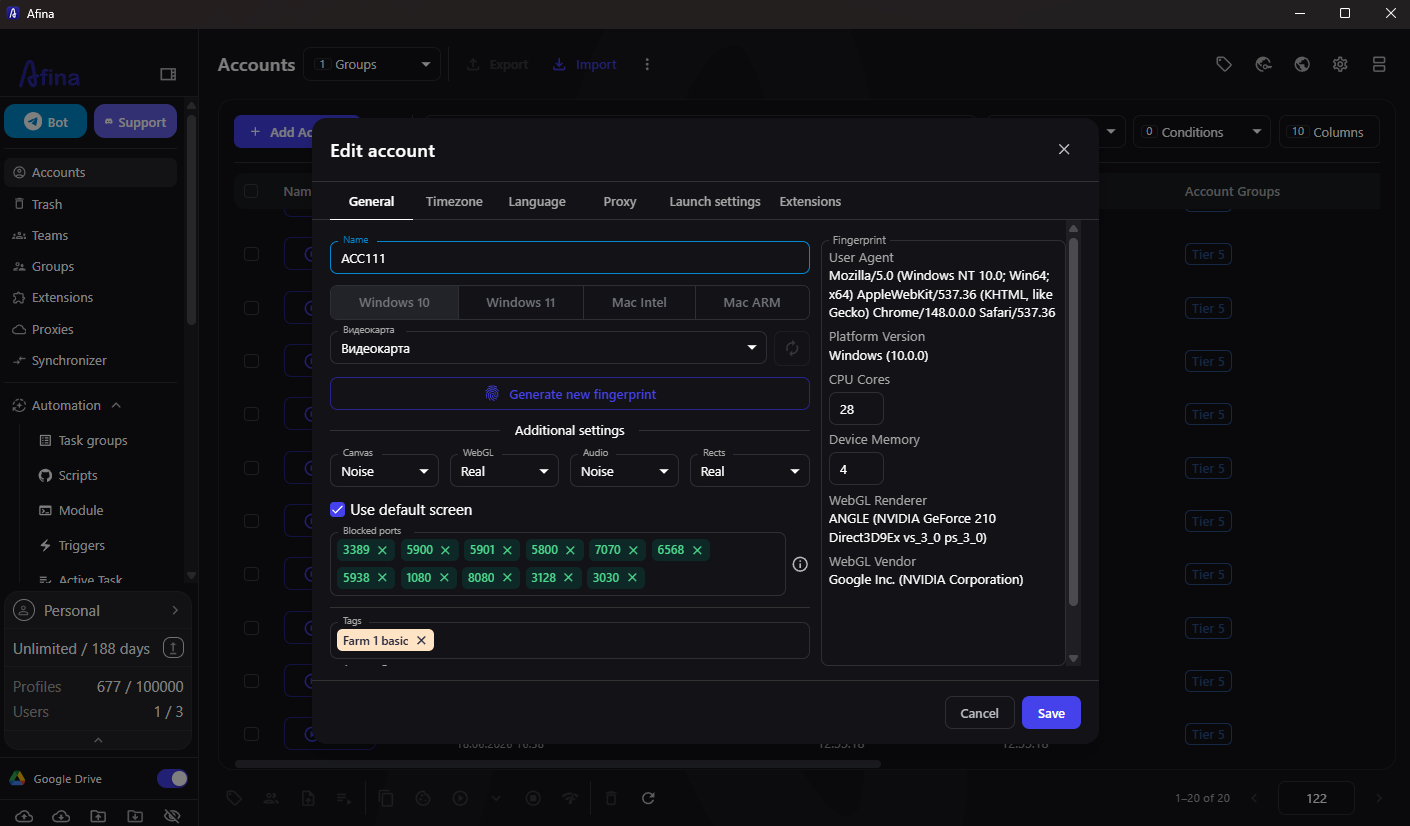
Why a normal browser cannot solve this
The first instinct is often to patch the existing browser: install an extension, change one value and clear cookies between sessions. These measures leave other fingerprint and storage signals unchanged.
Changing the User-Agent does not automatically change Canvas or WebGL output. A proxy does not guarantee that WebRTC will follow the same route. Clearing cookies may still leave cache or localStorage state behind. Partially modified configurations can also contain contradictions, such as a claimed operating system that does not match the browser's rendering behaviour. That mismatch can become a detection signal.
A standard browser maintains shared state for one user environment. It was not designed to separate twenty unrelated profile environments.
How Afina keeps each identity separate
Afina Browser handles separation at the profile level. Each account runs in an isolated environment with its own cookies, localStorage, cache and network parameters, keeping profile state separate even when several profiles are open.
Each profile fingerprint uses valid combinations that match real device configurations rather than unrelated random values. This reduces obvious contradictions between the reported platform and hardware parameters. The available controls include:
-
OS and User-Agent values that describe the reported platform
-
Canvas, WebGL, Audio and Rects settings that affect fingerprint output
-
Screen size
-
CPU Cores and Device Memory
-
Timezone from IP and Languages from IP, which align those settings with the proxy location
-
generated fonts included in the hardware fingerprint
The Generate new fingerprint action refreshes the profile's hardware parameters. Once saved, the configuration remains stable between sessions until it is changed again.
Closing the network leaks
Profile consistency also depends on the network settings. Afina manages them within the account profile.
Afina supports HTTP, HTTPS and SOCKS5 connections with residential, mobile or datacenter proxies. When a SOCKS5 proxy has working UDP support, WebRTC, QUIC/HTTP3 and WebTransport use that route automatically.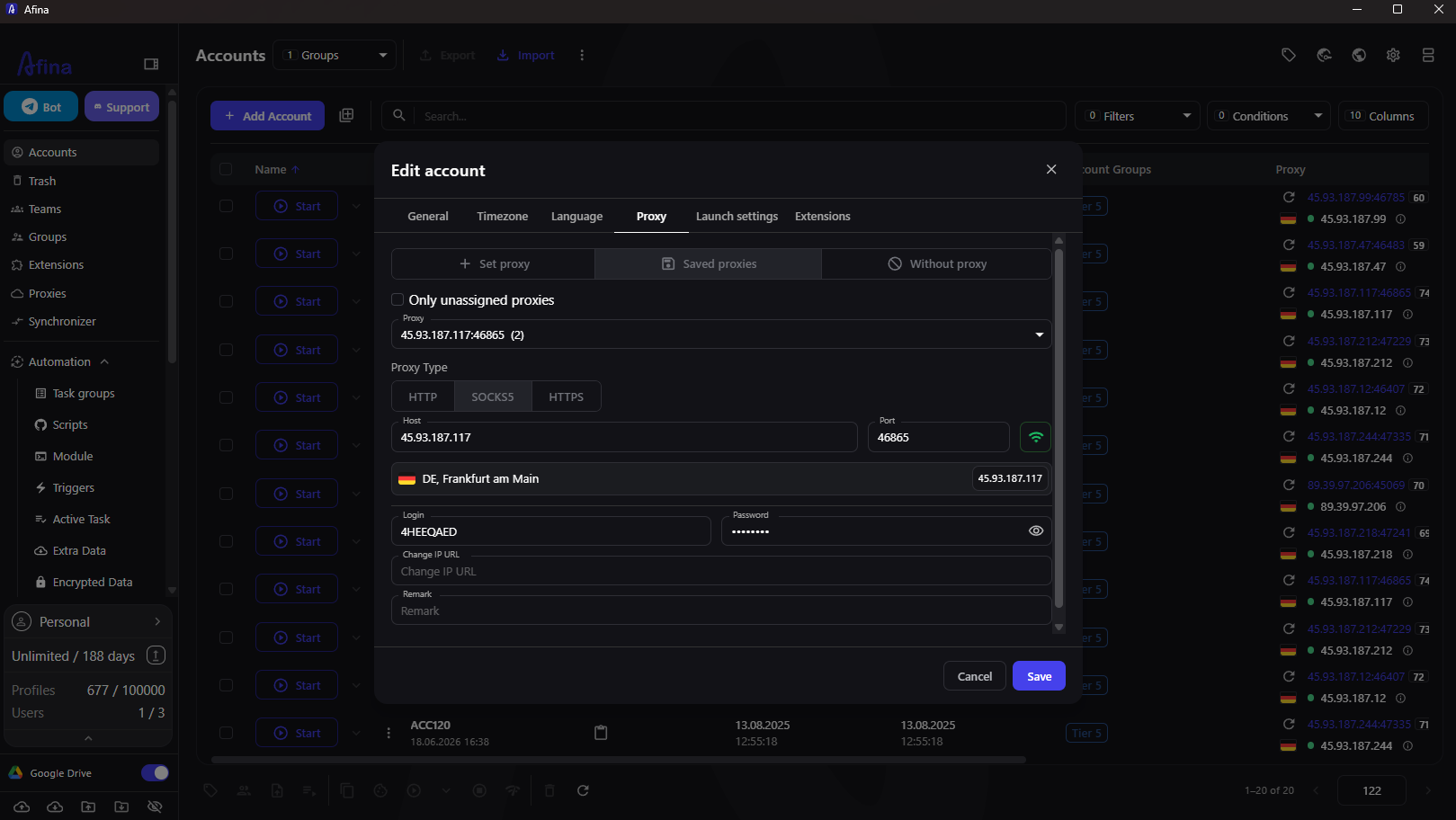
Residential proxies often provide limited UDP support, which can lead to failed QUIC connections or WebRTC leaks. In that situation, Disable WebRTC in Afina Core Settings stops RTCPeerConnection and prevents WebRTC from exposing the host IP. The setting is managed centrally rather than through separate extensions.
Scaling without losing control
A proxy mismatch is easy to spot across two profiles and much easier to miss in a pool of 100. Afina applies the same isolation model as the pool grows and adds tools for organising repeated work.
Profiles can be organised with Tags and Account Groups. Routine actions can run through scripts built on the visual canvas, which connects RPA automation blocks into a workflow.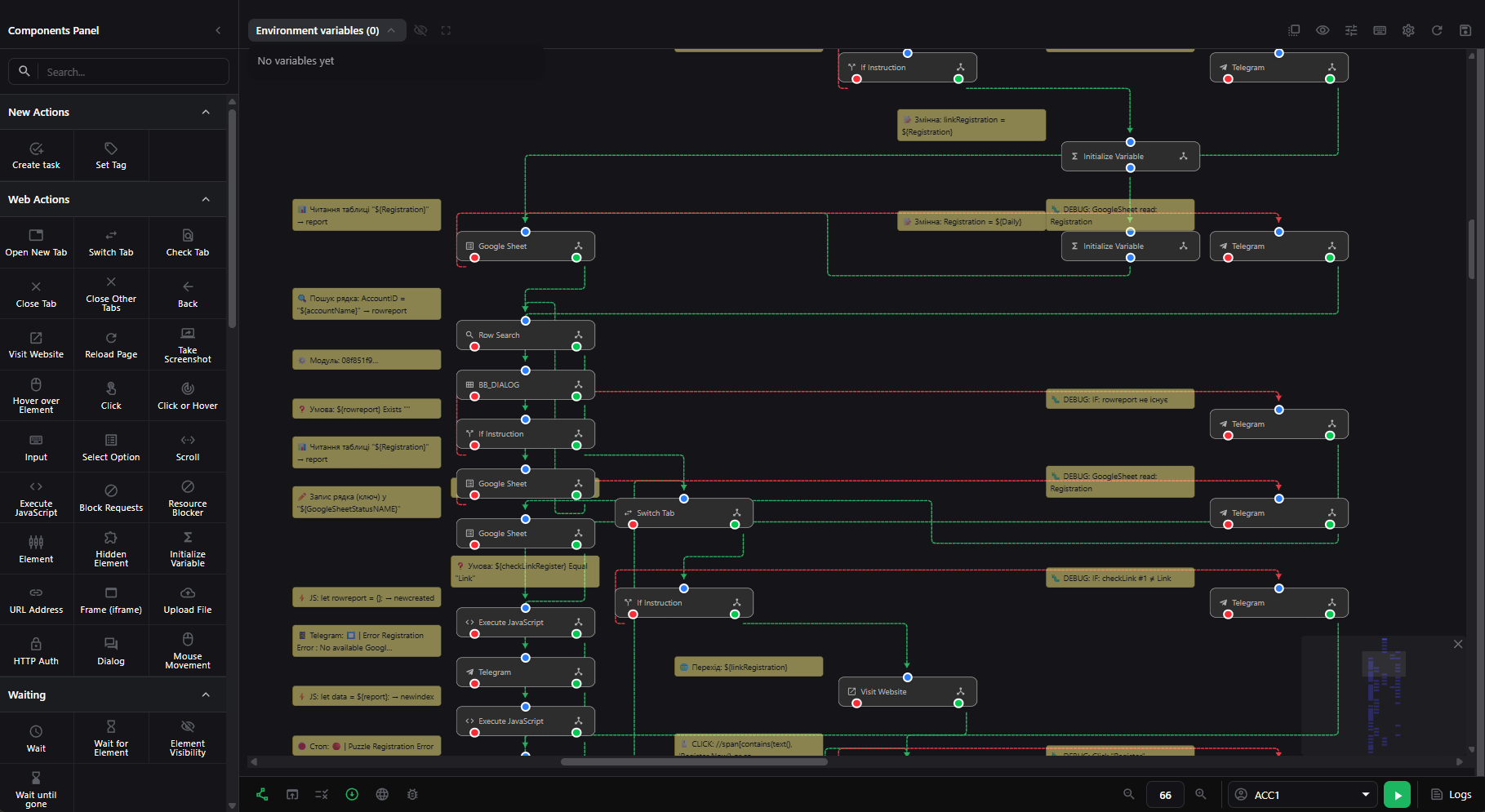
Task groups provide time windows, repetition rules, task timeouts and limits on parallel execution. These controls let operators distribute runs over a schedule instead of starting every session at once.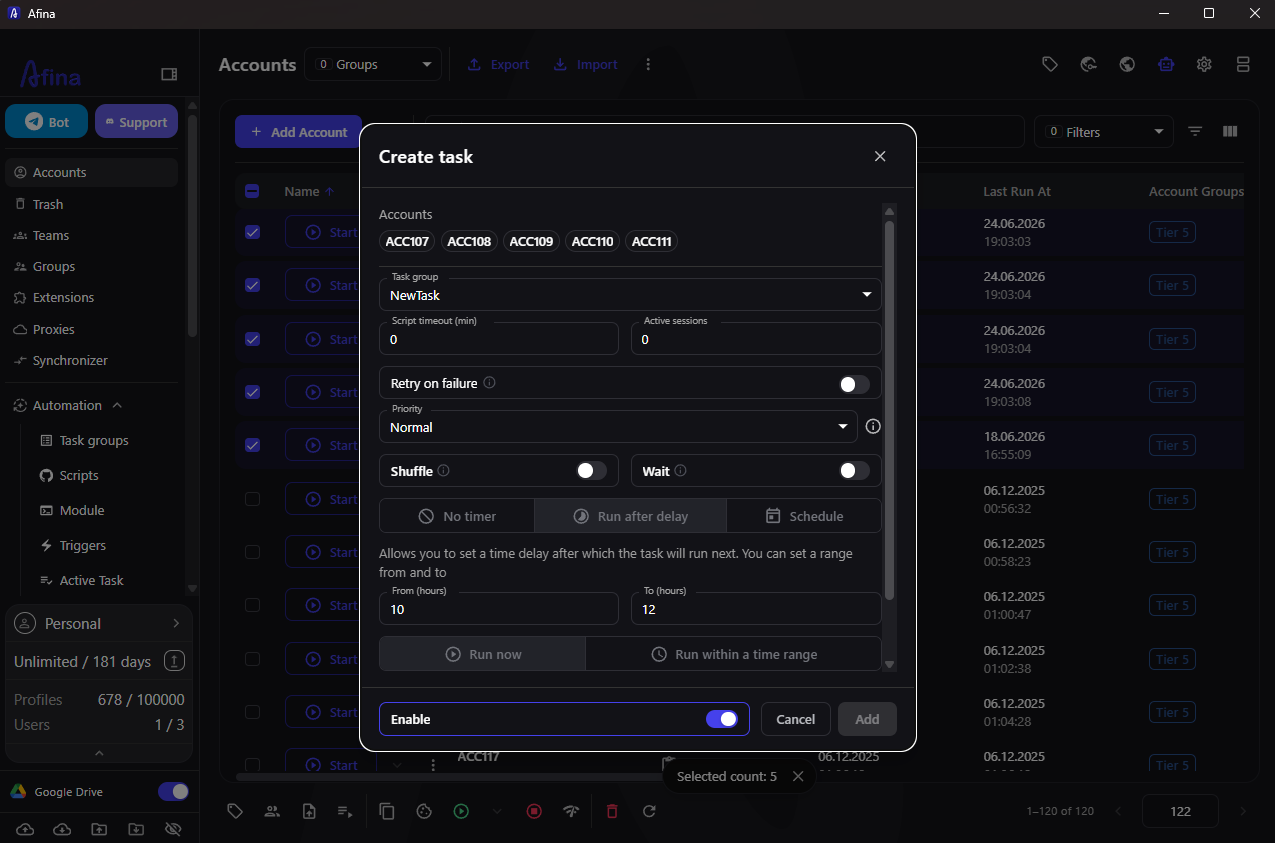
For AI-assisted workflows, Afina's MCP server exposes tools that can manage accounts, run automation modules and control browser sessions through CDP. The agent works through the Afina tools made available to it.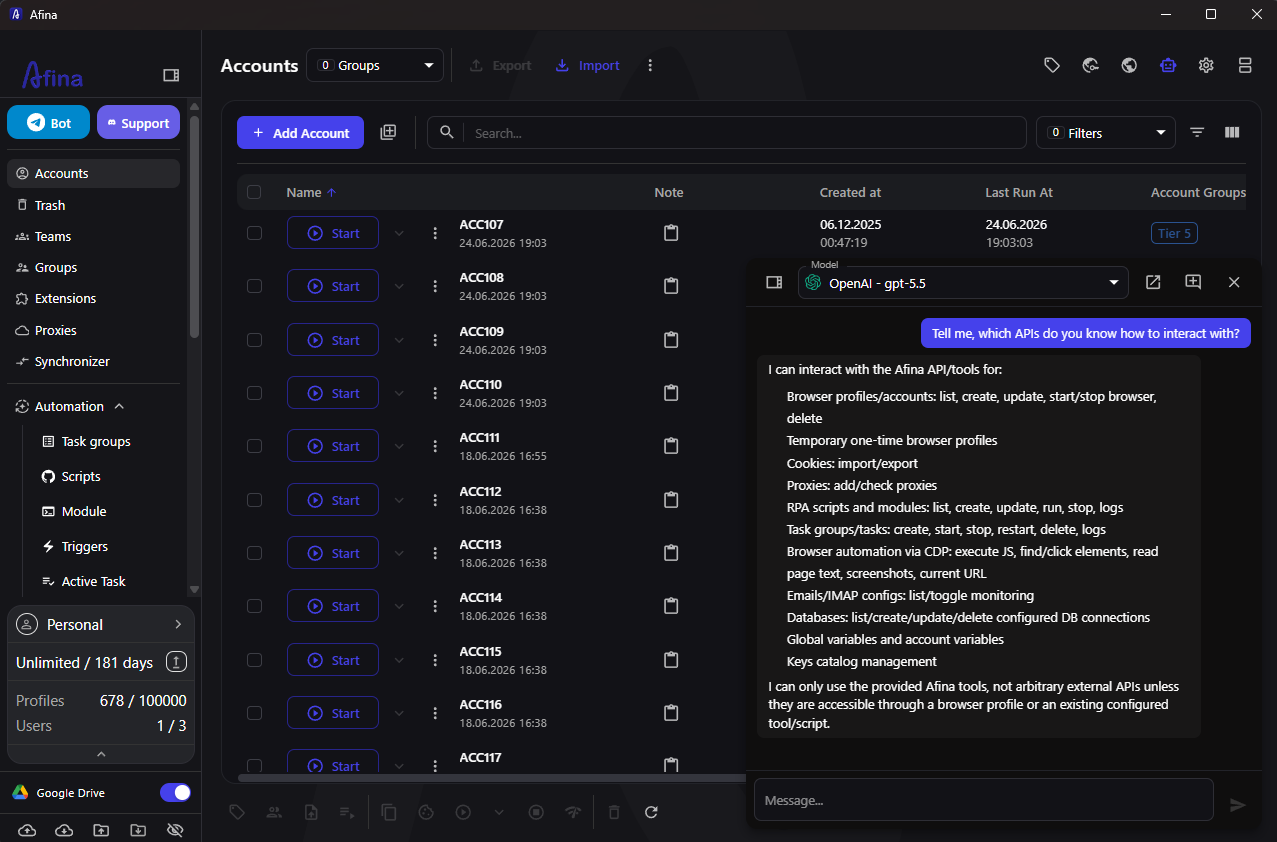
Sensitive account data and variables are encrypted locally with AES-256-CBC. Access requires both the local key file and the master password. If profiles are synced through Google Drive, the cloud copy remains encrypted and can be opened only with the matching key file and password.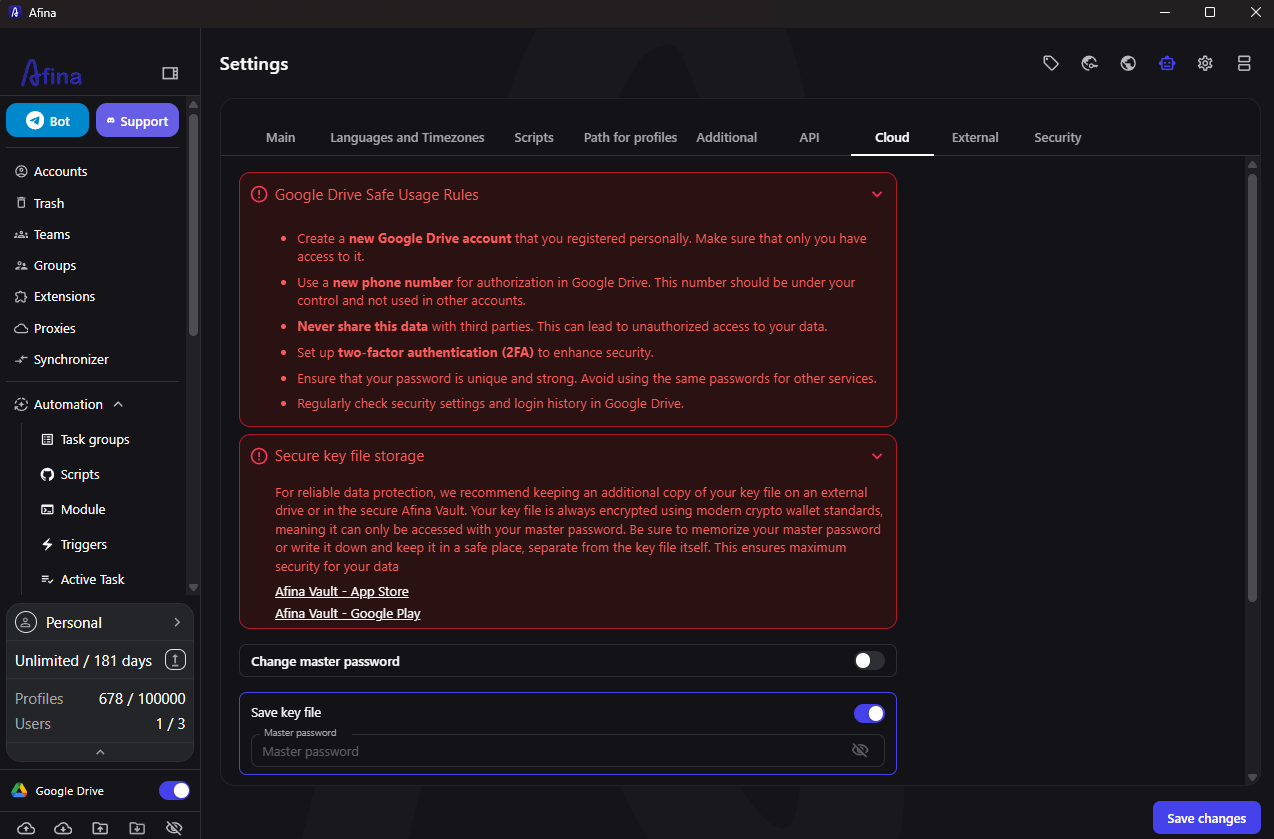
The behavioural layer most setups forget
Technical separation does not cover account behaviour. Anti-fraud systems may evaluate activity patterns over time as well as the values in a single request.
Behavioural signals can include action speed, simultaneous activity across profiles and mechanically repeated sessions. A pool that performs the same steps at the same moment can look automated. Activity history and timing also matter within an individual profile.
Task groups can spread automated runs across time windows and limit parallel sessions. The Synchronizer serves a different purpose: it repeats actions from the Main window across the browser windows selected for that session. Use it only when deliberate repetition is required.
-
avoid identical actions across many profiles at the same moment
-
give new accounts time before high-value activity
-
spread automated runs across schedules rather than bursts
-
keep some natural variation between profiles in the pool
Fingerprint consistency addresses device-level correlation. Session behaviour remains a separate risk.
A practical checklist
Treat these checks as routine maintenance rather than a one-time setup. Before scaling, confirm that each profile limits avoidable overlap.
-
each profile has its own isolated cookies, cache and storage
-
the fingerprint uses a valid, stable configuration rather than new random values each session
-
timezone and language follow the proxy region instead of the host machine
-
WebRTC either routes through a UDP-capable SOCKS5 proxy or is disabled
-
automation runs in measured shifts, not in obvious bursts
These checks reduce avoidable technical correlations, but no browser can guarantee that a platform will not link or restrict accounts.
Isolating your browser fingerprint solves only one part of the risk. Payment methods tied to a single card or account can just as easily link your operations across platforms. Pay2.House issues virtual cards built for media buying and multi-account workflows, with flexible BIN selection and high approval rates across major ad platforms. Each card can be provisioned separately, in minutes, keeping payment activity as isolated as your browser profiles. Try Pay2.House to close the payment-level gap that Afina doesn't cover.
FAQ
Why do my accounts get linked even with different proxies?
A proxy changes the network address but does not replace the browser fingerprint or clear stored state. Shared fingerprint values, WebRTC exposure or leftover cookies can still correlate profiles. Profile isolation and a stable, internally consistent fingerprint reduce those overlaps.
Is an extension enough to hide a fingerprint?
Rarely. Extensions often change only a few exposed values while other hardware and rendering signals remain unchanged. If the modified values contradict the browser core or operating system, the mismatch can itself become a detection signal.
What is the most overlooked leak?
WebRTC is a common source of IP exposure because it may use a separate network path even when a proxy is configured. A SOCKS5 proxy with working UDP support can carry the traffic; otherwise, Afina can disable WebRTC.
Does Afina store my account data?
Afina stores sensitive account data locally in encrypted form using AES-256-CBC. Access requires the local key file and master password. If Google Drive sync is enabled, the cloud copy remains encrypted and requires the same credentials.
Isolating your browser fingerprint solves only one part of the risk. Payment methods tied to a single card or account can just as easily link your operations across platforms. Pay2.House issues virtual cards built for media buying and multi-account workflows, with flexible BIN selection and high approval rates across major ad platforms. Each card can be provisioned separately, in minutes, keeping payment activity as isolated as your browser profiles. Try Pay2.House to close the payment-level gap that Afina doesn't cover.



 Telegram
 Email
Email








Be the first to share your opinion!
We value your feedback — share your thoughts.