


You are trying to pay for an ad account, subscription, or online service. You enter the correct card details but receive a decline. There is enough money on the account, the card is active, and the bank has not sent any alerts. One possible reason is that the antifraud system has flagged the transaction as suspicious.
Such systems may consider not only card details and available balance, but also the issuing country, IP address, device information, account history, and the nature of previous payments. Sometimes the combination of these signals looks unusual even when the real cardholder is making the payment.
Let’s look at how antifraud works, why it may decline legitimate payments, and what you can do to reduce the likelihood of repeated declines.
What antifraud is and what it checks during payment
Antifraud is a set of mechanisms that helps banks, payment providers, and online platforms identify potentially fraudulent transactions. Checks can take place at several levels: the issuing bank evaluates whether the payment can be authorized, while the payment service or advertising platform may additionally assess transaction risk according to its own rules.
Depending on the service, the check may consider the following data:
- Card BIN and issuing country. BIN is the initial part of the card number, which can identify the issuing bank and certain card characteristics. The issuing country may also matter, especially if it does not match the usual geography of transactions.
- IP address and geolocation. Some payment services and antifraud systems may consider the IP address, its geolocation, and the use of proxies or VPNs. However, the available data depends on the specific participant in the payment process.
- Device and browser data. Changing the device, browser, or other session characteristics can become an additional risk signal.
- Account history. The age of the account, successful and declined payments, changes to payment details, and other actions may be relevant.
- Transaction frequency and amount. Several payment attempts in a row, a sharp increase in spending, or an unusually large first payment may look suspicious.
- Verification of payment details. The system may check the card expiration date, CVC/CVV, and, where supported, whether the billing address matches the bank’s records.
There is no single list of checks used by all services. Banks, payment gateways, and advertising platforms use different models and rules. As a rule, they assess a combination of signals rather than one isolated parameter.
Why legitimate payments get declined
A decline does not necessarily mean that the card is blocked or that the payment has been definitively classified as fraudulent. The reason may be a technical error, bank restrictions, or a risk assessment.
The card country does not match the connection location
For example, a card may be issued in one country while the payment is made from an IP address in another. This combination can be completely legitimate: a person may be traveling, working abroad, or using a corporate network.
However, for a system that does not know the circumstances of the transaction, a geographic mismatch can trigger additional verification. This is especially likely when it is combined with a new device, an unfamiliar account, or several failed payment attempts.
The card BIN triggers additional checks
Using the BIN, a system can identify the issuing bank, payment network, and certain card characteristics, such as whether it is a debit or credit card, if this information is available.
Some services restrict certain card categories or do not support cards from particular banks and regions. Therefore, correctly entered details do not guarantee that the payment will be accepted. In this case, changing the IP address alone will not solve the problem: the restriction may be related to the service’s or bank’s rules.
The account looks unusual to the payment system
If an account has not been used for a long time and then spending suddenly increases, new payment details appear, or multiple payment attempts begin, the system may request additional verification.
A similar situation can occur when devices and networks are changed frequently. By itself, this does not prove fraud, but it may differ from the account’s usual behavior.
Too many payment attempts in a row
After the first decline, users often repeat the payment several times, change card details, or switch between payment methods. However, a large number of rapid repeated attempts may look like card testing or automated activity.
If a payment fails, it is better to identify the reason first rather than trying different options one after another.
The bank or service has set its own restriction
Sometimes the issue is not related to the advertising platform’s antifraud at all. A bank may decline international payments, transactions of a certain type, or payments in a specific currency. The card may also have limits on online purchases.
In addition, there are more common reasons for payment declines:
- Insufficient funds on the card. The available balance may not be enough to authorize the transaction, especially if fees or currency conversion need to be taken into account.
- Transaction limit exceeded. A bank or payment provider may set limits on the amount of a single transaction, daily spending, or other card usage parameters.
- The card does not support the merchant category. Some cards have restrictions on payments for certain categories of goods and services, determined by MCC (Merchant Category Code). In this case, the transaction may be declined even with a sufficient balance.
It is important to distinguish between a decline from the issuing bank and a decline from the payment service, because the solutions differ.
A payment decline is not always a card block
Do not confuse a declined transaction (Decline), a card block, and an ad account restriction.
A Decline means that a specific transaction was not authorized. The card itself may remain active and available for other payments. A card block means that its use has been restricted by the bank or payment provider. An ad account restriction is set by the advertising platform itself and may be related to payment issues or other violations of its rules.
Therefore, after one unsuccessful payment, do not automatically assume that the card or ad account has been blocked. First, determine at which stage the decline occurred.
Matching the card country, IP, and account
Geographic consistency is one factor that may affect payment assessment. If a card is issued in one country, the account is registered in another, and the IP address points to a third, some payment services may consider this combination when reviewing the transaction.
However, it is important not to confuse data consistency with a mandatory requirement for a complete match. There is no universal rule that the card country, IP address, and account country must always be identical. In addition, the issuing bank, payment service, and advertising platform may have different data and use different risk assessment mechanisms.
When proxies may be useful
In legitimate workflows that require separate geographic environments, proxies allow you to select an IP address from a specific region. This can be useful for testing a local version of a website, checking payment page availability, or reviewing how a service behaves in different countries. However, proxies do not change the card’s issuing country, the cardholder’s details, or bank restrictions, and they do not guarantee payment approval.
If legitimate work requires an IP address from a specific region, consider two options:
- Node Proxy residential proxies — IP addresses associated with home user connections. They are suitable for tasks where it is important to test access to a service from residential IPs in a selected geolocation.
- Node Proxy static proxies — an option for scenarios where it is important to keep the same IP address throughout a long session.
Important: do not use proxies to impersonate a resident of another country, bypass regional restrictions, or conceal information that a service requires you to provide accurately. If a payment is declined due to restrictions imposed by the card, bank, or advertising platform, the correct approach is to identify the reason and resolve it through the official support channel.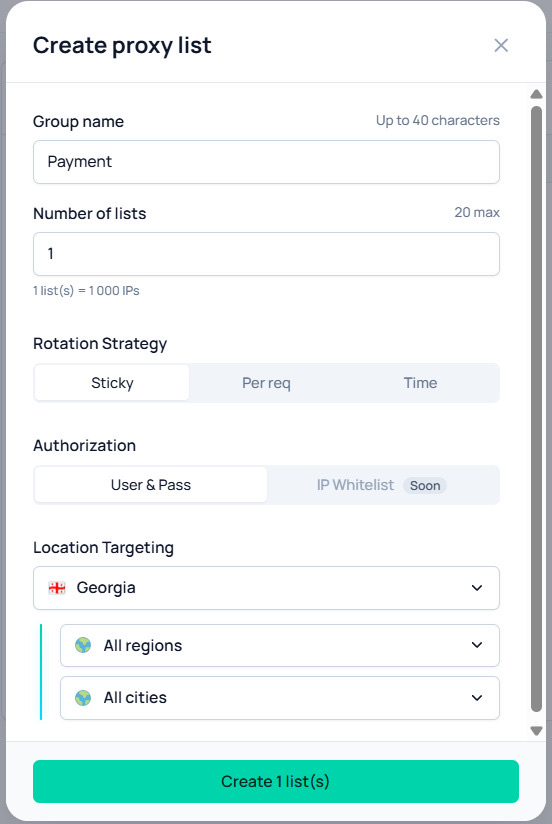
How to reduce payment declines when paying for advertising
Paying for an ad account can differ from a regular online store purchase: payments are repeated regularly, spending may increase sharply, and the account may be used by several employees. To avoid creating unnecessary reasons for checks, follow a few rules.
Keep payment details up to date
Check the card expiration date, CVC/CVV, billing address, and other information requested by the service. If the bank requires confirmation in its app or through 3-D Secure, complete the verification.
Make sure the card supports online payments, the required currency, and international transactions if needed. If in doubt, check the restrictions with your bank.
Do not change your usual environment unnecessarily
Frequent changes to devices, browsers, IP addresses, and geographic regions can create an unusual activity pattern. Where possible, work from a stable environment and follow the advertising platform’s rules.
If you manage several ad accounts for work, organize access in advance and use tools approved by the platform. Do not assume that different IP addresses automatically make accounts independent or eliminate additional checks.
Avoid multiple repeated attempts
If a transaction is declined, do not repeat it endlessly with the same details. First, read the error message, check the available balance and limits, and then contact the bank or service support if necessary.
For media buyers, it is important to monitor not only successful payments but also the number of declined authorizations. Frequent failed attempts can lead to additional checks and restrictions from individual issuers or payment providers. In addition, depending on the service’s terms, a fee may be charged for declined transactions. Therefore, when working with multiple cards, regularly analyze decline reasons, check limits, and do not repeat transactions without resolving the underlying issue.
Plan advertising expenses
A sharp increase in the payment amount will not necessarily cause a decline, but it may differ from the account’s previous history. If you plan to significantly increase your budget, make sure the payment method supports the required amount and that established limits have not been exceeded.
When working with several ad accounts, it is convenient to use separate virtual cards for different projects or teams. For example, Pay2.House allows you to issue virtual cards for advertising payments, monitor the available balance, set limits, and track transaction history. This helps organize advertising expenses and identify the causes of individual declines faster, although it does not eliminate additional checks by banks and advertising platforms.
Check geolocation when testing requires it
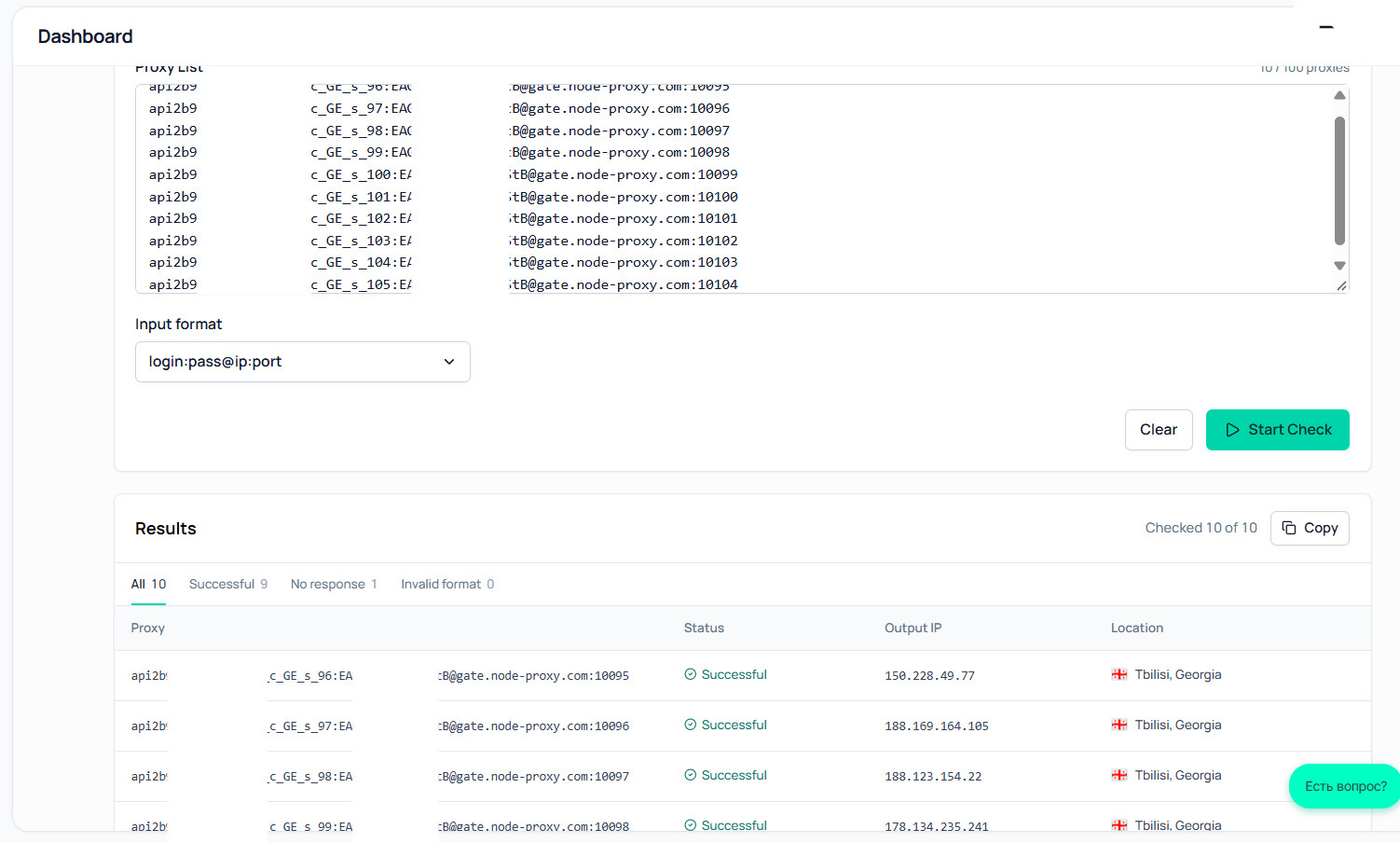
If your task is to check how an advertising website or payment page appears from a specific country, use a controlled testing environment and follow the service’s terms. To check website availability, you can also use the Node Proxy proxy checker, which helps verify proxy performance.
What to do if your card has already been declined
If the payment did not go through, act step by step.
- Read the error message. If it contains a specific code or reason, start there. Wording such as “payment declined” or do_not_honor may not reveal the exact cause.
- Check the card and balance. Make sure the details are entered correctly, the card has not expired, there are enough funds, and the limits have not been exceeded.
- Check bank notifications. The bank may have requested transaction confirmation or blocked online payments. If necessary, contact it using the official phone number.
- Do not repeat the payment too often. After several declines, it is better to pause and identify the reason rather than creating new transactions one after another.
- Contact the advertising platform or payment service support. Ask whether the decline is related to a payment method restriction, account settings, or additional verification.
- Try another permitted payment method. If the service allows alternative cards or payment methods, you can use them after identifying the reason for the decline.
If the system requests identity verification or additional documents, provide them only through the official website or app. Do not send full card details, CVC/CVV, or confirmation codes to strangers who promise to remove a block.
Frequently asked questions
Can a payment be declined if there is enough money on the card?
Yes. A sufficient balance is only one condition for a successful payment. A bank may decline the transaction due to limits, restrictions on certain payment types, or suspected fraud. In addition, the payment service may apply its own risk rules.
Can a VPN or proxy cause a decline?
Yes, some systems consider the use of known proxies, VPNs, or other types of network connections. However, the decline may have a completely different cause, such as bank restrictions or incorrect card details. Using a proxy also does not guarantee a successful payment.
What should I do if the bank says the card is fine?
Contact the support team of the service you tried to pay. The bank may not see the internal risk rules of the advertising platform or payment provider. Provide the transaction time, amount, and error message, but do not send full card details or security codes.
Will retrying the payment help?
Sometimes, if the reason was a temporary error or a typo. However, multiple attempts in a row may lead to additional restrictions. First check the card details, limits, and bank messages, then repeat the payment once if appropriate.
Conclusion
Antifraud protects payment systems from fraud, but automated checks sometimes decline legitimate transactions as well. The outcome may be affected by card details, connection country, account history, device, attempt frequency, and the rules of the specific service.
To reduce the likelihood of a decline, keep payment details up to date, check your balance and limits, avoid unexplained changes to your usual environment, and identify the reason for the decline through the bank or platform support. If your work requires a specific IP geolocation, use the appropriate tools only within permitted scenarios: proxies do not replace card verification and do not guarantee transaction approval.



 Telegram
 Email








Be the first to share your opinion!
We value your feedback — share your thoughts.