


Kling.ai is an AI-powered video generation service. To access paid plans, you need a payment card. Virtual cards from Pay2.House make it easy to pay for your subscription and start using the service right away.
Step-by-step guide
Step 1 - Prepare your card
- Top up your Pay2.House account using a convenient payment method
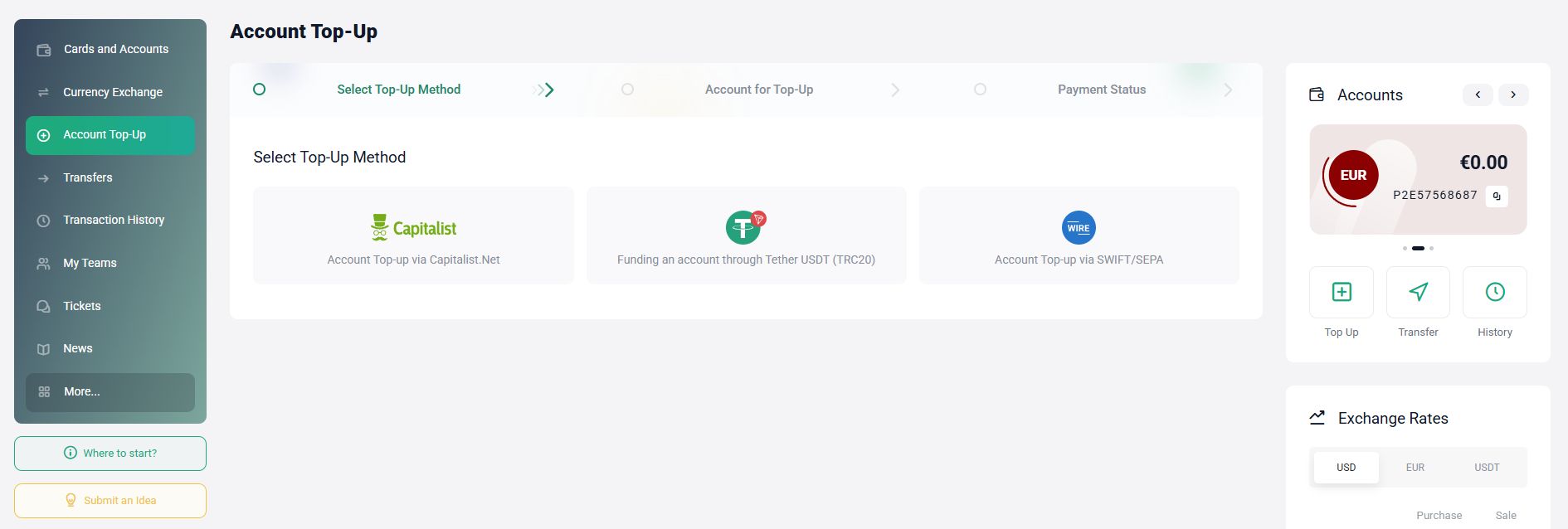
- Go to the "Cards and accounts" section
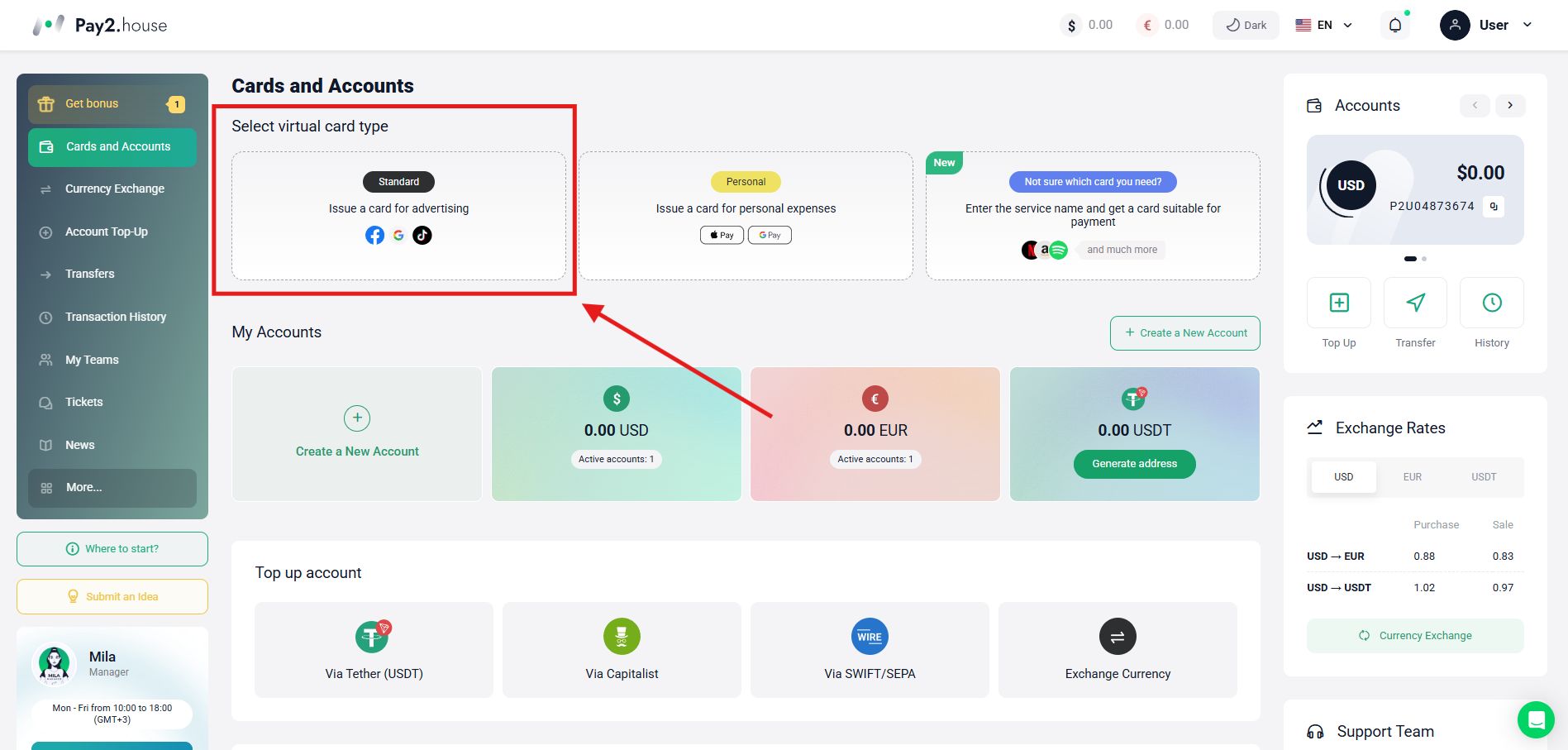
- Issue a Standard card
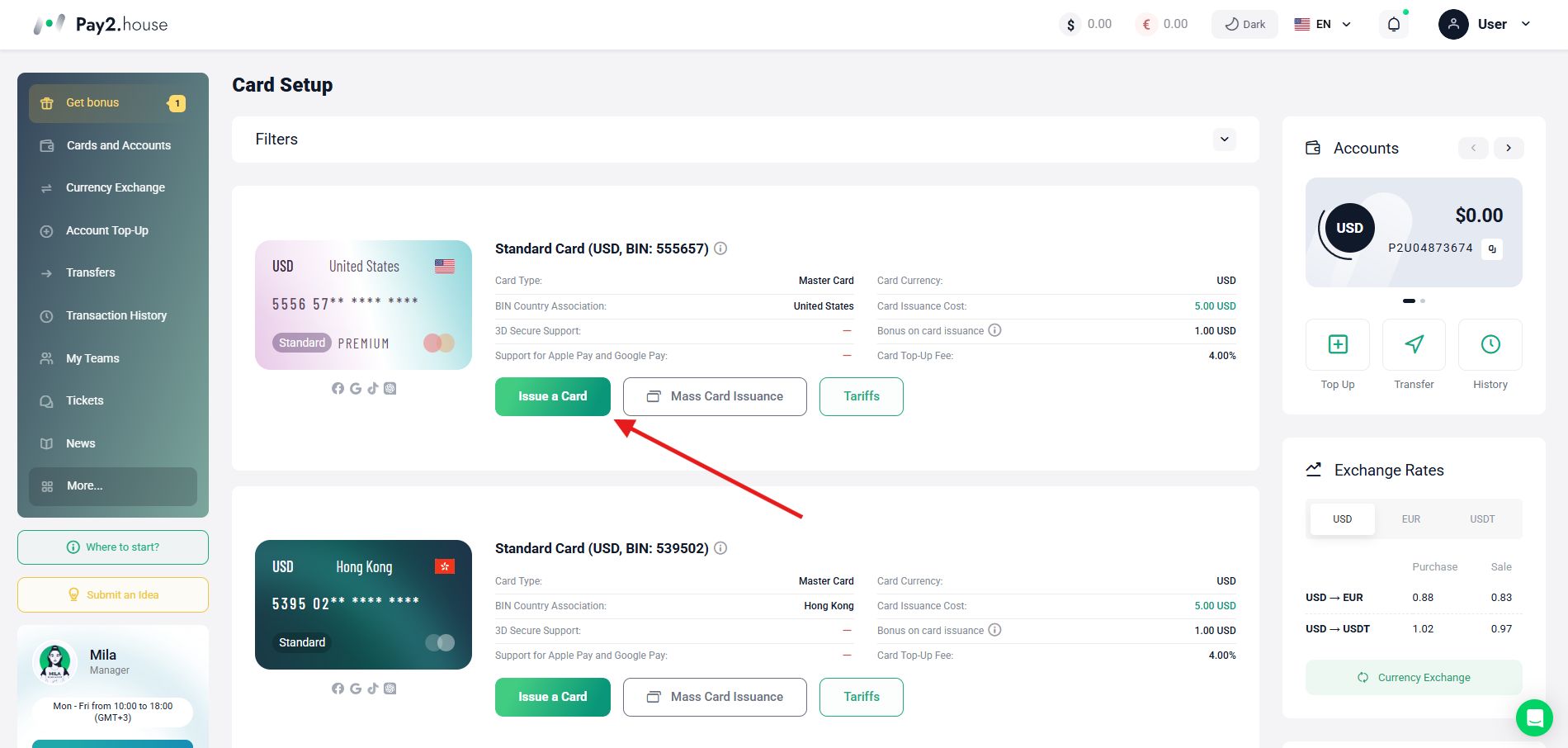
- Top up the card with at least 55 USD/EUR. You can also get cards for free by messaging the manager in the Telegram chat @pay2_house
Step 2 - Go to Kling.ai
- Open kling.ai
- Register or log in to your account
Step 3 - Choose a plan
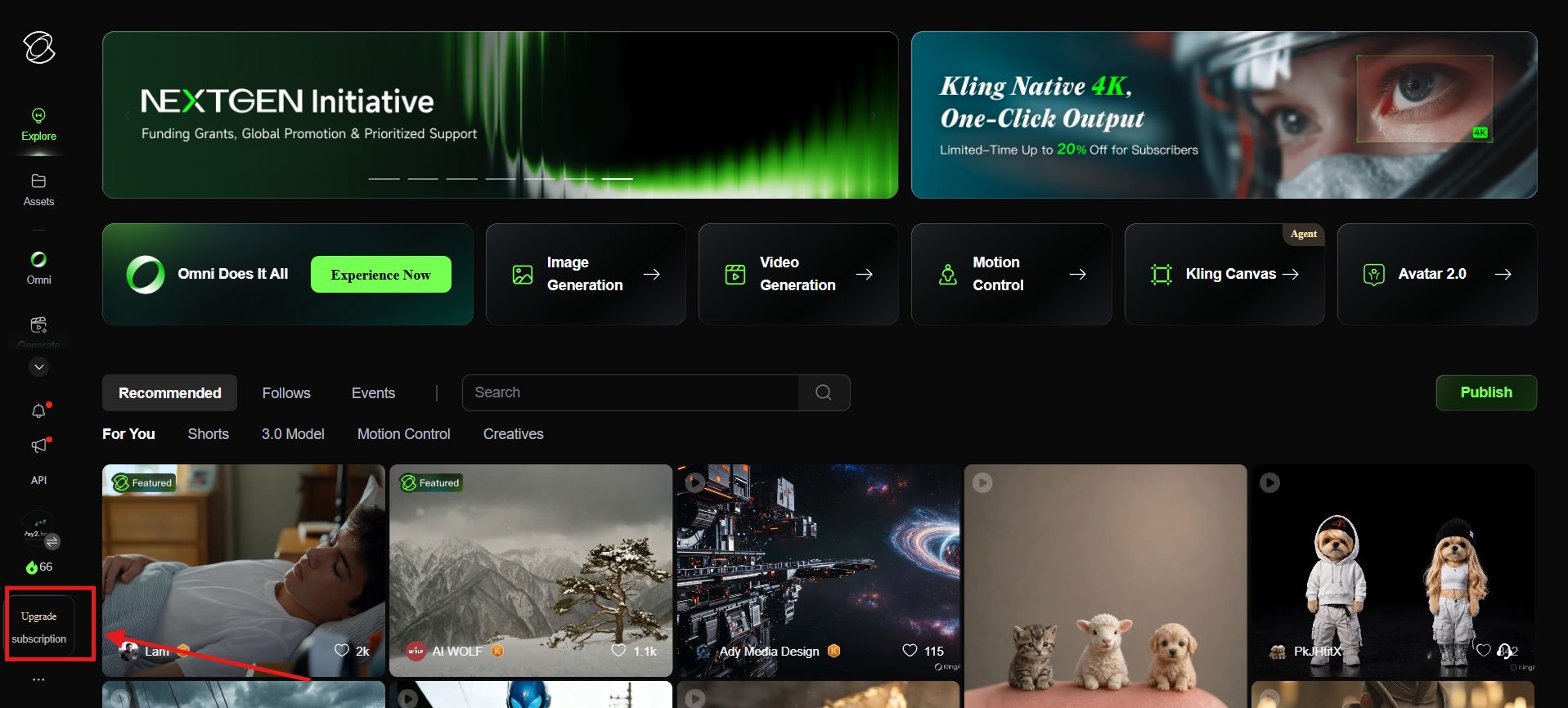
- Go to the Upgrade subscription section
- Select the plan you need
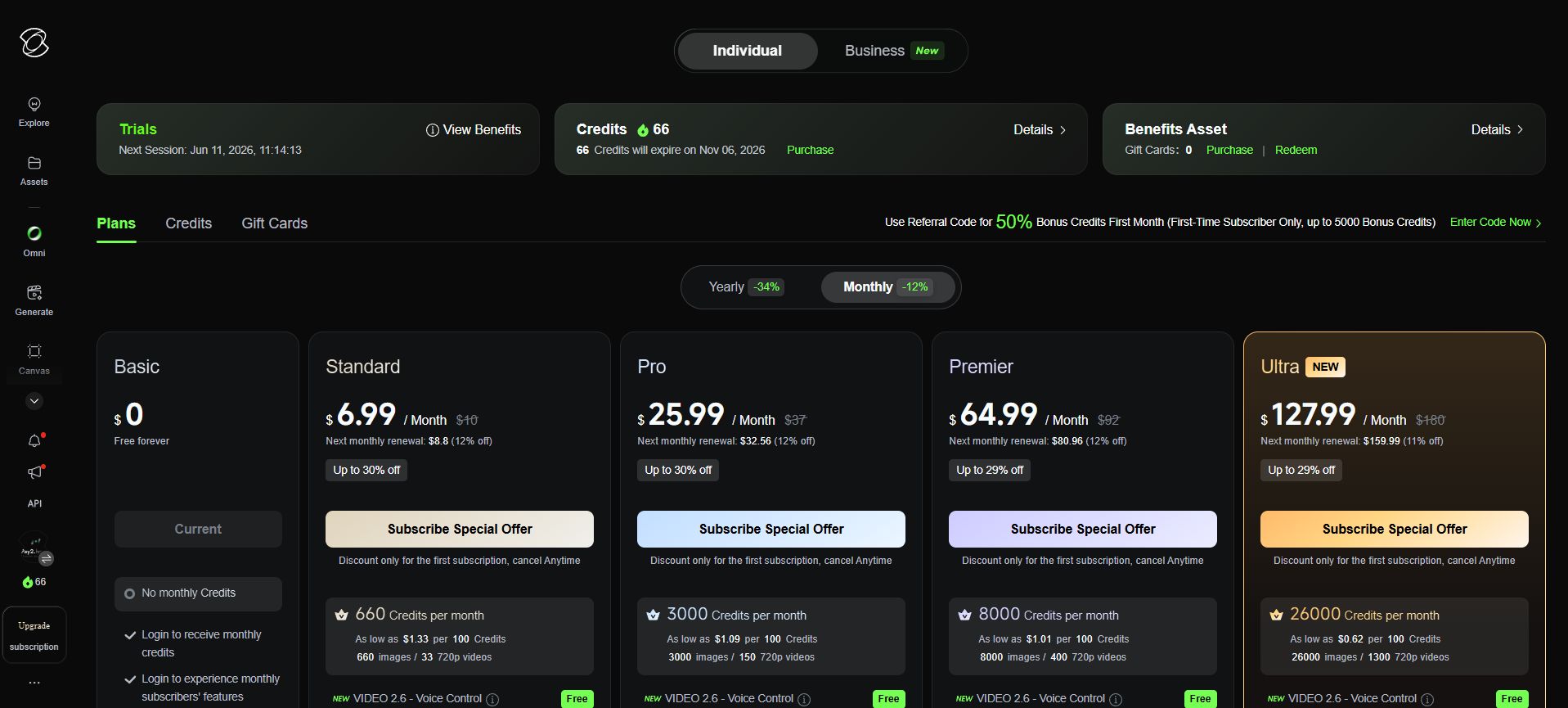
- Click Subscribe
After selecting a plan, a payment page will open in a new tab where you can complete the payment in the chosen currency.
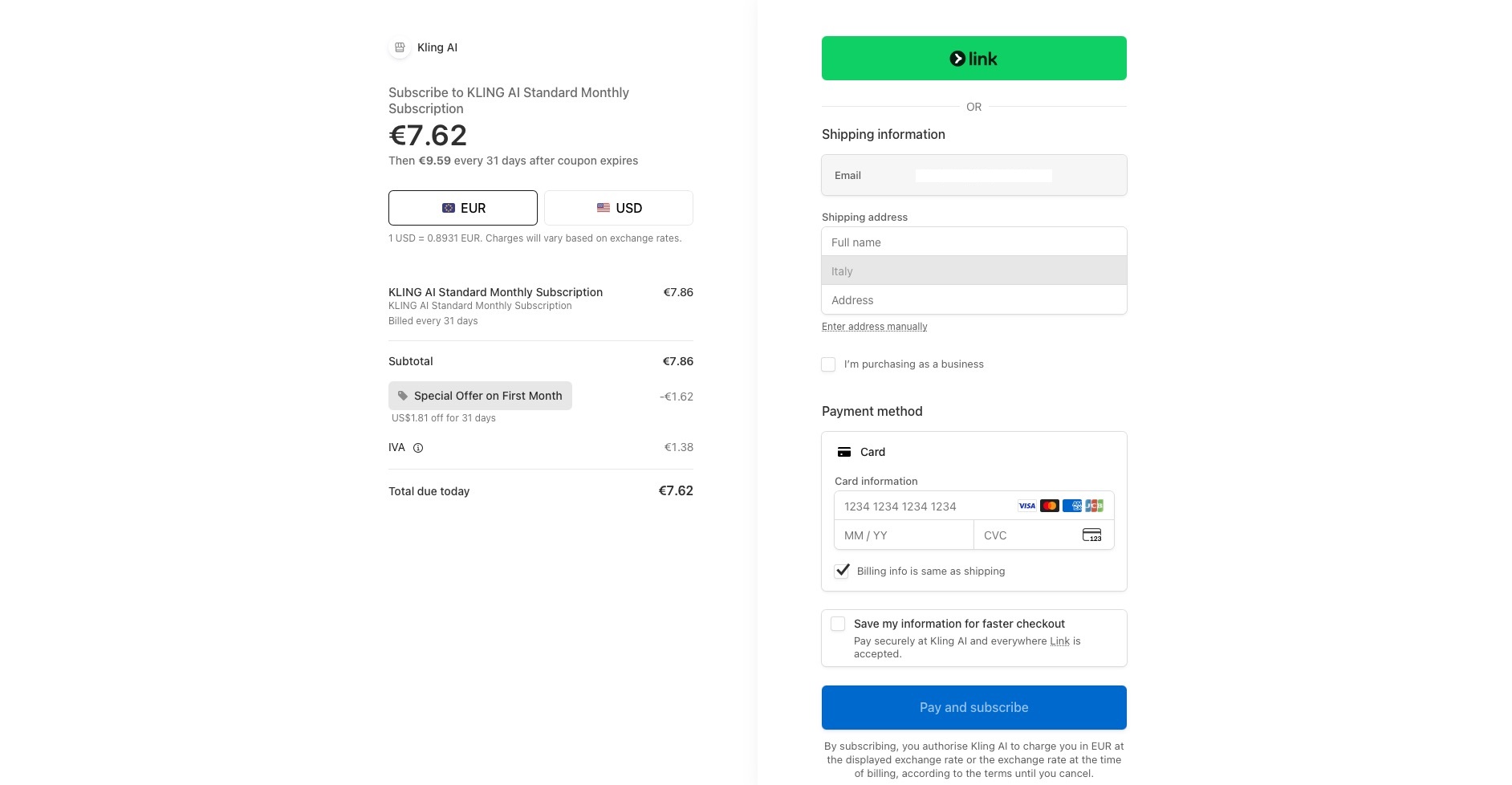
Step 4 - Enter card details
- Choose card payment as the method (Visa/Mastercard)
- Enter your Pay2.House card details:
- Card number
- Expiry date (MM/YY)
- CVV code (visible in the dashboard after the first top-up)
- Billing address (use a valid address that matches the card GEO)
After a successful payment, you will return to the main dashboard and can immediately use all service features within your plan and manage your subscription.
What you should know when using Pay2.House cards
Why payment may fail
| Problem | Solution |
|---|---|
| Insufficient funds on the card | Top up the card with a small buffer |
| CVV is not displayed | Top up the card first (min. 50 USD/EUR) |
| Too many attempts in a row | Wait a few minutes before trying again |
| Billing address rejected | Enter a valid address for the card’s GEO country |
Remember that payments are charged from the card balance, not from the account balance, so make sure the card is funded.
If you decide to close the card for any reason
- Before closing the card or requesting a refund:
- Cancel your Kling.ai subscription in your account settings
- Unlink the card from the service if you connected it
- If you do not do this, the service will keep attempting charges, and each attempt will create a decline.
Conclusion
Paying for Kling.ai with a Pay2.House card is easy and takes only a few minutes. Issue a Standard card in your account, top it up, and enter the card details when subscribing to Kling.ai. You are all set and ready to start using the service.


 Telegram
 Email
Email



Be the first to share your opinion!
We value your feedback—share your thoughts.