



When launching ads on Facebook and Instagram, creatives quickly lose their effectiveness. Even if a bundle initially generates cheap leads, over time the audience gets used to the visuals, the click-through rate drops, and the cost per target action starts to rise.
Coming up with new ideas from scratch for every relaunch is costly in terms of time and budget. Some hypotheses fail to hook the audience or do not pass moderation, so blind testing often leads to unnecessary expenses. To reduce the time spent searching for ad creatives, media buyers use a spy service for affiliate marketing that collects ads already running on Facebook.
However, simply copying the first ad you come across in the search results is not enough. The database gets filled with many ads that were turned off almost immediately because they brought no results. To find a truly profitable approach, you need to evaluate the running time, reach, number of duplicates, and the funnel structure itself.
In this article, we will break down the criteria for selecting working creatives for Facebook and Instagram and how to distinguish profitable bundles from those turned off on the very first day. Using the Tyver spy service as an example, we will also show how to select ads for interactive games, nutra, and crypto.
How to filter search results and find working bundles in a spy tool
Let's break down a universal algorithm that helps analyze competitors' ads and find working approaches.
When searching by broad keywords, such as the names of popular interactive games or the query "weight loss", the results will show many irrelevant ads and those that ran for only one or two days. You can skip such creatives right away. When an ad is turned off within the first 24 hours, it most likely yielded no results or the clicks turned out to be too expensive.
A running time from a few days to two weeks already shows that a bundle yields some positive result. Tyver allows you to filter ads by active days to remove options with a short running time from the search results and leave those that run longer.
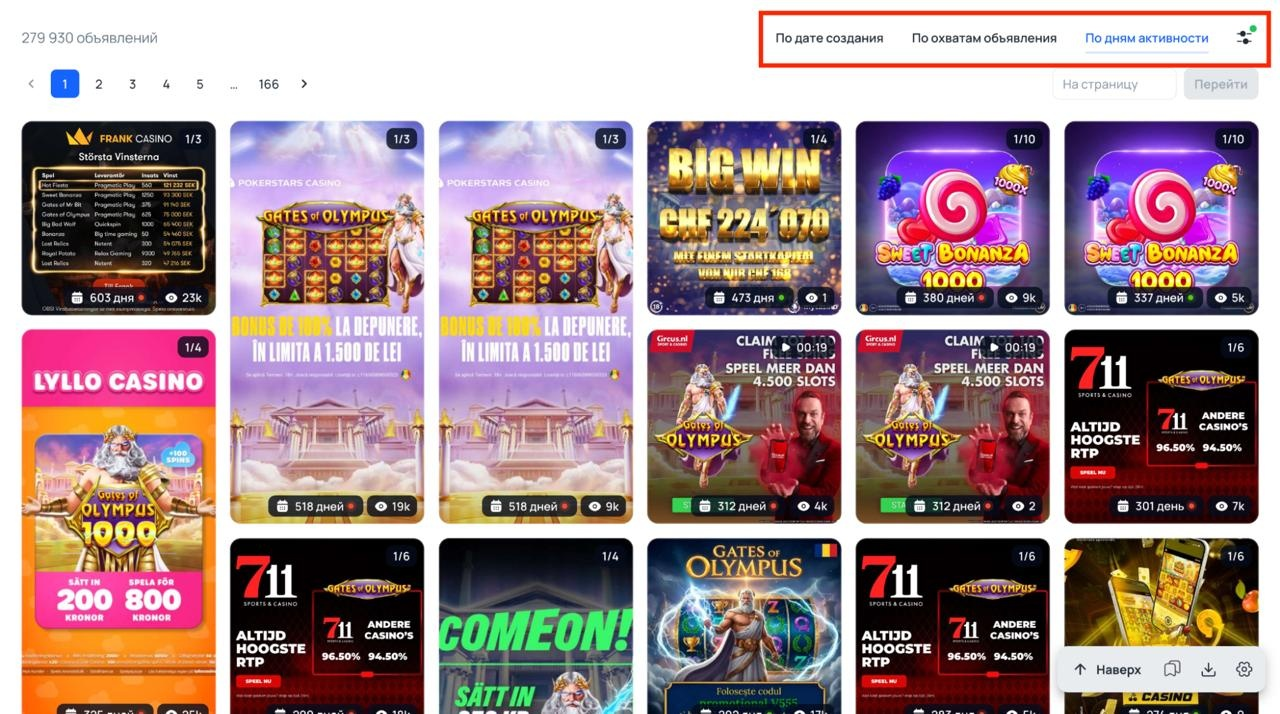
Along with the running time, it is important to look at the reach. An ad can stay active for several days simply because it runs on a micro-spend. To remove such ads, you need to set a lower reach threshold, for example, from 1000 impressions. A long running time coupled with a large reach confirms that a budget is truly being invested into the ad.
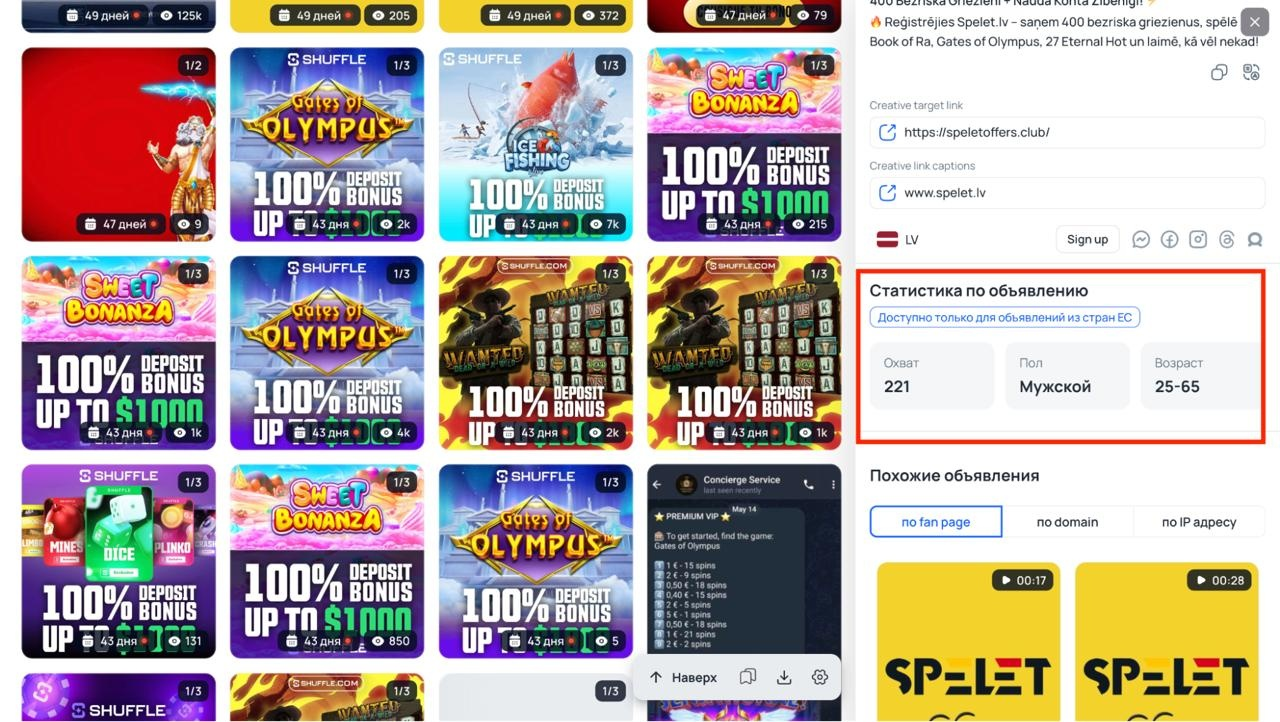
For EU countries and other Tier-1 GEOs, Tyver also collects audience demographics. In the ad card, you can view the breakdown by gender and age of the users who saw the ad. These parameters can be immediately applied in your Facebook targeting settings.
Duplication of ads also points to a working bundle. When a bundle brings profit, buyers scale it through dozens of ad sets within a single account or launch it from multiple Fan Pages at once. If the same creative is used by different advertisers or is regularly repeated on one page, the bundle is definitely paying off.
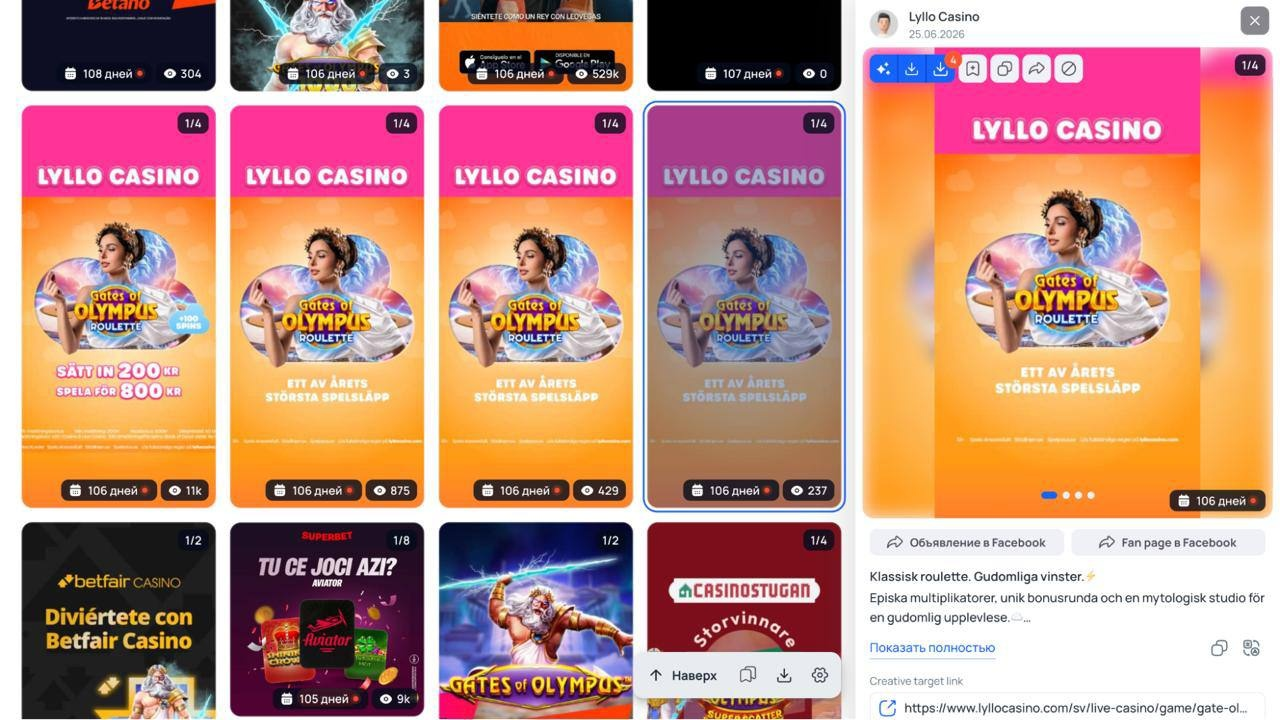
To view all creatives of a specific buyer in Tyver, you can open the ad card, scroll down to the "Similar ads" block, and click "By Fan Page".
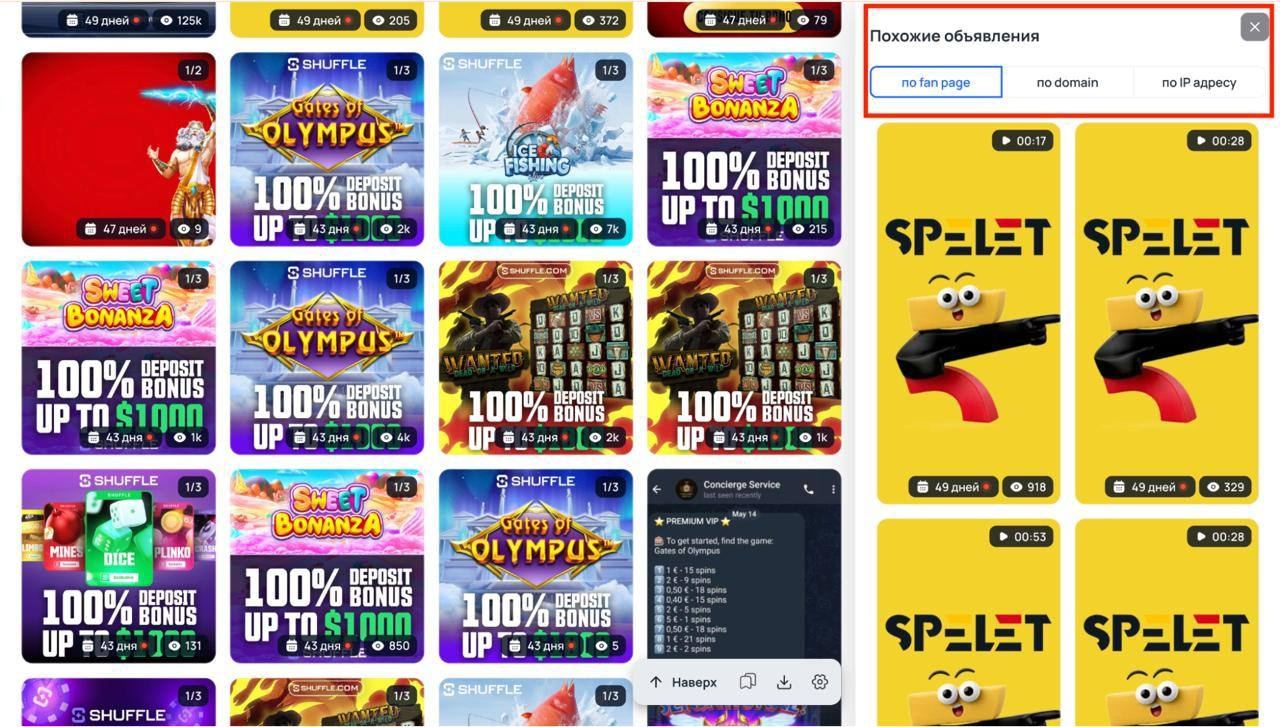
The service will show all ads launched from the selected Fan Page. If many similar creatives are running on the page and are not turned off for several days, you can instantly see what other approach variations the webmaster uses.
Searching only by keywords without additional filters yields a lot of ads from white-hat advertisers. For example, a query with the name of a disease will produce a ton of non-targeted ads.
White-hat advertisers do not use trackers, whereas affiliate marketers almost always drive traffic through Keitaro, Binom, or similar systems.
The URL filter helps remove white-hat ads. After entering the parameters that webmasters pass to the tracker (for example, pixel_id=, sub1=, fb=, or utm_campaign=), the search results will feature much more specific affiliate Facebook ads.
Searching by link also allows you to find ads for a specific domain. Buyers often attach the same tracker or landing page domain to different Fan Pages, so using a link fragment, you can extract other pre-landers and creatives of the same webmaster.
Interactive games: how to find working creatives for different GEOs
In practice, let's figure out how to search for interactive game creatives via Tyver. In this vertical, advertising approaches differ depending on the GEO and the format of the interactive game, such as Aviator.
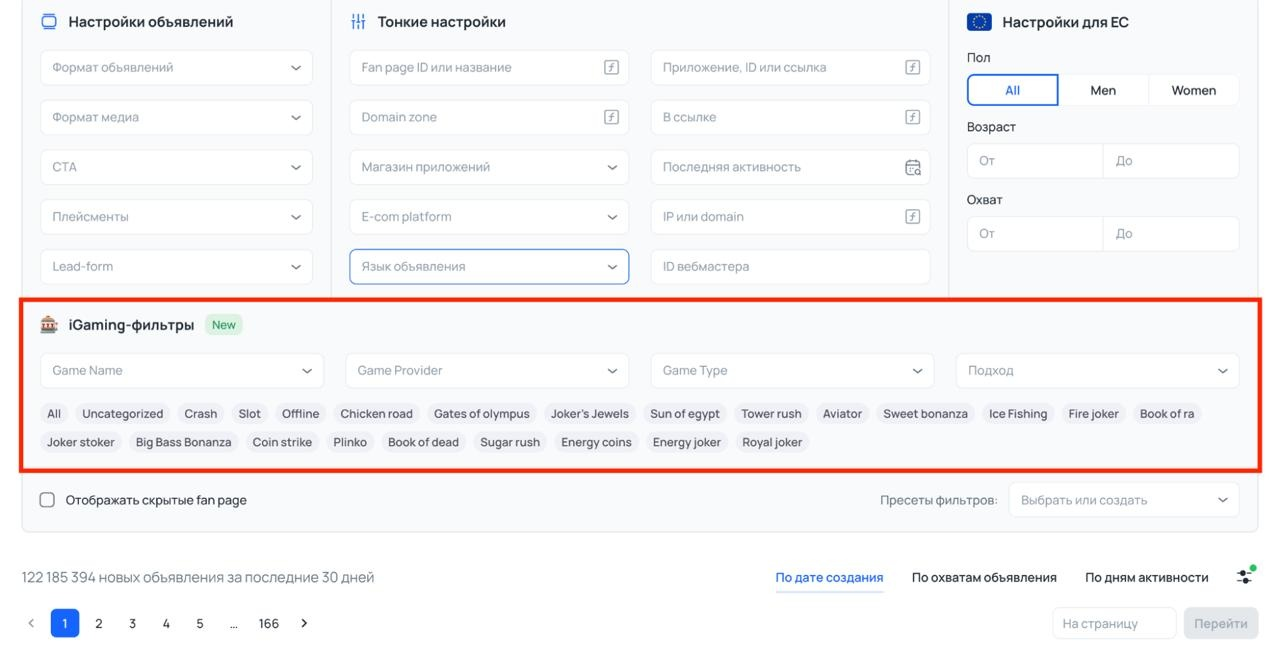
To find working ideas for ad creatives faster, you do not need to manually type in the name of each offer. Tyver has a separate block with filters by game formats just for this.
Here you can instantly sort the search results by game name, provider, mechanic type, and creative approach. Below are tags with popular interactive games: Aviator, Gates of Olympus, Sweet Bonanza, Plinko, Chicken Road, and others. Just click on the desired tag, and the service will show ads specifically for this game.
Imagine a situation: we are driving traffic to gaming strategies and decided to change the GEO from Asia to Latin America. Our task is to see what approaches webmasters use in this niche and what visuals are most frequently encountered in the search results.
To speed up the search for competitors' creatives, we will use Tyver's built-in filters by game formats and set the following parameters:
-
GEO: Latin America.
-
Active days: from 3 to 14.
-
Game name: Aviator and Plinko, as these formats are often used in creatives with gaming strategies.
-
Game type: interactive game.
-
Approach: UGC, because webmasters often use lifestyle creatives for such formats.
Based on the specified parameters, Tyver returned over 2000 ads. The entire search result turned out to be targeted, exactly matching our query: UGC videos for interactive games in Latin America.
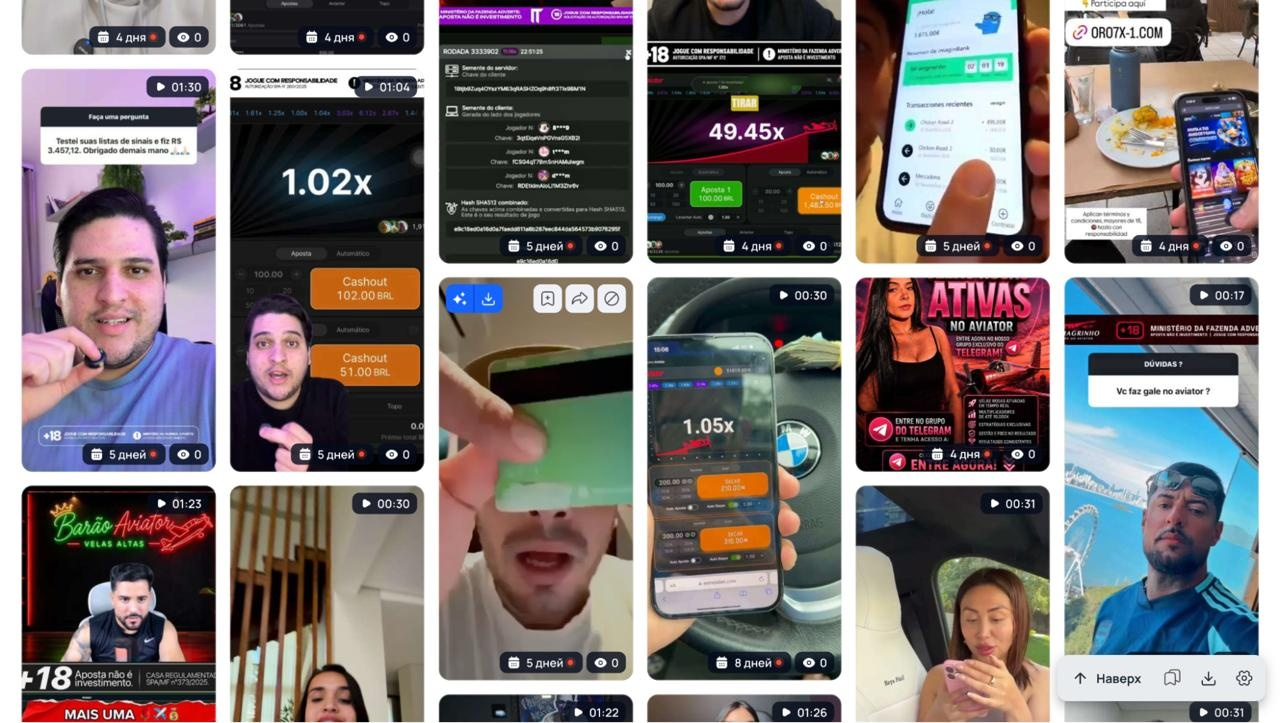
The search results instantly reveal the main angles for gaming strategies.
Q&A stickers from Instagram. A talking head video with a stories overlay, where a supposed subscriber thanks for the signals or asks about a gaming strategy for Aviator. This warms up the audience even before they click through to the Telegram channel.
Lifestyle with a phone in hand. The creator shows a smartphone screen with the game, closes the round at a small multiplier, and then switches to a banking app showing the balance or flashes a wad of cash in a car.
Direct call-to-action to a channel. Creatives with overlays and a link to a private Telegram with gaming strategies and signals.
Such an analysis of ad creatives immediately shows which hooks buyers use in this GEO, so there is no need to blindly test dozens of different formats.
Now suppose we need to find creatives for interactive games in Europe, see exactly how buyers implement the news approach, and what gaming formats are most frequently found in ads.
Set the following filters:
-
GEO: Europe.
-
Ad format: Video.
-
Creation date: last 2 weeks to see the most relevant creatives.
-
Game type: interactive game.
-
Approach: Celebrity and News.
Right on the first page, Tyver displays ads that are duplicated across different Fan Pages. And as we mentioned above, if the same creative is run simultaneously from several pages, it is a direct sign that it brings results.

Next, all that remains is to analyze the hooks and triggers in these videos and, based on them, create your own unique variations for the campaign.
Using these filters, you can find ad creatives for different interactive games and GEOs in one click, immediately select the necessary approaches, and not bother with keyword selection.
This way you can quickly find out what gaming formats buyers are currently using in the selected GEO and what angles are at the top. The main thing is to properly combine filters with each other for your specific task.
Nutra: how to search for creatives by keywords
In nutra, the task gets a bit more complicated. There are no ready-made presets here, as in the previous example, so for the creative search, you will have to thoroughly work with keywords and sort through different options.
But the essence remains about the same. Nowadays, collecting keywords is much easier thanks to neural networks. You can use any neural network like ChatGPT or Gemini; just give the right prompt for the offer category.
For example, we are driving traffic to hypertension in Latin America and we need to see what approaches buyers are currently using specifically in video creatives.
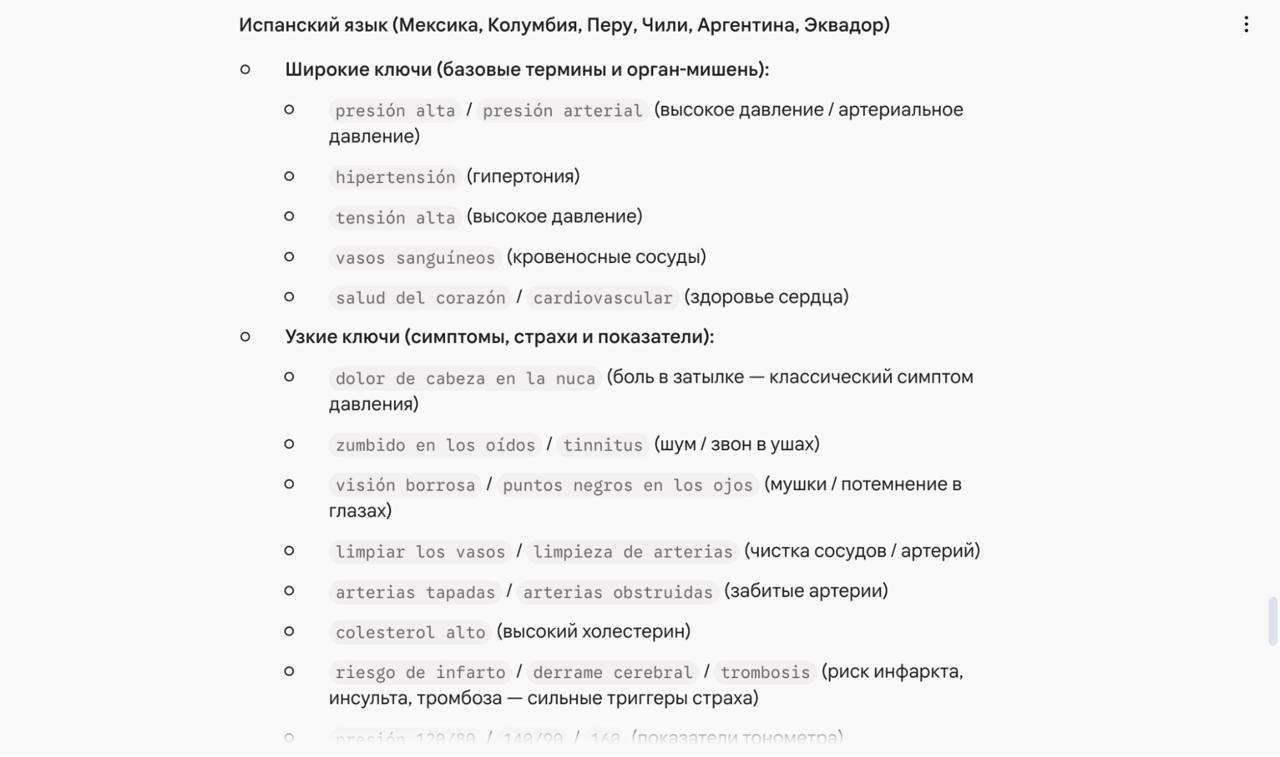
We ask the neural network to compile keywords for this category. The prompt itself and the ready-made keywords will be on the screenshot below.
First, let's take a broad keyword "presión arterial" and set standard settings: video format, GEO Latin America, and a broad search type to maximize the search results.
As we mentioned above, with such general keywords and basic filters, a large part of the search results will be clogged with ads from white-hat advertisers or things completely unrelated to nutra.
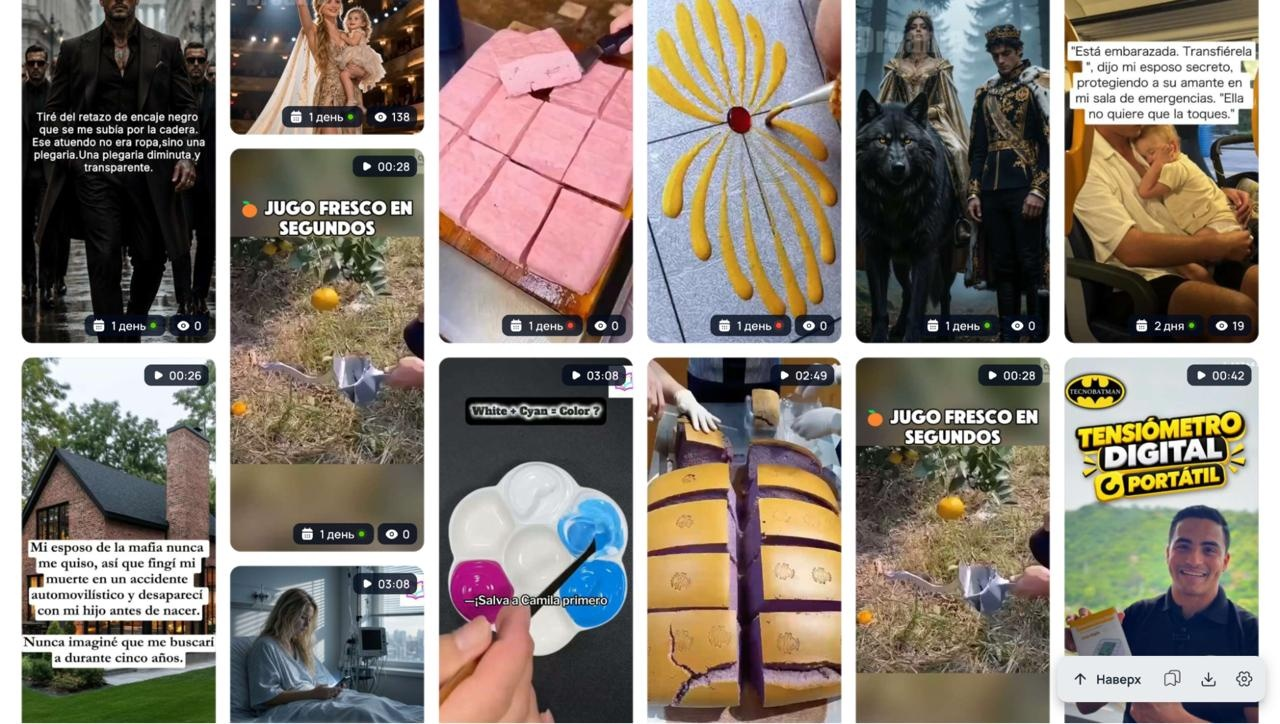
Therefore, to narrow down the output, we insert the "fb_pixel" parameter into the link filter.
Yes, there will be noticeably fewer creatives, but now they are all targeted and purely affiliate.
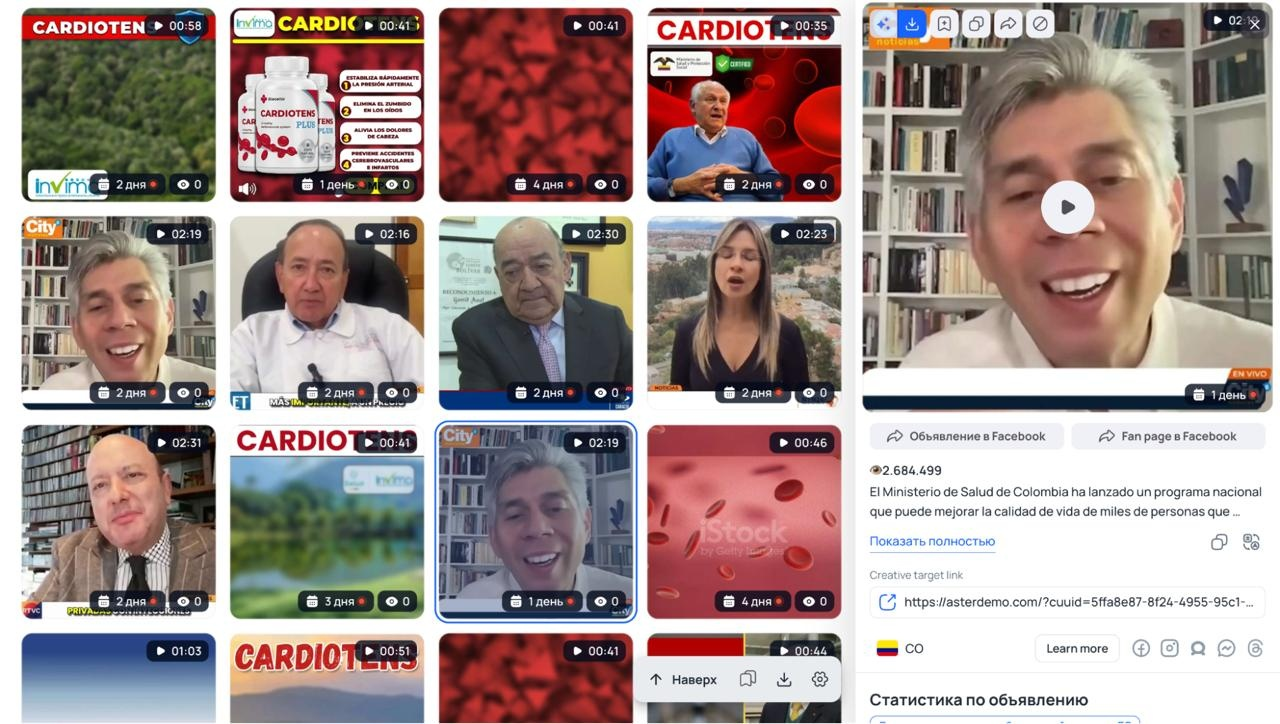
Now let's try using a narrow query "limpieza de arterias" (artery cleaning).
We leave the settings the same, but change the search type to exact. This is necessary so that the service looks strictly for this phrase, not separate words.
This time, the search output turned out to be completely targeted. Classic affiliate angles are immediately visible here: videos of heart attacks during a match or in a gym, people holding jars of dietary supplements, and directing traffic straight to WhatsApp.

How to find creatives for crypto
Now let's look at what approaches buyers use when working with crypto offers. As keywords, we take broad and universal phrases: Señales de trading / señales cripto / señales de criptomonedas (trading signals, crypto signals, etc.).
We do not touch other filters yet. Our task is to go through broad settings first, and if the output is filled with unnecessary ads, we will gradually start to narrow it down.
Even with just this one keyword, Tyver immediately finds affiliate ad creatives. We get a clear cross-section of the market, instantly showing what competitors' ads rely on.
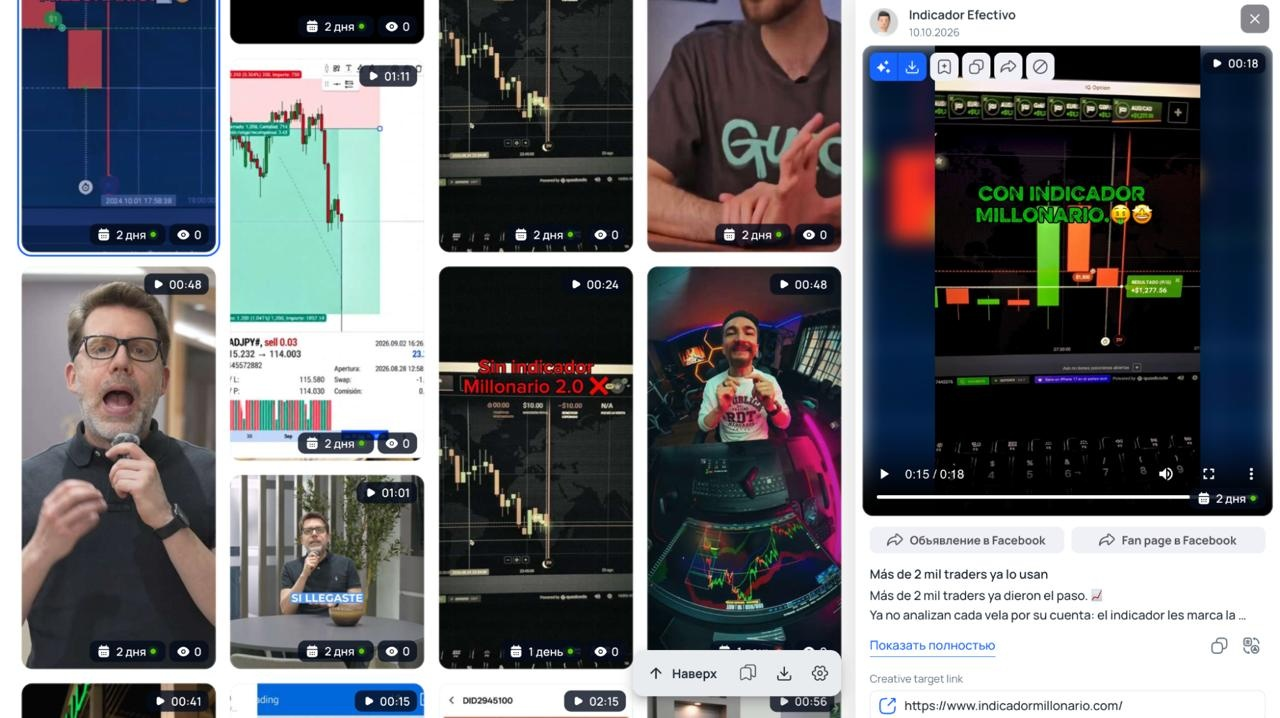
Here you can find both standard videos with charts and indicator demonstrations, as well as an expert format where a speaker with a microphone in a studio or office talks about training and entry points.
A classic scheme approach also comes up often. In the frame, a hired native actor talks emotionally about earnings, shows screens with profitable trades, and funnels the audience into a private Telegram channel.
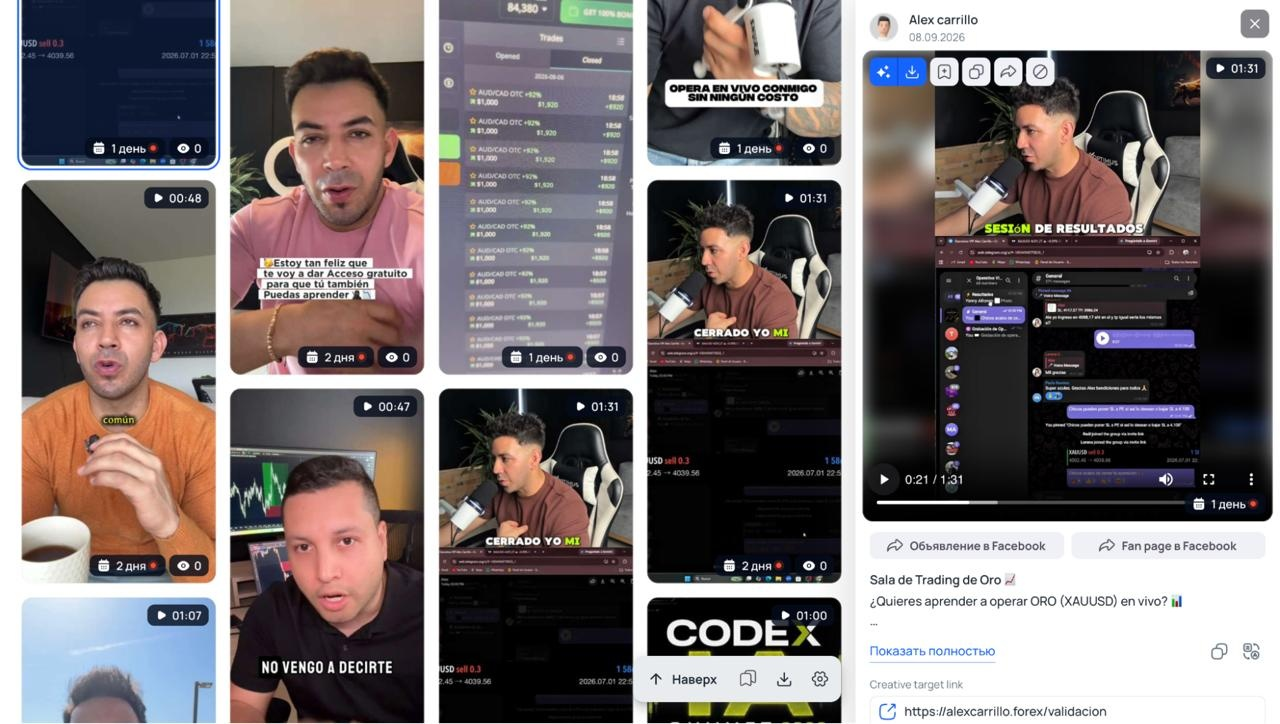
How to find truly effective ad creatives among all this vast output?
For instance, we see that the same approach flashes regularly in the search results, and the videos are uploaded from different Fan Pages.
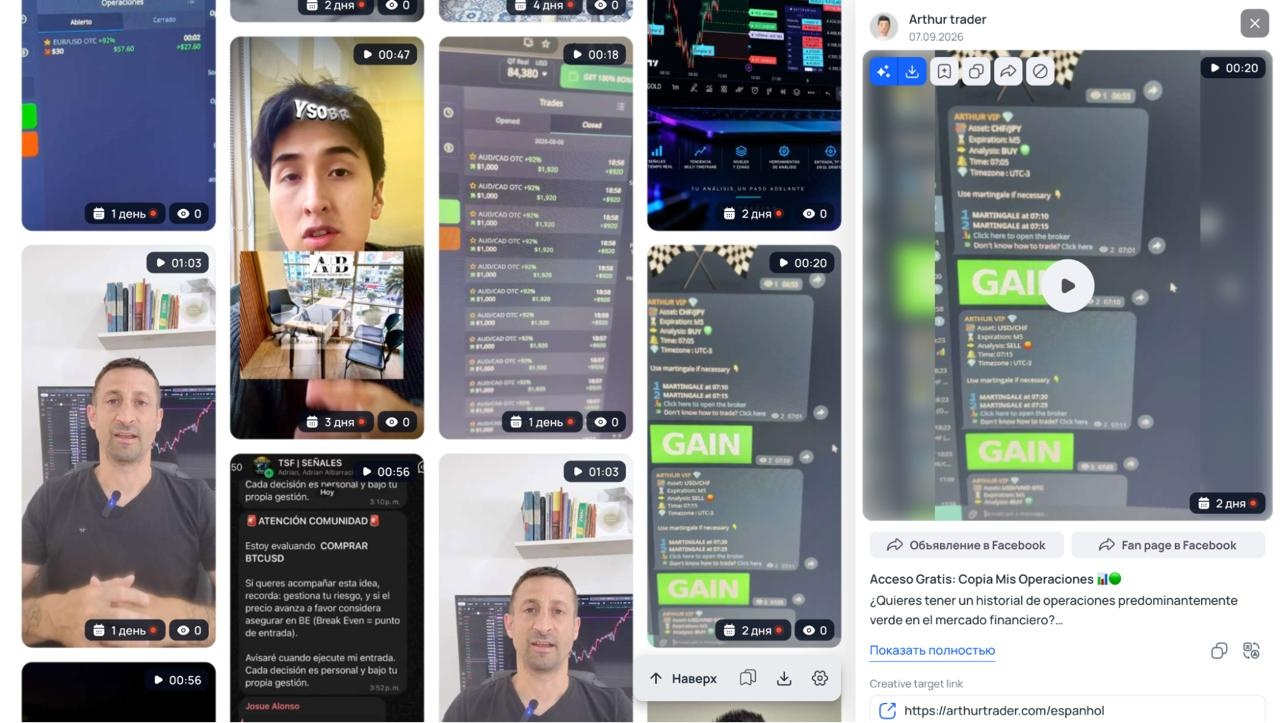
In this case, we click on the ad card, scroll down, and open the author's Fan Page to evaluate how actively they run this angle.
Here you can sort the results by active days to see the ads with the longest lifespan.
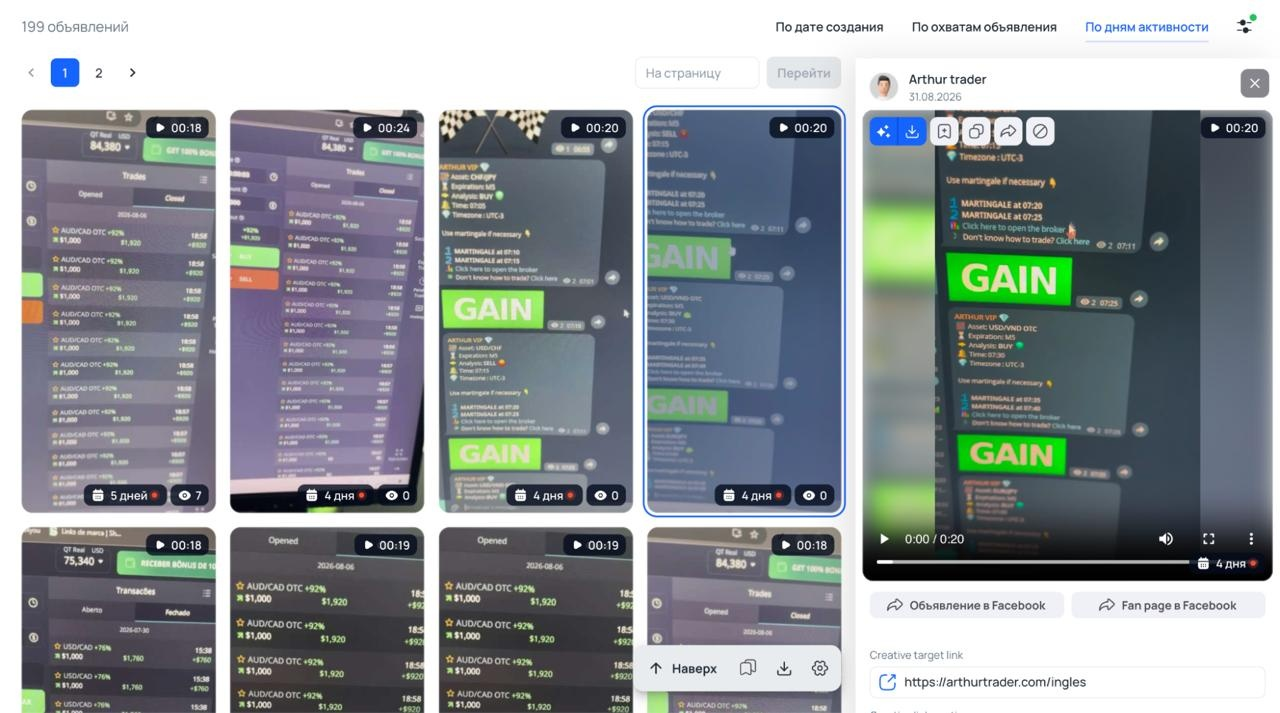
The page shows about 200 ads with a normal running time. This directly implies that the buyer is actively scaling the bundle and getting results from it. Otherwise, it makes no sense to run such a volume of ads and continue spinning them at a loss.
Conclusion
Creatives on Facebook and Instagram burn out fast, so tracking other people's approaches must be done constantly. When analyzing search results, it is crucial to look at specific metrics: how long the ad runs and how many duplicates are launched from a single Fan Page. These are the exact signs used to identify bundles that webmasters keep running longer than others.
Searching for such bundles manually by keywords alone takes a long time. Tyver's built-in filters by game formats, search by tracker parameters, and viewing ads of specific pages significantly simplify the work when preparing creatives for interactive games, nutra, and crypto.
Register with Tyver to view relevant ads and find approaches for your campaign faster.



 Telegram
 Email
Email









Be the first to share your opinion!
We value your feedback — share your thoughts.